
Livraison le jour même ou le lendemain

Qualité garantie

Débloquez vos offres de bienvenue: Livraison GRATUITE | Jusqu'à -80 % | 30 jours d'essai gratuits à JoyPlus
Téléchargez l'application
It's no accident that USB-C has established itself as the universal connector: one cable to do it all, from charging your smartphone to your laptop, and handling data transfers in between. However, behind this apparent simplicity lies a real minefield. Choosing the right USB-C to USB-C cable is far more complex than it seems, and a bad purchase often means slow charging, endless file transfers, or even a cable that's ready for the bin after just a few months.
As a product expert at Joybuy, my mission is to demystify the jungle of high-tech accessories for you. Let's forget the marketing jargon and get straight to the point. Here are the pitfalls to avoid and the criteria that truly matter to make the right choice.
The Myth of Universal "Fast Charging": Many cables are labelled "fast charge," but this means very little out of context. A cable might be limited to 15W, while your MacBook or laptop requires 60W or 100W. The result: extremely slow charging, or even a battery that drains while plugged in. What really counts is the maximum supported power (in watts) and compatibility with the Power Delivery (PD) protocol.
The False Promise of Durability: A cheap cable might seem like a bargain, until the sheath frays after a few weeks. It always breaks in the same place: right at the base of the connectors, the most vulnerable points. A poorly designed cable at this stress point is a bad investment, no matter the price.
To avoid making a mistake, pay close attention to these three characteristics. They determine the real-world performance and lifespan of your cable.
This is the number one criterion for charging. The power, expressed in watts (W), must match the needs of your most power-hungry device.
Not all USB-C cables are created equal when it comes to transferring files.
A cable's longevity comes down to its build quality.
To help you see things more clearly, here's how these criteria translate into practice with products suited for different needs.
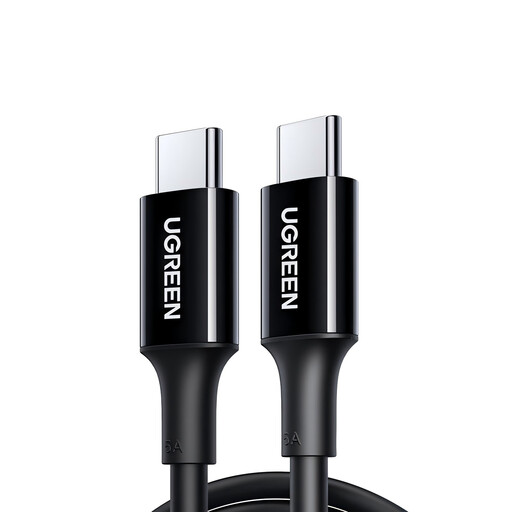
Why we chose it: This is the cable for those who make no compromises on power. Its 100 W output is calibrated for the most demanding laptops, and its 2-metre length offers welcome freedom of movement, whether you're at your desk, in a meeting, or at the airport.
It tackles the "fake fast charging" pitfall head-on by advertising full Power Delivery compatibility up to 100 W. This guarantees full-speed charging for a MacBook or any other demanding laptop.
Its 100 W power output and comfortable 2m length make it the quintessential versatile ally.
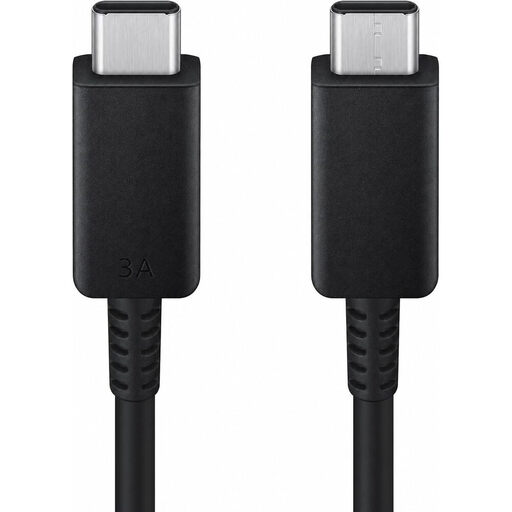
Why we chose it: For everyday use with a smartphone or tablet, this official Samsung cable is a balanced and reliable choice. Its 60 W output is more than enough for fast-charging an iPhone 15 or Samsung S24, and its 1.8m length makes it convenient at home and in the office.
It sidesteps the pitfall of questionable durability. As an official product from a major manufacturer (Samsung) and being USB-IF certified, it guarantees impeccable build quality and safety.
The perfect balance of a practical length (1.8m), ample power (up to 60 W), and the reliability of a major brand.
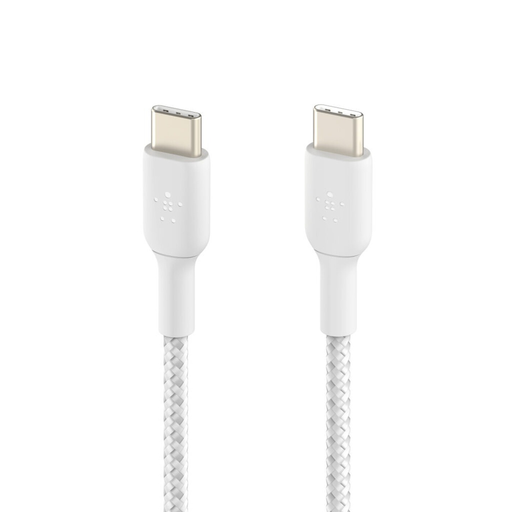
Why we chose it: At 15cm, this is the ultimate anti-tangle cable. It's perfect for connecting a smartphone to a power bank in a bag or on a desk corner, without the clutter of unnecessary length. The ideal solution for life on the move.
It tackles the fragility pitfall with its robust braided sheath. Belkin states it can withstand over 30,000 bends: a guarantee of longevity designed for the rough and tumble of daily use and travel.
Ultra-compact size (15cm) and rock-solid durability for clutter-free mobile use.
We have selected a full range of cables that meet our quality criteria and European safety standards, including USB-C to USB-A models for your older chargers and devices.
It's all about the maximum power the cable can deliver. A 60?W cable is sufficient for fast-charging smartphones, tablets, and most ultra-portable laptops. A 100?W (or higher) model becomes essential for powering and charging high-performance laptops, like a MacBook Pro or a mobile workstation, at full speed. Plugging a 60?W cable into a device that requires 100?W will result in extremely slow charging, or the battery level may simply stagnate.
Generally, yes. The braided sheath (made of nylon or another textile) offers much better protection against abrasion, pinching, and tangling than a standard plastic sheath. It therefore better withstands the abuse of daily use, especially when carried in a bag. However, the strength of the reinforcement at the connectors remains the most critical point to check.
Technically, yes, any USB-C to USB-C cable will connect. But to benefit from fast charging, you absolutely need a cable that is compatible with the Power Delivery (PD) protocol and can supply the required power (around 30W for these models). Using a cheap, uncertified cable not only means slow charging; it also poses a risk to your smartphone's battery health. It's much better to opt for cables from reputable brands that explicitly state their PD compatibility.