
Livraison le jour même ou le lendemain

Qualité garantie

Débloquez vos offres de bienvenue: Livraison GRATUITE | Jusqu'à -80 % | 30 jours d'essai gratuits à JoyPlus
Téléchargez l'application
A frayed cable, excruciatingly slow charging, a cord too short to reach your nightstand... We all have a good reason to look for a new USB-C to USB-C cable. But navigating the maze of standards, power ratings, and lengths can be overwhelming. This guide is here to help you make sense of it all and choose the perfect cable for your devices and daily life, without drowning you in technical jargon.
We'll break down the key factors to check before you buy, along with a selection of proven models for your smartphone, laptop, or gaming console.
Before grabbing the first model you see, it's important to understand what sets a good cable apart from a bad one. Here are the three criteria that make all the difference.
The key advantage of USB-C is its ability to deliver high power for fast charging. Expressed in watts (W), this power output must be consistent across your charger, cable, and device.
The Power Delivery (PD) technology is the protocol that orchestrates this smart, high-power charging. To benefit from it, the entire chain—charger, cable, and device—must be PD-compatible. A cable certified for a specific wattage (e.g., 60W or 100W) includes an E-Marker chip. This chip communicates with the charger to deliver just the right amount of power, safely.
The standard 1-meter length is often perfect for desktop use. But a 2m USB-C cable is a game-changer, offering much more freedom to comfortably use your device while it charges, even when the outlet is far away.
Durability is a criterion that should not be overlooked. We all know that the cables included with devices have an unfortunate tendency to fray near the connectors. A braided USB-C cable, often made of nylon or recycled materials, holds up much better to the daily twists and bends. This can significantly extend its lifespan.
While the USB-C connector is universal, its performance is far from it. The majority of charging cables only support the USB 2.0 standard (480 Mbps). This is more than enough for syncing photos or documents. However, if you regularly transfer large video files or want to connect an external display via USB-C, you'll need to look for specific cables compatible with the much faster USB 3.1, USB4, or even Thunderbolt standards. But for simply charging a smartphone or a console like the Nintendo Switch, a standard USB 2.0 cable gets the job done perfectly.
We have selected a few reliable models that meet the most common needs.
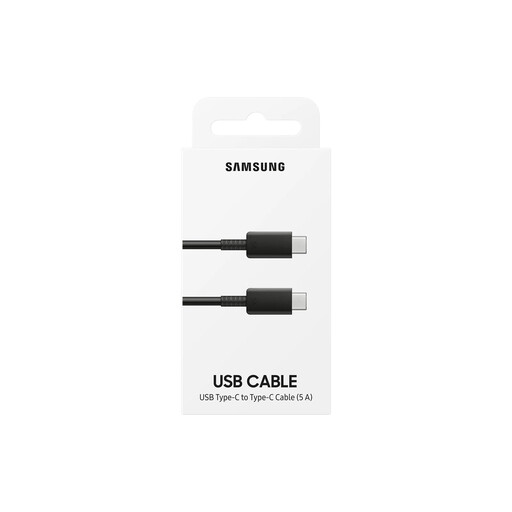
Why we chose it This official Samsung cable ensures perfect compatibility with the brand's ecosystem. Paired with a suitable charger, it guarantees access to "Super Fast Charging" technology.
Pros
Who is it for? For owners of a Samsung device (e.g., a cable for the Samsung S24) looking for a reliable, official replacement to take full advantage of fast charging.
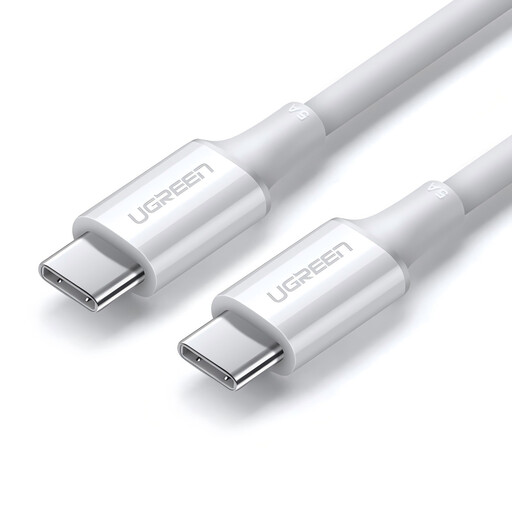
Why we chose it This UGREEN model is the ultimate Swiss Army knife: it combines high power with a generous length, making it an ultra-versatile solution for charging everything from a smartphone to a power-hungry laptop.
Pros
Who is it for? For those who want a single cable to charge everything, from their smartphone to their laptop. Its length and power make it an excellent choice for the office, at home, and on the go.
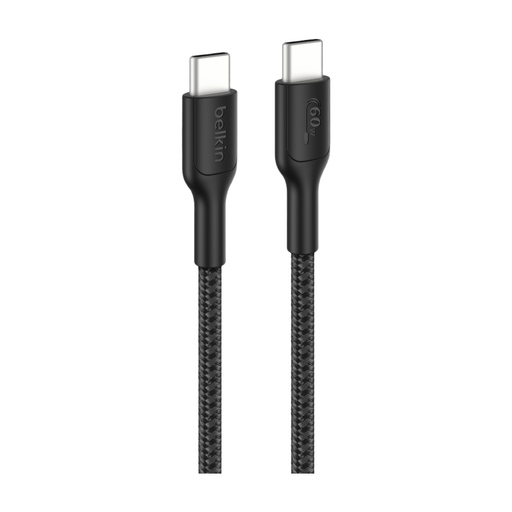
Why we chose it With this model, Belkin goes all-in on durability. Designed to withstand heavy use, its braided sheath and USB-IF certification make it a choice that's as durable as it is safe.
Pros
Who is it for? For those who are tough on their cables or are looking for a solution built to last. It's an ideal option for gamers, families with kids, or anyone who wants to invest in a truly reliable braided USB-C cable.
Our selection covers the most common needs, but the market is filled with models of all lengths, colors, and specifications. If you haven't found your perfect match yet, feel free to explore our full catalog.
? Explore our full range of Type-C to Type-C Cables
1. What wattage USB-C cable should I choose for my device? Check the maximum power your device accepts (in watts, W). Choose a cable with a power rating equal to or greater than what your device requires and your charger provides. Simply put: it's better to be overpowered than underpowered. A 100W cable will safely charge a 25W phone, but the reverse is not true.
2. Are all USB-C cables the same for fast charging? Absolutely not. To enjoy true fast charging, the cable must explicitly support the required wattage (e.g., 60W, 100W) and be compatible with protocols like Power Delivery (PD). A basic cable will always be limited to slow charging.
3. Does a longer cable charge more slowly? With high-quality, certified cables, the difference in charging speed between a 1m cable and a 2m USB-C cable is completely negligible. The quality of the materials and the diameter of the internal copper wires are far more important than length in ensuring good performance.