
Livraison le jour même ou le lendemain

Qualité garantie

Débloquez vos offres de bienvenue: Livraison GRATUITE | Jusqu'à -80 % | 30 jours d'essai gratuits à JoyPlus
Téléchargez l'application
A USB-C to USB-C cable can charge a smartphone, tablet, portable console or laptop. But performance can vary dramatically from one model to the next. Two visually identical USB Type-C cables can differ in supported power, data transfer speed or resistance to wear and tear.
Before you place an order, three common mistakes keep cropping up:
To choose a USB-C cable compatible with fast charging, start by checking the stated current: 3 A or 5 A. A 3 A model is generally suitable for a smartphone, tablet or certain ultraportable laptops. 5 A cables are aimed more at devices that may demand higher power, provided the charger and device are also compatible.
Power is calculated from voltage and current. As a guide:
The USB-C 100 W label should, however, be taken with a pinch of salt: the power actually delivered depends on the adapter, the charging protocol and the connected device. For a 240 W USB-C cable, look for precise information about certification and whether an electronic identification chip (usually called an E-Marker) is present.
A USB-C cable designed for data transfer may be limited to USB 2.0, i.e. 480 Mbit/s. This speed is sufficient for syncing photos, documents or music between a phone and a computer. It will show its limitations more when you regularly transfer large files.
Don't try to deduce the speed from the connector shape alone. The USB-C standard primarily describes the connector, not necessarily the USB generation used inside the cable. If the spec sheet only mentions "USB 2.0 480 Mbit/s", choose it for charging and everyday transfers rather than for a fast external SSD or a docking station.
A 1 m USB-C cable takes up little space and keeps clutter to a minimum on a desk or in a bag. A 2 m USB-C cable offers more freedom near a wall socket, a sofa or a workstation.
Durability depends on several factors:
A braided USB-C cable generally withstands repeated friction better, but you shouldn't bend it sharply at the connector or pull it by the cable. To extend its lifespan, unplug it by gripping the plug. Replace it if the sheath is cut or the connector becomes loose.
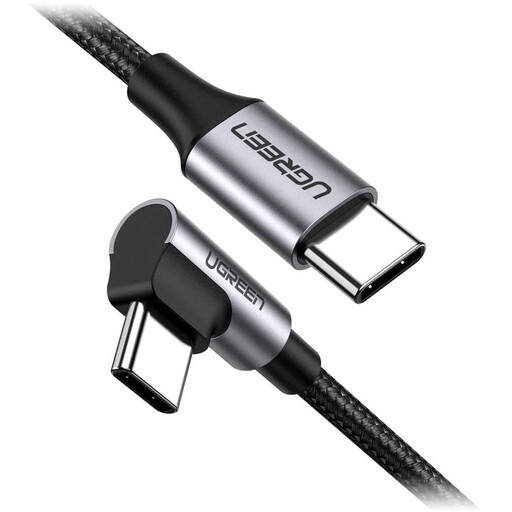
Why this choice suits this profile: With its 1 m length and stated 3 A current, it's suitable for everyday charging of smartphones, tablets and other USB-C devices.
The spec sheet clearly states a 480 Mbit/s USB 2.0 limit and charging up to 3 A, without suggesting higher speeds.
Male-to-male USB-C connectors, support for PD/PPS protocols and a length suited to everyday use.
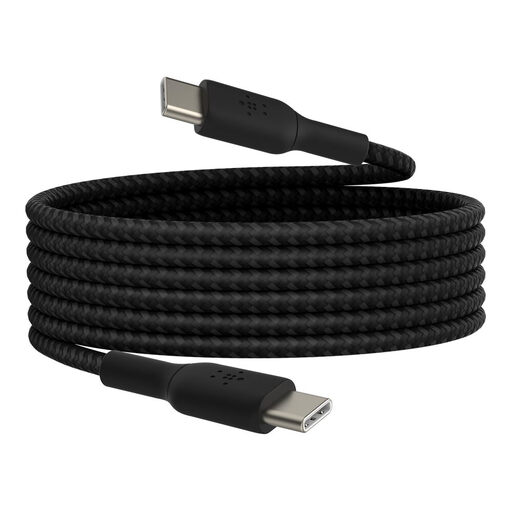
Why this choice suits this profile: Its 2 m length and braided design are particularly handy in an office or at home when the socket is a bit too far away.
The spec sheet clearly distinguishes the 60 W maximum power from the 480 Mbit/s USB 2.0 speed and mentions USB-IF certification.
Braided nylon sheath, 2 m length, stated charging up to 60 W and claimed resistance to over 30,000 bends.
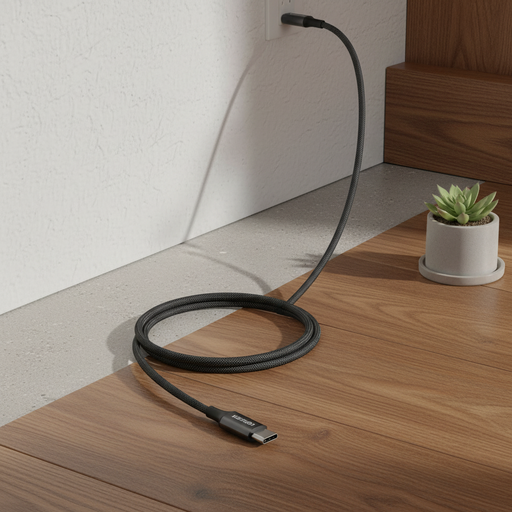
Why this choice suits this profile: It's aimed at users looking for a 100 W USB-C cable for compatible devices, without sacrificing a practical 1 m format.
The spec sheet states that data transfer remains limited to USB 2.0, i.e. 480 Mbit/s, despite a stated charging power of up to 100 W.
Braided sheath, tinned copper, stated shielding and E-Marker chip mentioned for certain versions.
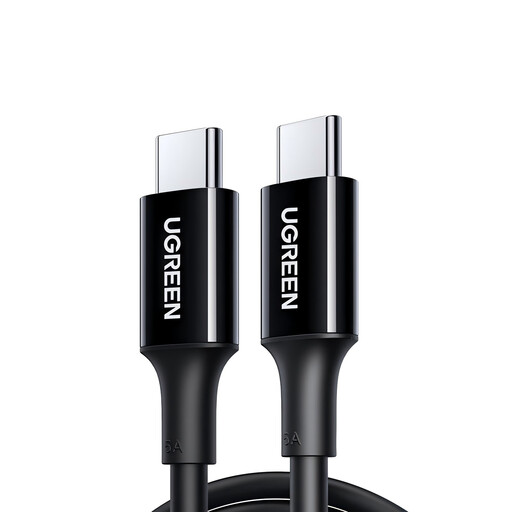
Why this choice suits this profile: Its stated current of up to 5 A suits users who have checked the compatibility of their charger and device with higher power.
The spec sheet clearly distinguishes the 5 A maximum current from the stated 480 Mbit/s USB 2.0 speed.
Tinned copper core, USB-C connectors and 1 m length.
We've put together a comprehensive, real-time updated selection of products that meet these strict criteria as well as European safety regulations.
It can connect two devices with USB-C ports, but charging depends on the standards supported by the charger, the cable and the device. Check the power, current and protocol stated on each spec sheet. A 3 A cable shouldn't be chosen by default to replace a 5 A or 100 W model.
A 1 m USB-C cable is generally suitable for a desk, bedside table or bag. A 2 m USB-C cable offers more freedom, especially when the wall socket is far away. On the downside, it can be more cumbersome and less convenient to carry around.
A braided sheath generally withstands friction and repeated handling better, but it doesn't make the cable indestructible. Its lifespan also depends on the quality of the connectors, storage conditions, bending and following the manufacturer's recommendations. Inspect the sheath regularly and stop using the cable at the first sign of cuts or deformation.