
Livraison le jour même ou le lendemain

Qualité garantie

Débloquez vos offres de bienvenue: Livraison GRATUITE | Jusqu'à -80 % | 30 jours d'essai gratuits à JoyPlus
Téléchargez l'application
A USB-C to USB-C cable can make it seem like all models are the same. In practice, two male-to-male USB-C cables can deliver very different performance when it comes to charging, data transfer, length or durability. Whether you need one for a smartphone, tablet, console or laptop, the right choice depends above all on how you plan to use it and the specifications detailed on the product page.
A charger advertised at 100 W or 240 W does not automatically mean the USB-C cable can handle that much power. The cable itself must also support the current and protocol used by both the charger and the device.
A 3 A USB-C cable is suitable for many smartphones and tablets. A 5 A USB-C model will be more appropriate for certain fast-charging setups or compatible laptops. In every case, the actual power delivered depends on the weakest link between the charger, the cable and the device.
The phrase "fast charging" alone tells you nothing about sync speed. Some USB-C cables can handle high power while still being limited to USB 2.0, i.e. up to 480 Mbit/s for data transfer.
This speed is fine for syncing a smartphone, transferring photos or backing up everyday files. For moving large volumes of data or using a USB-C monitor, check the transfer standard separately. The mere presence of the USB Type-C label is not enough.
A 1 m USB-C cable is practical on a desk or with a power bank. A 2 m model gives you more freedom near a sofa, bedside table or home office setup, but it will also be a bit bulkier to store.
The cable jacket deserves your attention too. A braided USB-C cable generally withstands everyday wear and tear better, but the quality of the connectors and their strain relief at the base remain crucial. A tough jacket won't make up for a poorly attached connector.
Before ordering, make sure you check the following details:
A 240 W USB-C cable won't turn a limited device into one that supports that power. It simply offers a capacity suited to equipment and chargers that can make use of it.
For a USB-C cable for iPhone, Samsung or MacBook, check the advertised speed. A USB 2.0 cable at 480 Mbit/s is fine for charging and basic syncing, but it will quickly show its limits for professional use that requires fast transfers.
Having two USB-C connectors also doesn't guarantee video support. If you want to connect a computer to a monitor, look for video compatibility explicitly stated in the technical specifications.
The cable must be connected between two functional USB-C ports. To charge a phone, also make sure the charger has a USB-C port and supports the right protocol, such as USB Power Delivery where required.
The models shown below are mainly intended for charging and data transfer. Always check your device's specifications before buying, especially if it's a laptop, console or recent smartphone.
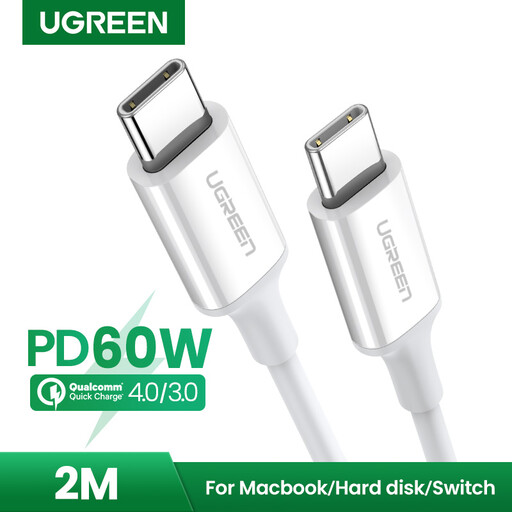
Why this pick suits this profile: its 2 m gives you real freedom at home, for studying or remote work, with a simple design built for everyday charging and transfers.
The product page states a current of 3 A and USB 2.0 transfer. So there's no way to confuse a vague promise of speed with genuinely documented performance.
Two male-to-male USB-C connectors, 2 m length and advertised support for both charging and data transfer.
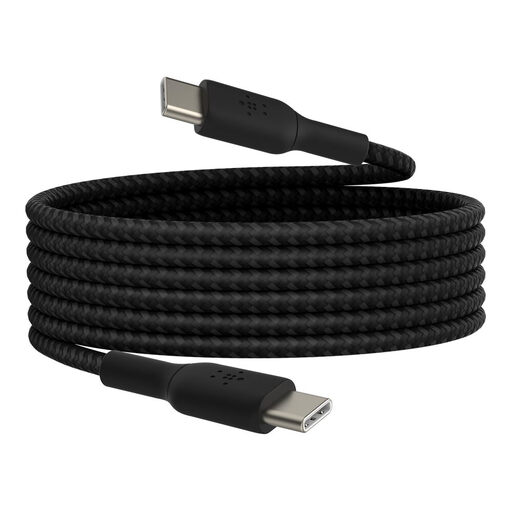
Why this pick suits this profile: it combines a comfortable length, a braided nylon jacket and clearly detailed specifications for everyday devices.
The maximum power of 60 W and the 480 Mbit/s speed are stated separately. So you know exactly that this is a USB 2.0 cable designed for charging and syncing.
Braided nylon jacket, 2 m length, charging up to 60 W according to the product page and USB-IF certification stated by the manufacturer.
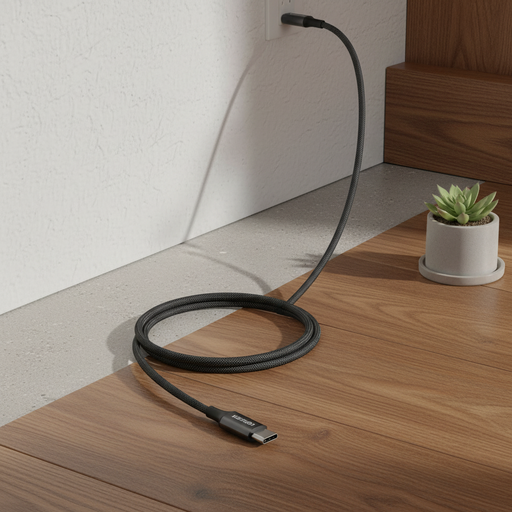
Why this pick suits this profile: its 1 m length keeps your desk clutter-free, while its advertised 5 A current makes it suitable for equipment compatible with higher-power charging.
The product page clearly separates charging up to 100 W from USB 2.0 transfer at 480 Mbit/s. The cable doesn't suggest it offers higher data speeds.
Braided jacket, tinned copper conductors, advertised maximum current of 5 A and E-Marker chip mentioned in the specifications.
We've put together a comprehensive, real-time updated selection of products that meet these demanding criteria and European safety standards.
To make your USB-C to USB-C cable last longer:
A cable used every day will naturally wear out faster than one stored away in a bag most of the time. Its lifespan depends on how often it's plugged in, how much it's twisted and the conditions it's stored in.
Yes, as long as the device has a USB-C port and the charger uses a compatible connector. To choose a USB-C cable for iPhone or Samsung, check mainly the power your phone can accept and the protocol your charger supports. The cable alone doesn't guarantee fast charging.
A 1 m USB-C cable is ideal for a desk, bedside table or power bank. The 2 m model gives you more freedom when the socket is further away, but it also takes up more space. The simplest approach is to measure the distance between the charger and the device before you decide.
Its maximum power doesn't directly determine electricity consumption. That depends mainly on the charger, the device and the amount of energy needed. A 240 W USB-C cable simply offers a greater compatibility margin, without forcing the device to consume more power.