
Livraison le jour même ou le lendemain

Qualité garantie

Débloquez vos offres de bienvenue: Livraison GRATUITE | Jusqu'à -80 % | 30 jours d'essai gratuits à JoyPlus
Téléchargez l'application
A fraying cable, excruciatingly slow charging, the dreaded "Accessory Not Supported" error message… If this scenario sounds familiar, you're not alone. With the widespread adoption of the USB-C port on everything from the iPhone 16 to laptops and gaming consoles, choosing the right cable has become a real headache. Between standards like Power Delivery, transfer speeds, and material quality, it's easy to get lost.
This guide is here to help you make sense of it all. As product experts at Joybuy, our mission is to give you the keys to choosing a reliable fast-charging USB-C cable that's perfectly suited to your devices, all without the unnecessary technical jargon.
Before diving into our top picks, let's review the key points to check to ensure you make the right choice.
A cable's charging power, measured in watts (W), is essential. Power Delivery (PD) technology establishes an intelligent dialogue between the charger, the cable, and your device to deliver the optimal power, safely.
Not all USB-C cables are created equal when it comes to file transfers—far from it.
A cable's sturdiness makes all the difference in daily use.
Here are the models that caught our eye, chosen for their reliability, performance, and suitability for specific use cases.
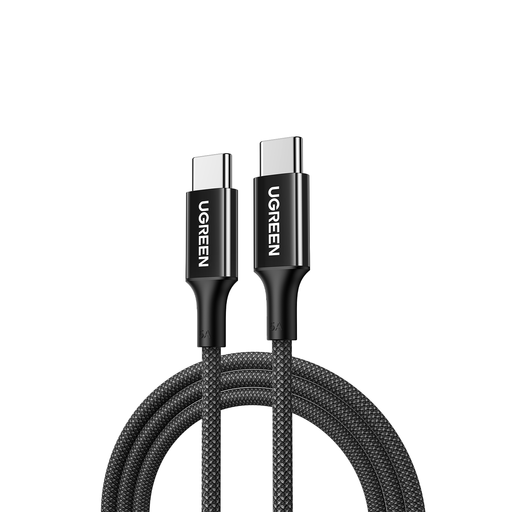
Why It Stands Out
This UGREEN cable is the perfect compromise between power, durability, and price. It's designed for those seeking a single, robust charging solution for all their devices, including the most power-hungry laptops.
Pros
Who Is It For?
For those looking for a versatile, durable, do-it-all cable to charge all their devices (from smartphone to laptop) without needing stratospheric transfer speeds. It's the sensible choice for heavy daily use.
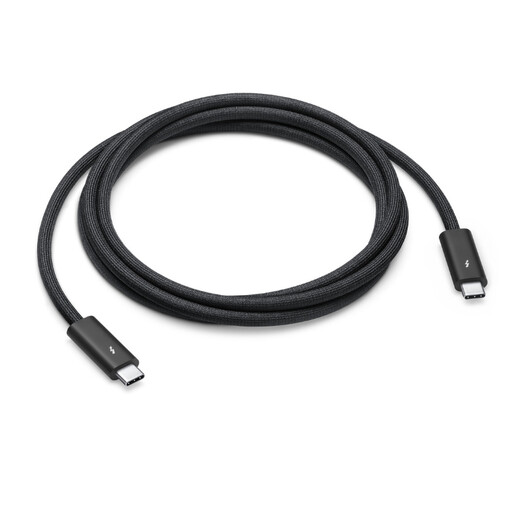
Why It Stands Out
This cable is THE benchmark for users in the Apple ecosystem and creative professionals. It doesn't just charge; it transfers data at lightning speed and handles ultra-high-quality video streams.
Pros
Who Is It For?
For video, photo, and design professionals who use a cable for their MacBook Pro or iPad Pro and for whom transfer speed is as crucial as charging power. It's an investment, to be sure, but one that is fully justified for a no-compromise workflow.
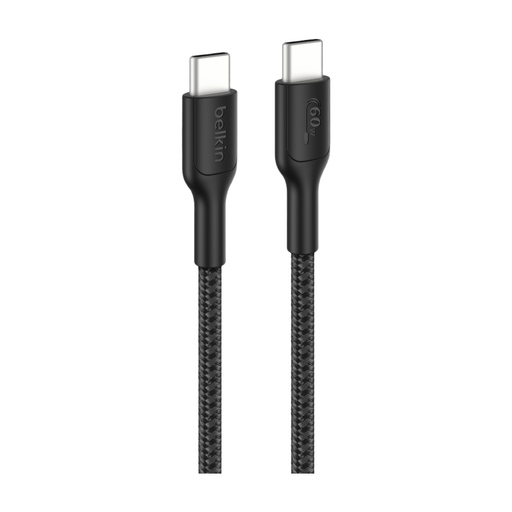
Why It Stands Out
Specifically designed for gamers, this Belkin cable focuses on robustness and freedom of movement. Its reinforced construction is engineered to endure the twists and pulls of the most intense gaming sessions.
Pros
Who Is It For?
For handheld (Nintendo Switch 2) and mobile gamers, as well as anyone who tends to be rough on their cables and is primarily looking for a solution that's built to last.
Our selection covers the most common use cases. If you have more specific needs (different length, color, or technical specification), feel free to browse our complete catalog.
Explore Our Full Range of USB-C Cables
Although they share the same connector, their performance is worlds apart. A "standard" USB-C cable is primarily designed for charging and basic data transfers (usually at 480 Mbps). A Thunderbolt 4 cable is a supercharged version: it supports speeds up to 40 Gbps, connection to multiple 4K displays, and 100W charging. Importantly, it is fully backward compatible with USB-C.
Absolutely not. Thanks to the Power Delivery (PD) standard, the charger, cable, and your device "communicate" with each other to adjust the power delivered to exactly what the device needs, and not a watt more. Using a 100W cable to charge a smartphone that only accepts 25W is therefore completely safe: the device will only "draw" the 25W it requires.
The easiest way is to check your device's user manual or its online spec sheet. Look for mentions of "Power Delivery," "PD," "Quick Charge" (for some Android devices), or an indication of the maximum power accepted in watts (e.g., "charges up to 30W"). Note: to take advantage of it, both your charger and your cable must be compatible with this standard.