
Livraison le jour même ou le lendemain

Qualité garantie

Débloquez vos offres de bienvenue: Livraison GRATUITE | Jusqu'à -80 % | 30 jours d'essai gratuits à JoyPlus
Téléchargez l'application
A Logitech mouse can be the perfect companion for work, studying, working from home or gaming. But the differences between models go far beyond colour or price. A compact wireless Logitech mouse offers a different experience from a wired USB model, while an ergonomic or gaming mouse may add features you do not necessarily need.
Before you buy, it is worth avoiding three common pitfalls:
A wired USB mouse plugs directly into your computer. It needs neither batteries nor charging and will generally work as soon as it is connected. However, check which type of port is available, particularly if your laptop now favours USB-C.
A wireless Logitech mouse with a 2.4 GHz receiver gives you greater freedom of movement. The B170, M185 and M171 models claim a range of up to 10 metres, depending on the conditions of use. However, you will need to keep the nano receiver safe and remember to replace the battery.
A Bluetooth mouse, such as the Logitech M240 Silent, connects without a USB adapter. It is especially convenient with a laptop or tablet, as well as in a workspace where every port matters. Its range and stability can nevertheless be affected by metal objects or other nearby wireless devices.
An optical mouse tracks movement using a light sensor. The Logitech models featured here use a resolution of 1,000 DPI, which is more than enough for browsing the web, viewing documents, managing emails and using everyday software.
DPI refers to cursor sensitivity: the higher the value, the more pixels the cursor travels with a smaller mouse movement. A mouse with adjustable DPI is mainly worthwhile for gaming, graphic design or users who switch between different levels of precision. For office work, prioritise smooth, consistent and predictable movement.
A three-button ambidextrous mouse remains a versatile choice for a household, classroom or shared workstation. The Logitech M90, B100, B170, M185 and M171 use this design, with a left button, right button and scroll wheel.
In a shared environment, a silent mouse can help reduce noise. The Logitech M240 Silent claims to reduce click noise by 90%, according to the product information provided. This figure describes the design stated by the manufacturer and does not predict how every user will experience it.
Battery life depends on the type of connection, the battery used and how frequently the mouse is used. The M240 Silent claims up to 18 months on a single battery, while the M185, M171 and B170 claim up to 12 months. These figures are indicative and may vary depending on settings, usage intensity and storage conditions.
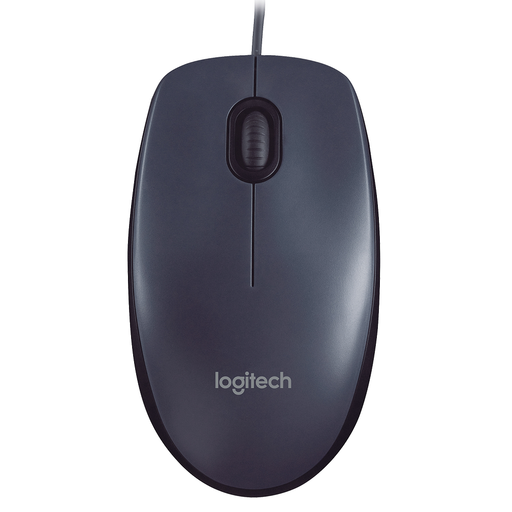
Why this choice suits this profile : This wired PC mouse connects via USB-A and works straight away, with no driver or software to install. Its symmetrical shape is suitable for both right- and left-handed users.
The wired connection eliminates batteries, charging and the risk of losing a wireless receiver.
1,000 DPI optical sensor, three buttons, 1.5 m cable and compatibility with Windows, macOS, ChromeOS and Linux.
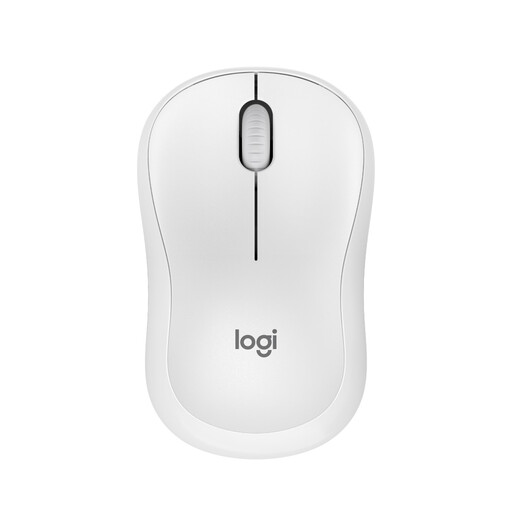
Why this choice suits this profile : Bluetooth connectivity keeps a USB port free from a dongle, while the compact design makes it easy to move between home and the office.
It reduces reliance on USB ports and claims to offer clicks that are 90% quieter, according to its product information.
Bluetooth, 1,000 DPI optical sensor, three buttons and claimed battery life of up to 18 months with a single battery.
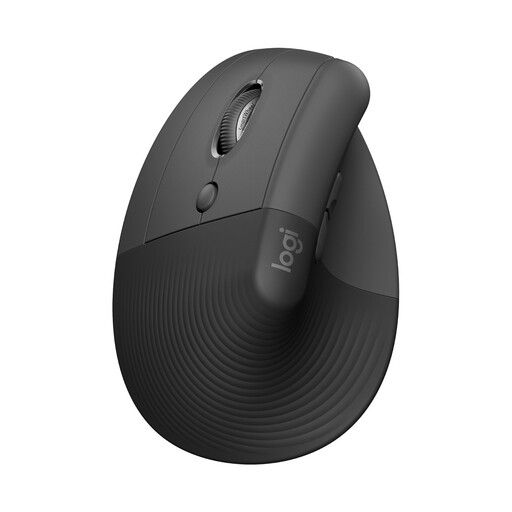
Why this choice suits this profile : This wireless model is designed for left-handed users looking for a vertical shape, multi-device connectivity and customisable controls.
Its left-handed orientation is clearly indicated, reducing the risk of choosing an unsuitable contoured mouse.
57-degree vertical angle, four programmable buttons, Bluetooth or Logi Bolt and claimed battery life of up to 24 months.
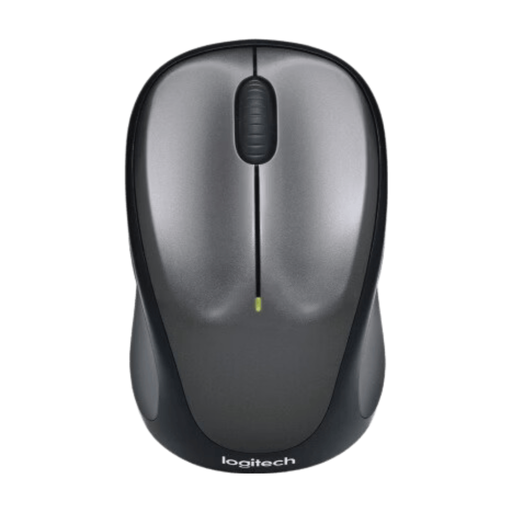
Why this choice suits this profile : Its compact design, wireless receiver and line-by-line scrolling make it suitable for mobile working and smaller spaces alike.
The product information specifies its compact design and ambidextrous use, two points to check before buying a mouse for mobile working.
Optical sensor, ambidextrous shape, controlled scrolling and claimed battery life of up to 12 months.
We have selected a complete, real-time updated list of products that meet these demanding criteria as well as European safety standards.
Yes, the Bluetooth models featured are designed to work with compatible Windows, macOS or ChromeOS devices. Turn on Bluetooth, switch on the mouse and select its name from the list of available devices. Even so, remember to check your computer’s compatibility before buying.
The product information generally claims up to 12 months for the M171, M185 and B170, and up to 18 months for the M240 Silent. These are theoretical battery-life figures and may vary depending on usage frequency and operating conditions.
No. A gaming mouse often offers more buttons, DPI adjustment, profiles or lighting, but none of these features is essential for office work. For working on documents and browsing the web, a three-button optical model may be simpler to use and maintain.