
Livraison le jour même ou le lendemain

Qualité garantie

Débloquez vos offres de bienvenue: Livraison GRATUITE | Jusqu'à -80 % | 30 jours d'essai gratuits à JoyPlus
Téléchargez l'application
A computer mouse might seem simple to choose… until the first problems appear: an imprecise cursor, an unstable connection, clicks that are too loud, or an uncomfortable shape after a few hours. Whether you're working from home, using a laptop or gaming, the criteria to prioritise are not the same.
Here are the main pitfalls to avoid, the features to look out for, and a selection of models suited to different types of users in the UK.
A wireless mouse usually connects via a 2.4 GHz USB receiver or Bluetooth. These two technologies don't exactly meet the same needs.
Before placing your order, check the available ports on your laptop and compatibility with Windows, macOS, ChromeOS, Linux or Android.
DPI measures the sensitivity of movement, but a high value doesn't automatically make the mouse more precise. For office work, an optical mouse set between 800 and 1,600 DPI is usually sufficient. Gamers and users of graphics software may prefer a mouse with adjustable DPI, so they can tailor the sensitivity to different tasks.
A sensor advertised at 7,200 or 26,000 DPI can be useful in some cases, but it won't make up for a poor grip or an unsuitable work surface.
A compact mouse is easy to carry around, but it can be less comfortable during prolonged use. On the other hand, an ergonomic mouse – vertical or curved – often takes a few days to get used to. Remember to check:
An ambidextrous shape suits people who switch hands or share a workstation. A vertical shape, meanwhile, targets a more specific grip.
A wired USB mouse offers a stable connection and doesn't need any batteries. It's ideal for a desktop computer, a permanent workstation, or gamers who prefer to avoid recharging.
A 2.4 GHz radio mouse, like the Logitech M185 or M170, uses a small USB receiver and offers a claimed range of up to 10 metres, according to the product specification. A Bluetooth mouse, such as the Logitech M240 Silent, frees up a USB port, but the device you're using must have an active Bluetooth connection.
Battery-powered models, like some Logitech or HOFOTEK mice, can last several months, depending on the manufacturer's guidance and how often the mouse goes into standby. A rechargeable mouse saves you from buying batteries regularly, but you do need to remember to charge it and keep an eye on the condition of its built-in battery.
To extend its lifespan:
A silent mouse dampens the sound of clicks – a real advantage in a shared space, a library or a home office. The number of buttons should match your usage: three buttons are enough for browsing, while side buttons speed up certain commands in a browser or software.
For gaming, also consider the connection type, weight, polling rate and customisation options. These features can push up the price without adding much for simple office work.
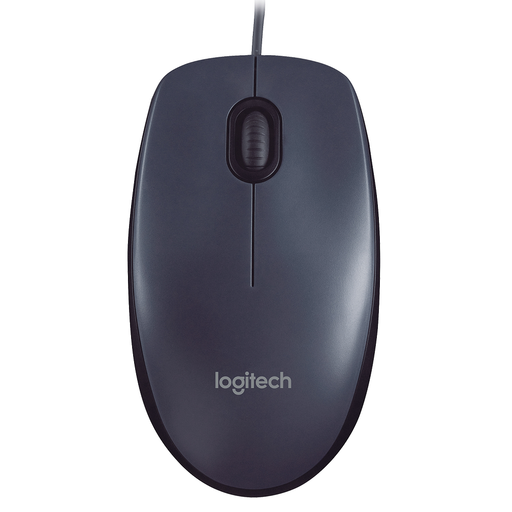
Why this choice suits this profile: This wired mouse plugs straight into USB-A and works without any driver installation. Its ambidextrous shape and three buttons are perfect for everyday use, on both desktop and laptop computers.
The wired connection eliminates battery issues, Bluetooth problems or a lost receiver at the bottom of your bag.
1,000 DPI optical sensor, 1.5 m cable and claimed compatibility with Windows, macOS, ChromeOS and Linux.
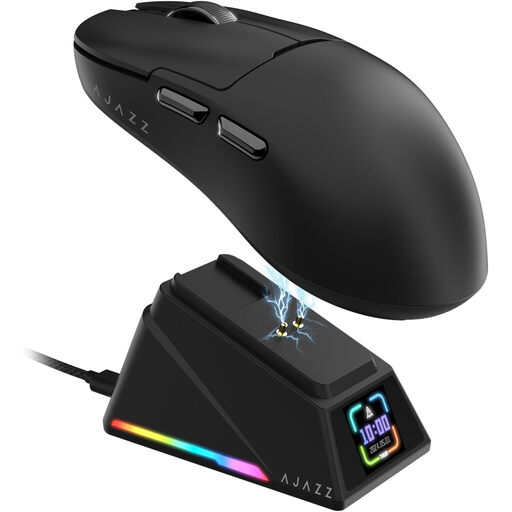
Why this choice suits this profile: This model is aimed at users looking for a versatile gaming mouse, usable via Bluetooth, 2.4 GHz or USB-C, with a magnetic charging dock.
Its three connection modes mean you're not tied to a single device or one type of port.
The specification claims a sensor capable of up to 42,000 DPI, a polling rate of up to 8,000 Hz and a weight of 56 g.
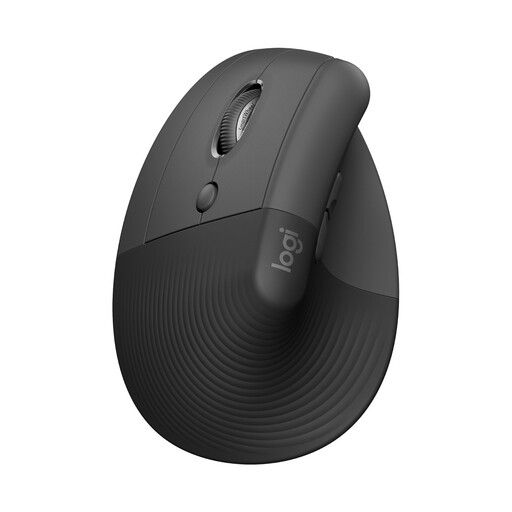
Why this choice suits this profile: Designed for left-handed users with small to medium hands, this mouse is ideal for long working days when hand position is a key consideration.
Its left-handed orientation is clearly stated, so you won't accidentally order a model designed for right-handed users.
Bluetooth or Logi Bolt receiver connection, four programmable buttons and clicks claimed to be silent.
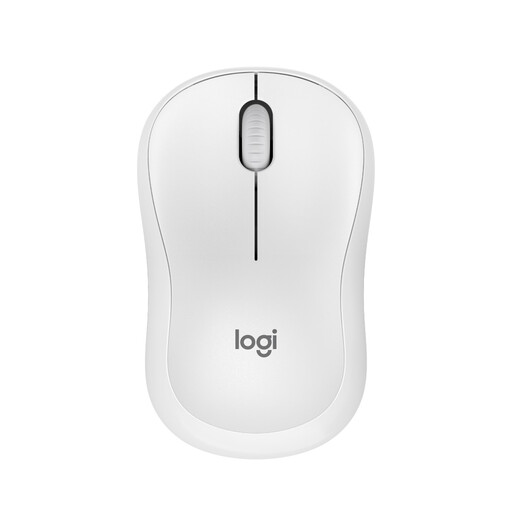
Why this choice suits this profile: Compact and without a USB receiver, this Bluetooth mouse is well suited to the needs of remote workers, students and laptop users.
The Bluetooth connection doesn't use up any USB port, and the dampened clicks help minimise distractions in a shared space.
1,000 DPI optical sensor, compact design and claimed battery life of up to 18 months on one AA battery.
It all depends on your setup. Bluetooth frees up a USB port, whereas a mouse with a 2.4 GHz receiver can be simpler to set up on a computer that doesn't have Bluetooth. Also consider how many devices you want to connect it to.
That depends on how often you use it, how well you look after it, the number of clicks, and the quality of the cable or battery. A wired mouse avoids the need to replace batteries, while a wireless model requires you to keep an eye on its power level. The lifespans quoted by manufacturers are estimates, so treat them as a rough guide.
A battery-powered mouse means buying new batteries from time to time, whereas a rechargeable model uses a small amount of electricity each time you charge it. The real cost depends on the battery life, how often you use it and the purchase price. For daily use, compare these factors with the warranty on offer and the expected lifespan of the model.