
Livraison le jour même ou le lendemain

Qualité garantie

Débloquez vos offres de bienvenue: Livraison GRATUITE | Jusqu'à -80 % | 30 jours d'essai gratuits à JoyPlus
Téléchargez l'application
A wireless mouse can create more space on your desk, slip into your bag alongside a laptop or give you greater freedom during a gaming session. However, product specifications are often packed with figures that are difficult to put into context. A high resolution does not guarantee a more comfortable experience, while outstanding battery life usually depends on the connection mode and your habits.
Here are the key points to consider before buying, followed by a selection of models suited to different types of user.
DPI measures cursor sensitivity—in other words, the distance travelled on screen when you move the mouse. A high-precision mouse offering 12,000 or 30,000 DPI is therefore not necessarily more suitable for office work. For working on documents, browsing the web or attending online classes, a setting between 1,000 and 1,600 DPI is generally sufficient. Gamers and creators may prefer an adjustable-DPI mouse, allowing them to adapt the sensitivity to the software or game they are using.
A wireless USB mouse using a 2.4 GHz receiver can usually be set up in just a few seconds, but it takes up a USB-A port. This can be inconvenient on some newer laptops. A Bluetooth mouse does not require a receiver, provided your PC, Mac or tablet supports this standard.
Tri-mode models generally combine Bluetooth, 2.4 GHz and a USB-C cable. This is a useful level of versatility if you regularly switch between a work computer, personal PC or console.
The usage times quoted by manufacturers vary depending on the lighting, frequency of use and connection mode. A rechargeable mouse means you do not have to keep buying batteries, but you will need to remember to charge it. By contrast, a model powered by an AA battery can work for several months, with replacement being quick and inexpensive.
RGB lighting generally increases power consumption. If it is mainly there to decorate your desk, check whether it can be switched off.
Before ordering, check compatibility with Windows, macOS, ChromeOS, Linux, PlayStation or Xbox, depending on your equipment. A PC and Mac mouse does not necessarily offer the same customisation options on every system.
An ergonomic mouse should suit the size of your hand and the way you hold it. A compact model is easy to carry, but may become less comfortable after several hours. A vertical or angled shape changes the angle of your wrist and will generally take a little time to get used to.
Left-handed users should check the orientation before buying. An ambidextrous mouse can be used comfortably on either side, while a sculpted model designed for right- or left-handed users may provide more precise support.
Three buttons are enough for everyday tasks. For gaming, image editing or using professional shortcuts, a programmable mouse with five, six or more buttons can reduce the need to move back and forth to the keyboard. However, check whether customisation requires software and whether it is compatible with your system.
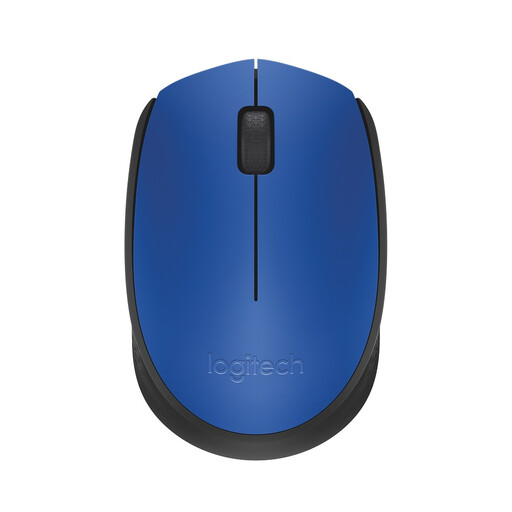
Why this choice suits this profile: Compact and easy to carry, this wireless mouse is suitable for classes, working from home and travelling. Its USB receiver and ambidextrous design make it comfortable to use straight away.
The product details specify a 2.4 GHz connection, a range of up to 10 metres and software-free installation.
Optical sensor, three buttons, compatibility with Windows, macOS, ChromeOS and Linux, plus a travel-friendly design.
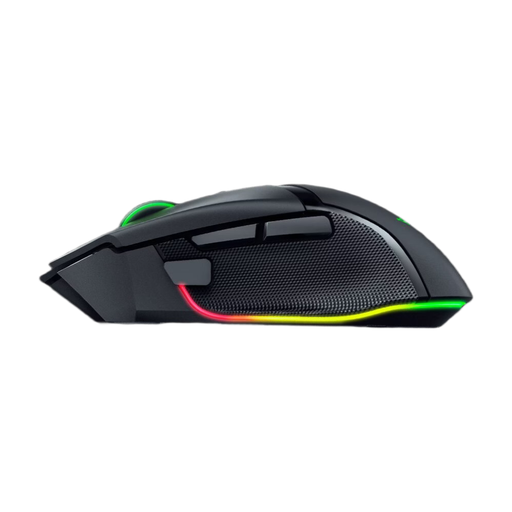
Why this choice suits this profile: This model is aimed at gamers who want to customise sensitivity, controls and RGB lighting from a single device.
The connection works via HyperSpeed, Bluetooth or USB-C, so you are not dependent on a single mode.
Sensor offering up to 30,000 DPI, 11 programmable controls, Chroma RGB lighting and claimed battery life of 90 hours in HyperSpeed mode.
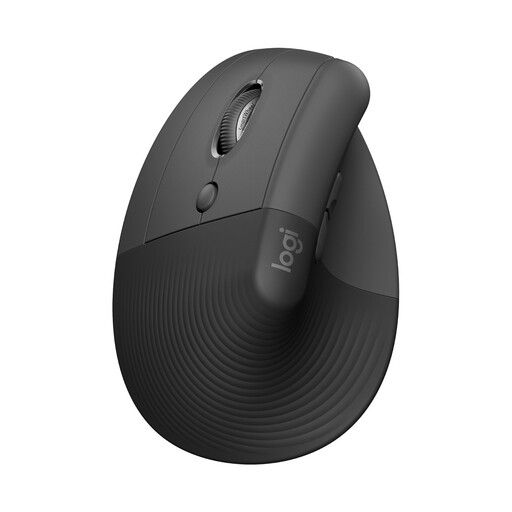
Why this choice suits this profile: Designed for left-handed users with small or medium-sized hands, this ergonomic vertical mouse is intended for long working days.
Its orientation is clearly designed for left-handed users, while the silent clicks help reduce disturbance in a shared space.
57° vertical angle, Bluetooth or Logi Bolt receiver connection, four programmable buttons and claimed battery life of up to 24 months with an AA battery.
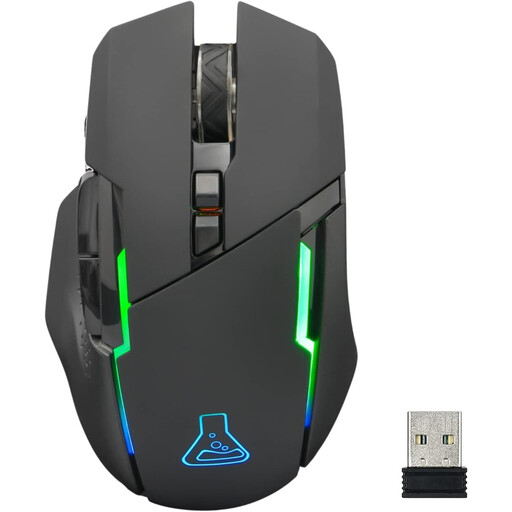
Why this choice suits this profile: This rechargeable gaming mouse combines a 2.4 GHz connection, six buttons and switchable RGB lighting for comfortable gaming at home.
The product details mention five adjustable DPI levels, five profiles and switchable lighting to reduce power consumption.
Laser sensor offering from 400 to 7,200 DPI, six buttons, 84 g weight, claimed battery life of up to 32 hours without RGB and a two-year warranty.
We have put together a comprehensive, regularly updated selection of products that meet these demanding criteria, while complying with European safety regulations.
No. The computer must have built-in Bluetooth and run a compatible operating system. Otherwise, a model with a USB receiver will often be easier to install. Also remember to check how many ports are available and whether you may need an adaptor.
It depends entirely on its power source. Battery-powered models often offer several months of use, sometimes more than a year, depending on your habits. A rechargeable mouse will work until it needs charging again, with potentially significant differences depending on whether the lighting is switched on and whether you use Bluetooth or 2.4 GHz. It is better to check the technical specifications than rely solely on the phrase ‘long battery life’.
Yes, if the noise reduction meets your needs. The Logitech M240 Silent, for example, claims to reduce click noise by 90%. This figure corresponds to the product details; the actual sound level perceived may vary depending on the surface and surroundings.