
Livraison le jour même ou le lendemain

Qualité garantie

Débloquez vos offres de bienvenue: Livraison GRATUITE | Jusqu'à -80 % | 30 jours d'essai gratuits à JoyPlus
Téléchargez l'application
Spending hours at a computer with a right-handed mouse can quickly become a nightmare, causing discomfort and wrist pain. For the 10-15% of the population who are left-handed, finding suitable equipment isn't a luxury, but a necessity for protecting their health and productivity.
However, the market is flooded with marketing promises that can easily lead to disappointment. Before choosing your next left-handed mouse, it's crucial to know how to avoid the most common pitfalls.
Choosing the right tool is an investment in your daily comfort and in the prevention of RSI (Repetitive Strain Injuries).
To ensure you make the right choice, here are the few technical specifications that truly make a difference.
This is arguably the number one criterion. A standard mouse forces the wrist into a twisted position (pronation) which, over time, can cause strain.
The choice depends on your work environment and your need for mobility.
A rechargeable left-handed mouse costs a bit more upfront but proves to be more convenient and economical in the long run. Charging, often via USB-C, even allows you to continue using it while it powers up. Models with disposable batteries, on the other hand, offer excellent battery life but require you to always have a spare set on hand.
Rather than a long, drawn-out list, we've chosen to focus on a few models that cater to very specific user profiles. The goal: to help you find the mouse that truly fits your needs.
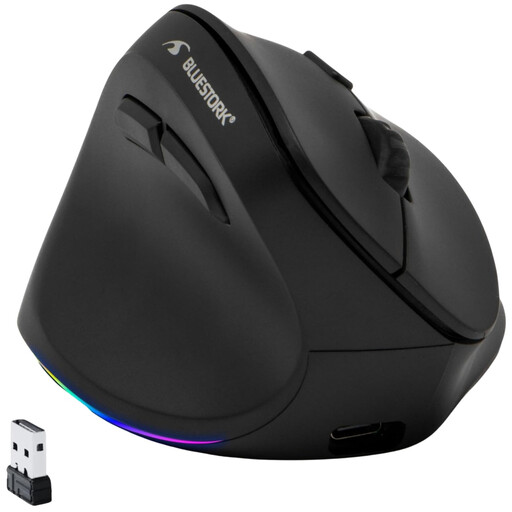
Why it's a great choice: Specifically designed for left-handers who spend long days at their computer, this vertical mouse promotes a natural wrist posture. It's a major asset for preventing RSI.
There's no pretending here: this isn't a disguised ambidextrous model, but a true vertical mouse for left-handers. Its USB-C rechargeable battery ends the hassle of disposable batteries.
100% left-handed vertical design; Reliable 2.4 GHz wireless connection; Rechargeable battery.
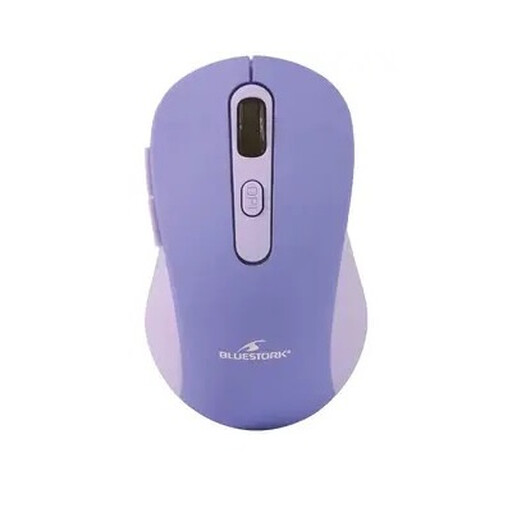
Why it's a great choice: Perfect for those who switch between a desktop PC and a laptop. Its dual connectivity (Bluetooth and 2.4 GHz) and ambidextrous design make it as versatile as it is effective.
Its ambidextrous design is well-executed here, with side buttons that remain accessible. The rechargeable battery and dual connectivity provide a flexibility that entry-level models lack.
Dual Bluetooth + 2.4 GHz connectivity; Symmetrical ambidextrous design; Lightweight and portable (79g).
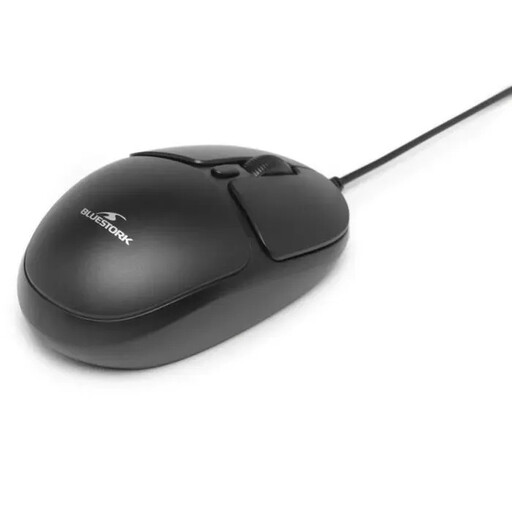
Why it's a great choice: For students or occasional users looking for a simple, reliable, and affordable solution. Its ambidextrous design and wired connection guarantee immediate, hassle-free use.
It gets straight to the point and doesn't pretend to be something it's not. This is a simple, functional mouse. Its sensitivity (up to 1200 DPI) is perfectly calibrated for office work, avoiding the trap of superfluous DPI.
Stable USB wired connection; Compact ambidextrous design; Instant "plug-and-play" setup.
We've curated a comprehensive, up-to-date selection of products that meet our selection criteria and current standards.
Yes, for many users, switching to an ergonomic mouse (especially a vertical model) helps to significantly reduce wrist pain and forearm tension. By aligning the wrist in a more neutral position, it decreases pressure on the median nerve and reduces muscle fatigue. However, this is not a substitute for medical advice in the case of a diagnosed RSI.
Expect an adjustment period of a few days to a week. At first, your movements might feel less precise as you are using different muscles. Our advice: start with simple tasks and gradually increase the duration of use to familiarise yourself with it gently.
For purely office-based work, a sensitivity between 800 and 1600 DPI is more than sufficient. Above that, the cursor becomes too fast and difficult to control for precision tasks (like selecting text or handling spreadsheet cells). Models with adjustable DPI are a good compromise, as they allow you to adjust the cursor speed on the fly according to your needs.