
Livraison le jour même ou le lendemain

Qualité garantie

Débloquez vos offres de bienvenue: Livraison GRATUITE | Jusqu'à -80 % | 30 jours d'essai gratuits à JoyPlus
Téléchargez l'application
A wireless mouse frees up your desk, slips easily into a bag and does away with tangled cables. But a model that looks great on paper can quickly become a nuisance in everyday use. Disappointing battery life, an unsuitable connection or an uncomfortable grip can all lead to unwelcome surprises.
Before you place an order, look beyond the marketing claims and check a few practical details.
A high DPI count doesn’t guarantee a better experience. For office work, web browsing or studying, 800 to 1,600 DPI is usually enough. Much higher settings are mainly aimed at gamers and users who want to fine-tune cursor speed.
A mouse with adjustable DPI lets you tailor the sensitivity to your screen size, the software you’re using or the task at hand. Check how many settings are available and whether there’s a dedicated button.
A Bluetooth mouse connects directly to a compatible computer without taking up a USB port. It’s a practical option for a recent laptop, tablet or multiple devices.
A 2.4 GHz mouse with a USB receiver is usually ready to use in seconds, thanks to its plug-and-play design. It’s suitable for computers without Bluetooth, but the receiver can be misplaced or you may need a USB-C adapter.
Dual-connection models combine Bluetooth with a wireless receiver. They’re particularly handy if you regularly switch between a work computer, a personal computer or a tablet.
‘Ergonomic’ doesn’t describe one universal shape. A large mouse might suit someone with a big hand perfectly, but feel cumbersome for a student who carries it around every day. Conversely, a compact model may not provide enough support for extended use.
Check the width, height, weight, thumb position and button shape. An ambidextrous or symmetrical mouse may be a better choice if several people share the same workstation, or if you’re left-handed.
Battery-powered models can be very practical if they offer long battery life. The Logitech M171, for example, is listed as offering up to 12 months’ battery life on the product page. However, you’ll need to plan for replacing and recycling the batteries.
A rechargeable mouse usually connects via USB-C. It avoids disposable batteries, but needs regular recharging. Check the battery capacity, charging method and whether you can use the mouse while it’s plugged in.
Most office mice have an optical sensor. It works on many surfaces, but tracking can be affected by glass, very shiny surfaces or uneven surfaces. A mouse mat often helps make movement smoother and more consistent.
Gaming models generally offer higher DPI, acceleration and polling-rate figures. These features can be useful in fast-paced games, but they can also push up the price and require more adjustments in the companion software.
Check compatibility with Windows, macOS, Linux, Chrome OS, Android or the operating systems used by your devices. Also check what’s in the box: USB receiver, charging cable, batteries, extension cable or any adapter.
The CE marking means the manufacturer declares that its product meets the applicable European requirements. It isn’t a quality mark or rating. At the end of their useful life, electronic equipment and batteries should be taken to an appropriate collection point, in accordance with the rules on waste electrical and electronic equipment.
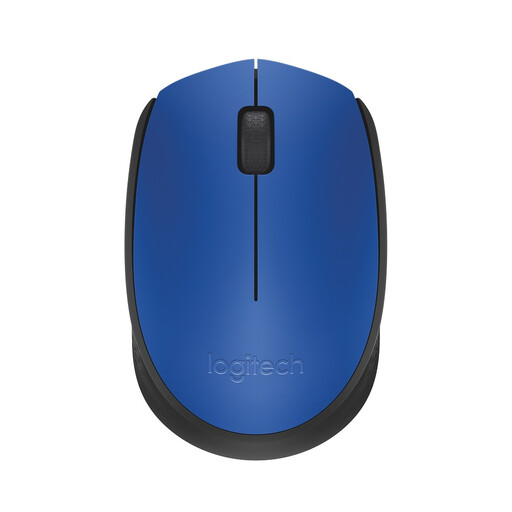
Why it’s a good fit for this user: Its 2.4 GHz USB receiver and ambidextrous design make it a great first mouse for a PC, Mac or laptop, with no complicated setup.
The wireless connection is straightforward, and its symmetrical shape makes it suitable for either hand.
Optical sensor, stated range of up to 10 metres, compatible with Windows, macOS, Chrome OS and Linux, and stated battery life of up to 12 months.
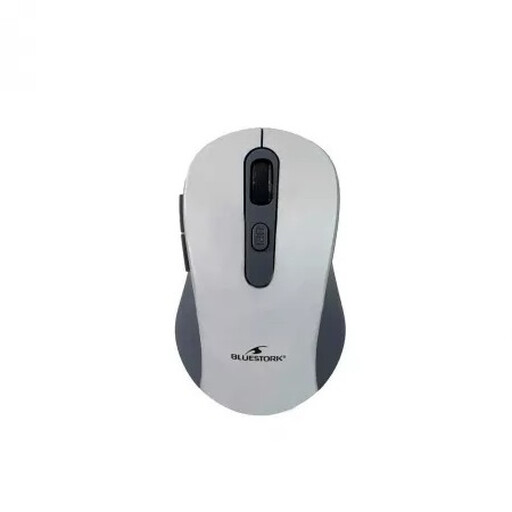
Why it’s a good fit for this user: Dual connectivity makes it easy to switch between a computer and a tablet, while USB-C charging means you don’t have to carry spare batteries.
You don’t have to choose between Bluetooth and a USB receiver, and its ambidextrous design avoids an overly restrictive shape.
Bluetooth and 2.4 GHz connectivity, lithium battery rechargeable via USB-C, six buttons, optical sensor up to 4,800 DPI and stated weight of 79 g.
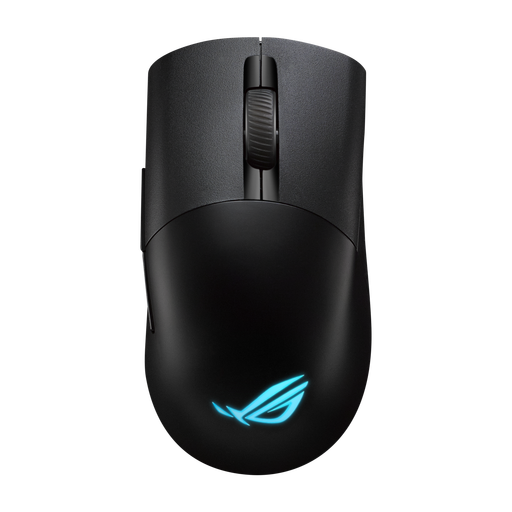
Why it’s a good fit for this user: This model is designed for users looking for a configurable gaming mouse that can connect wirelessly via 2.4 GHz, via Bluetooth or via USB.
Its three connection modes mean you’re not reliant on a single device, and you can also play with a wired connection while it charges.
Sensor rated at 36,000 DPI, 1,000 Hz polling rate, five programmable buttons, stated weight of 75 g and rechargeable battery.
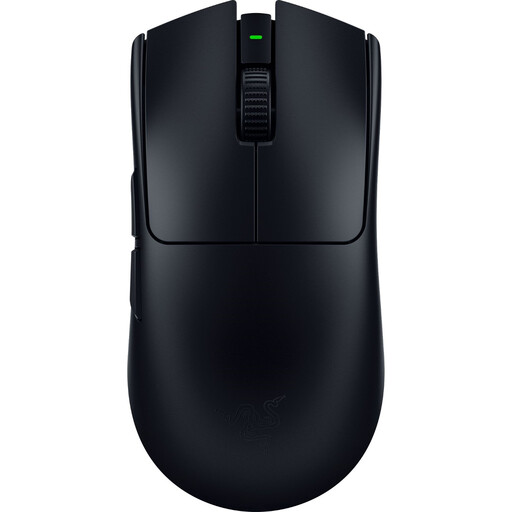
Why it’s a good fit for this user: Its ultra-lightweight design and high-frequency wireless connectivity are ideal for gamers who prioritise fast movements and advanced settings.
The product details state up to 95 hours of battery life and USB-C charging, helping to minimise interruptions.
Stated weight of 54 g, optical sensor up to 35,000 DPI, polling rate of up to 8,000 Hz with compatible equipment and six buttons listed in the specifications.
We’ve put together a comprehensive list, updated in real time, of products that meet these exacting selection criteria and European safety requirements.
No. Your computer needs to have a compatible Bluetooth function. If it doesn’t, choose a mouse with a USB receiver or a dual-connection model. Check how many ports are available too, especially if you already use a keyboard or external drive.
A mouse’s lifespan depends on its battery, how often it’s used, knocks and general care. A battery-powered mouse may run for several months before the batteries need replacing, depending on the conditions stated by the manufacturer. Battery life varies for a rechargeable mouse as its battery ages. Cleaning the sensor and feet with a dry cloth helps keep movement smooth.
Yes, provided you choose a suitable connection, an adjustable sensor, a polling rate that works with your equipment and a comfortable shape. For fast-paced games, 2.4 GHz gaming models with a dedicated receiver generally prioritise responsiveness more than Bluetooth office mice.