
Livraison le jour même ou le lendemain

Qualité garantie

Débloquez vos offres de bienvenue: Livraison GRATUITE | Jusqu'à -80 % | 30 jours d'essai gratuits à JoyPlus
Téléchargez l'application
An iPad keyboard case can transform your tablet into a compact workstation for taking notes, replying to emails or writing documents. You still need to choose the right model. An unsuitable layout, an unstable stand or a claimed battery life without clear testing conditions can quickly spoil the experience.
Before comparing the options, here are the most common pitfalls and the criteria that really matter for everyday use in the UK.
A 10.9-inch iPad and an 11-inch iPad Air may look very similar. However, their dimensions, magnets or connector placement may differ. A keyboard case for the 10th-generation iPad is therefore not necessarily compatible with every model in the range.
Always check the iPad’s exact model, its generation and, where provided, its reference number. This is particularly important for a keyboard case designed for the 11-inch iPad Air or a model advertised as compatible with several generations.
Backlighting, a trackpad, multimedia keys and magnetic attachment can all be useful, but their presence alone does not guarantee a good experience. A backlit iPad keyboard generally uses more power. A trackpad that is too small or imprecise, meanwhile, may make navigation slower rather than simpler.
So also check the AZERTY layout, the dimensions of the trackpad, the tilt angle and whether you can detach the keyboard when you want to use the iPad on its own.
A complete case with a keyboard is noticeably heavier than a standard case. For students, travellers and anyone who carries their tablet between home and the office, the combined weight is worth considering.
Also check the battery type, charging port and claimed battery life. Standby times are generally measured under specific conditions and can vary considerably depending on how often the backlight is used and how frequently you type.
For writing regularly in French, an AZERTY keyboard for iPad is naturally preferable to a foreign layout. Check for accent keys, the position of special keys and shortcut compatibility with iPadOS.
Scissor-switch keys generally provide a more consistent typing experience than an ultra-thin keyboard. Comfort also depends on the spacing between the keys and the rigidity of the support. For taking notes in class or replying to a few emails, a compact format may be perfectly suitable. For longer sessions, it is better to choose a stable keyboard with a well-designed wrist rest.
An iPad case with trackpad means you do not have to keep touching the screen to navigate. If you plan to multitask, check support for multi-touch gestures, scrolling and switching between apps.
The surface should be large enough to move the cursor without requiring repeated movements. A coating that reduces accidental presses can also make a difference, particularly when travelling or when the iPad is placed on a small table.
A magnetic iPad case lets you install and remove the tablet quickly. However, the attachment must be firm enough to keep the screen stable while typing. An iPad keyboard stand with an adjustable angle offers greater comfort for writing, reading or taking part in a video call.
Also examine the materials. A synthetic covering provides effective protection against minor scratches, while a detachable design lets you use a lighter iPad when the keyboard is not needed. The compartment or Apple Pencil holder should keep the stylus securely in place without preventing magnetic charging, where the iPad’s design supports it.
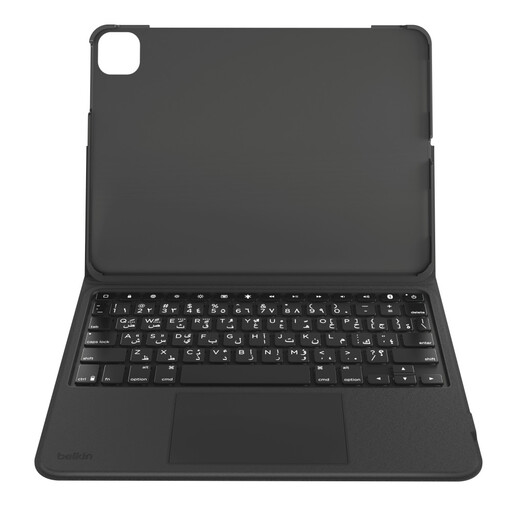
Why this choice suits this profile: This solution combines a wireless AZERTY keyboard, backlighting, a trackpad and a protective case, making it easy to get started with a compatible iPad.
The keyboard detaches easily, so you can use the iPad in tablet mode without carrying the extra weight when you do not need it.
450 mAh battery, claimed standby time of up to 365 days, magnetic Apple Pencil compartment and support for multi-touch gestures.
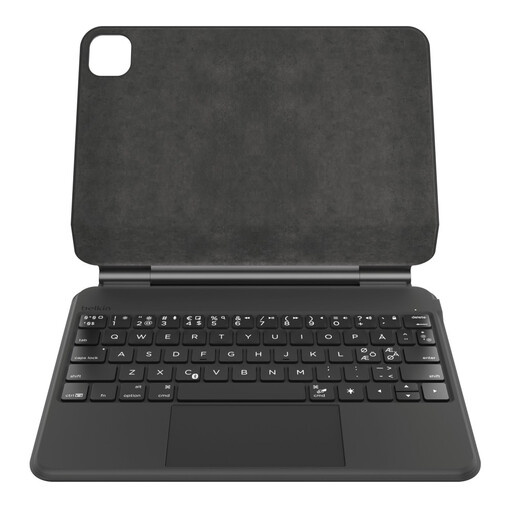
Why this choice suits this profile: Its floating magnetic stand and large trackpad are particularly well suited to working from home and extended writing on a 10.9-inch iPad.
The magnetic attachment and automatic sleep mode reduce the need for adjustments and prevent wasted energy when the case is closed.
600 mAh battery, backlit keyboard, Multi-Touch trackpad and magnetic Apple Pencil compartment.
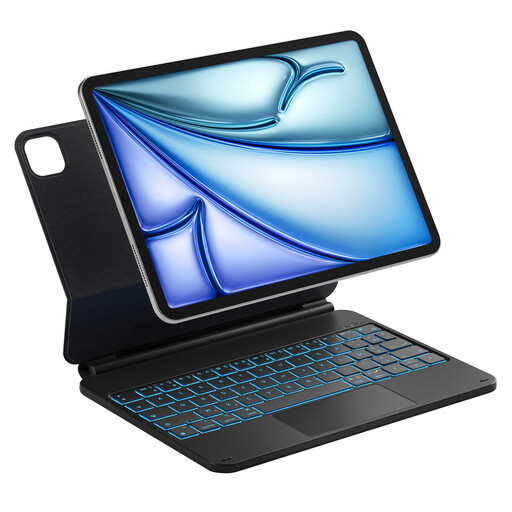
Why this choice suits this profile: Its adjustable floating stand and seven-colour backlighting are ideal for people who switch between work, travel and creative pursuits.
The detailed list of compatible models reduces the risk of choosing the wrong size. According to the product details, the tilt angle can reach 130 degrees.
Multi-touch trackpad, iPadOS shortcuts, magnetic attachment and claimed battery life of around one month without backlighting.
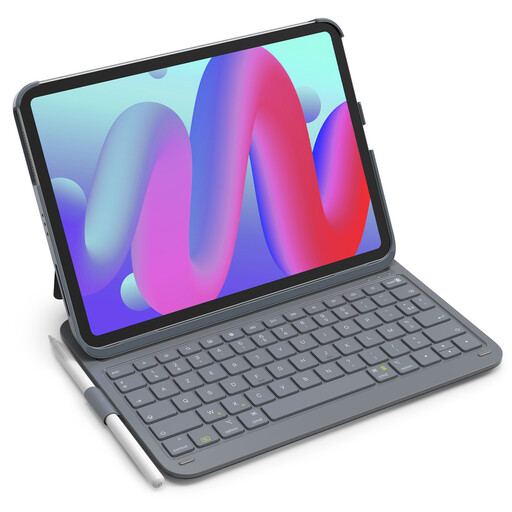
Why this choice suits this profile: With a stated weight of 427 g, this model is suitable for daily commutes, classes and anyone who often carries their iPad.
The stated weight and slim profile prevent your bag from becoming a significant extra burden.
AZERTY layout, row of function keys, pencil holder and claimed standby time of up to 150 days.
We have selected a complete, real-time updated range of products that meet these demanding criteria, while also taking European safety regulations into account.
Turn on the keyboard, open the iPad’s Bluetooth settings, then select its name from the list of available devices. When pairing for the first time, a code may appear on the screen. Once the keyboard has been registered, it will usually reconnect automatically when you switch it on again.
It all depends on the battery capacity, how often it is used and whether the backlight is on. A claimed standby time of several months does not mean that the case will last just as long with daily use and the backlight activated. Before a long journey, remember to recharge the battery and use the charge indicator when available.
This depends on the model you choose. Detachable keyboard cases make it easy to switch between computer and tablet modes. With a fixed keyboard, you generally have to fold the whole unit behind the screen, which is less convenient for reading or drawing. If you regularly switch between taking notes, touch navigation and typing, check this point before buying.