
Livraison le jour même ou le lendemain

Qualité garantie

Débloquez vos offres de bienvenue: Livraison GRATUITE | Jusqu'à -80 % | 30 jours d'essai gratuits à JoyPlus
Téléchargez l'application
Buying a PS5 DualSense wireless controller might seem straightforward. However, certain details can change your experience after a few weeks of use. A tempting colour doesn't guarantee the same availability, and the mention of Bluetooth doesn't necessarily mean all features will work on PC or mobile.
Here are the main pitfalls to avoid before choosing a Sony DualSense controller, whether for a PlayStation 5, a computer or a mobile device.
The DualSense can connect via Bluetooth to a PS5, PC, Mac, iPhone, iPad or certain compatible Android devices. However, the haptic feedback and adaptive PS5 triggers also depend on the game, the system and sometimes the connection mode.
On PC, some games only offer the advanced sensations via USB. It's therefore best to check the title's compatibility before relying on all the immersive features.
A rechargeable USB-C controller does include a battery, but the cable isn't necessarily supplied with every separately sold reference. The contents can also vary between product listings, particularly for the quick-start guide or included accessories.
Before ordering, check exactly what's in the box and plan for a compatible USB-C cable if needed.
Midnight Black, Cosmic Red, Galactic Purple or Chroma Teal mainly change the controller's appearance. The feel, controls and main functions remain similar across DualSense variations. However, the price, availability and product presentation can differ.
So colour should come after checking compatibility, product condition and box contents.
Haptic feedback replaces traditional vibrations with sensations that vary according to the actions on screen. When the game supports it, the controller can reproduce an impact, a surface or a different feeling of resistance.
The adaptive PS5 triggers can change their resistance depending on the situation: braking, drawing a bow or pressing a command. This function, however, depends on the software. In incompatible games, the triggers behave more conventionally.
On PS5, the DualSense connects wirelessly after an initial pairing. To use a PS5 controller on PC, you can connect via Bluetooth or USB-C. Compatibility with Mac, iOS and Android is also indicated for several references, but the button layout and support for advanced features vary by game.
Before buying, check in particular:
The DualSense has a built-in rechargeable battery. It charges via the USB-C port, using the console, a computer or a compatible adapter. Battery life depends on the volume level, vibration intensity, trigger strength and how often you use it.
To look after your controller day to day, avoid moisture, extreme temperatures and damaged cables. If it gets unusually hot, if the battery seems swollen or if it shows signs of damage, stop using it and contact the appropriate service.
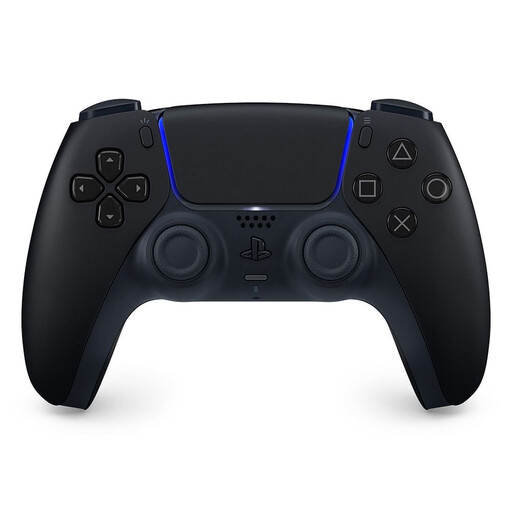
Why this suits this profile: Its discreet black colour makes it a good first extra controller for two-player gaming on PS5 or for replacing a worn-out model.
The listing states compatibility with PS5, PC, Mac, iOS and Android, plus USB-C charging. Still, check whether the cable is included.
Haptic feedback, adaptive triggers, built-in microphone and 3.5 mm headphone jack.
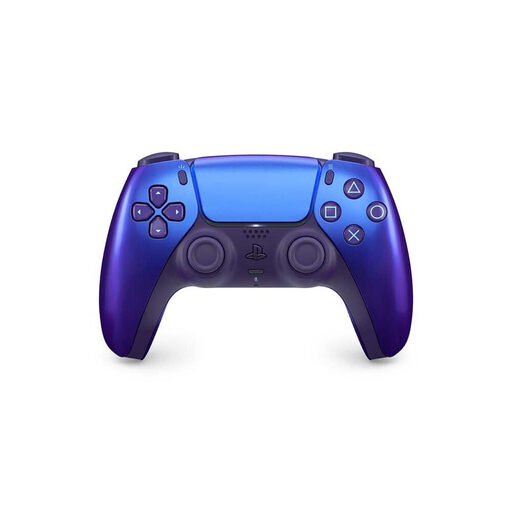
Why this suits this profile: The Chroma Indigo finish adds a more distinctive touch for players who want their accessory to match their gaming setup.
The listing details the features on offer rather than relying solely on appearance: Bluetooth, USB-C, microphone, haptic feedback and adaptive triggers.
Compatibility stated with PS5, PC, Mac, iOS and Android, with built-in microphone.
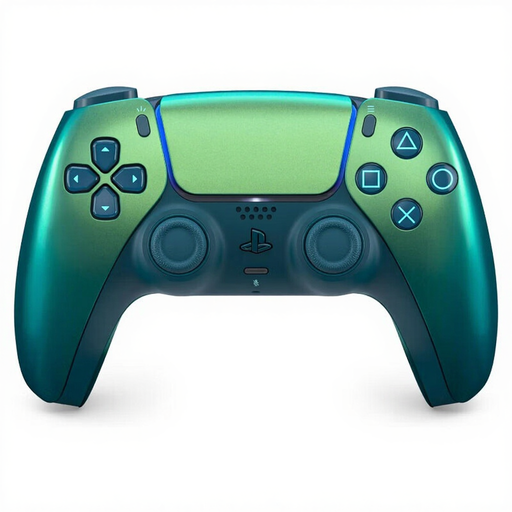
Why this suits this profile: This model is aimed at those who switch between console and compatible devices, with a second controller dedicated to on-the-go gaming or multiplayer.
Compatibility with multiple devices is clearly stated, but advanced features still need to be confirmed for each game and system.
Bluetooth, USB-C, built-in microphone, haptic feedback and adaptive triggers stated.
Connect the controller to the console using a compatible USB-C cable, then press the PlayStation button. Once paired, you'll generally be able to use it wirelessly again. For a computer or mobile, hold down the PlayStation and Create buttons simultaneously until the light bar flashes, then select the controller in the Bluetooth menu.
Yes, several references are stated as compatible with Windows and Mac via Bluetooth or USB-C. However, the PS5 Bluetooth controller doesn't always benefit from haptic feedback or adaptive triggers in every game. Check the title's settings and try a USB connection if a function isn't responding.
Battery life varies depending on the intensity of haptic feedback, use of the microphone and speaker, and game volume. The built-in battery charges via USB-C. To limit wear, use a cable in good condition, avoid high temperatures and don't store the controller in a damp place.