
Livraison le jour même ou le lendemain

Qualité garantie

Débloquez vos offres de bienvenue: Livraison GRATUITE | Jusqu'à -80 % | 30 jours d'essai gratuits à JoyPlus
Téléchargez l'application
Are you looking for a Sony DualSense wireless PS5 controller to replace your console’s pad, play with a friend, or enjoy a more immersive experience on PC? From one model to the next, the differences often come down to colour, included accessories and customisation options. However, certain details can change your day-to-day experience.
Before you place your order, three common pitfalls keep cropping up:
An official PlayStation 5 controller connects to the console via Bluetooth or a USB-C cable. For the first pairing with a PS5, you usually just need to connect the controller to the console with a cable, then press the PlayStation button.
The DualSense can also serve as a PS5 controller for PC. Depending on the device, the connection works:
On a computer, a wired connection can be preferable if you want to take advantage of certain advanced features. Also remember to check whether the cable is included in the box: several references require a USB-C cable sold separately.
The PS5 controller with haptic feedback replaces traditional vibrations with finer, more nuanced sensations. The adaptive triggers can, in compatible games, change the resistance of L2 and R2 — when braking or drawing a bow, for example.
However, these features aren’t guaranteed everywhere. They can be turned off in the console or game settings, and their availability on PC varies depending on the title and the type of connection. So think of these technologies as a welcome bonus, rather than an identical experience across every game.
The DualSense also features a speaker, a six-axis motion sensor, a 3.5 mm headphone jack, a Create button and a built-in microphone with a mute button.
The rechargeable PS5 controller has a built-in battery that charges via USB-C. You can play while it’s charging, but battery life depends on factors like the intensity of haptic feedback and use of the speaker or microphone.
To avoid any nasty surprises:
The official Sony station shown below can charge up to two controllers at once and frees up the console’s USB ports.
The models below have been grouped by different uses. The advertised features are still subject to the compatibility of the game and the device you’re using.
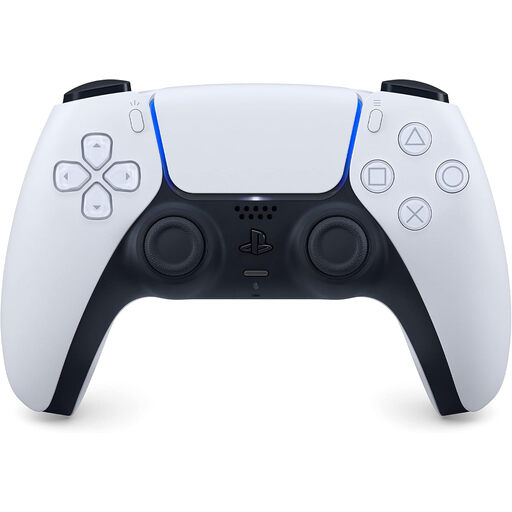
Why this choice suits this profile: A straightforward option to complete a PS5 or replace a worn-out controller, with all the essential DualSense features.
The listing clearly distinguishes the controller from the charging cable, so you can plan for the necessary accessory before buying.
Bluetooth, USB-C, built-in microphone, haptic feedback and adaptive triggers.
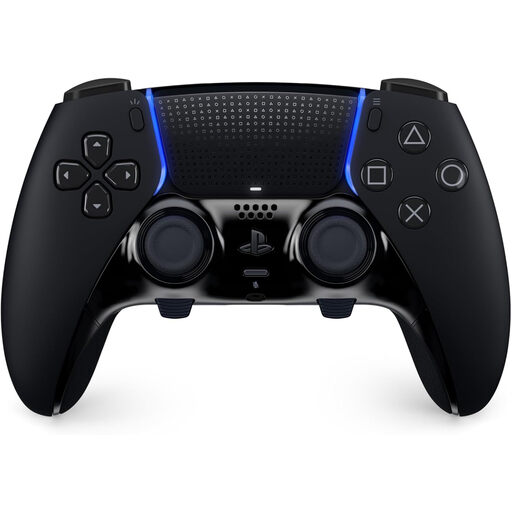
Why this choice suits this profile: The DualSense Edge is aimed at players who want to tailor controls, profiles and stick sensitivity to different games.
Its profiles and interchangeable components address a genuine need for customisation, rather than just a change of look.
Programmable buttons, three savable profiles, multiple stick caps and removable triggers.
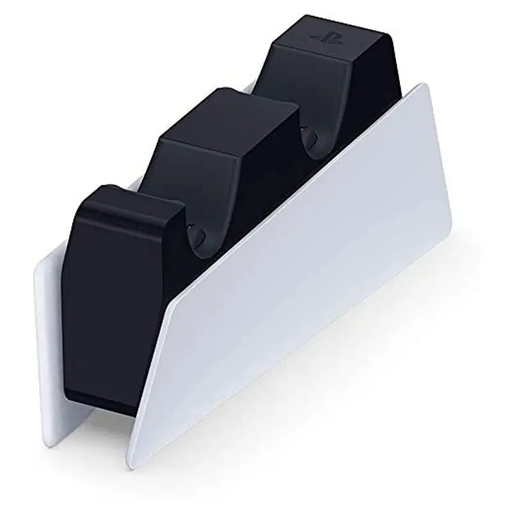
Why this choice suits this profile: A practical solution for households with two controllers or for regular long gaming sessions.
It stops you from leaving a cable permanently plugged into the console and lets you check the charging status via the LED indicators.
Simultaneous charging of two controllers, European power supply and simple click-in installation.
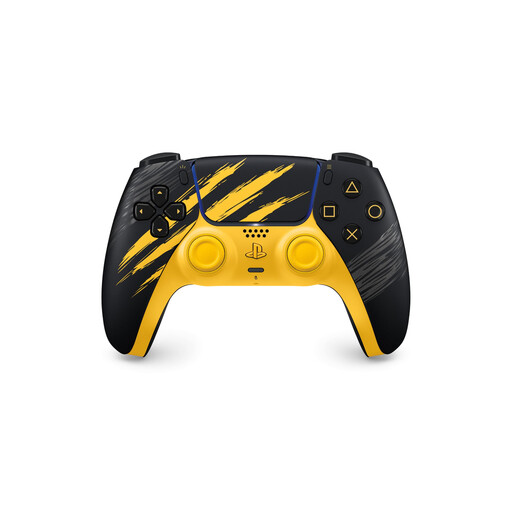
Why this choice suits this profile: A themed edition to enhance a collection or add character to a gaming setup.
The listing states that the Marvel’s Wolverine game is sold separately, so you know exactly what this special edition contains.
Yellow and black design, haptic feedback, adaptive triggers, Bluetooth, USB-C and built-in microphone.
We’ve put together a full, real-time updated list of products that meet these selection criteria and European safety standards.
Turn on Bluetooth on your computer, then press and hold the PlayStation and Create buttons at the same time until the light bar starts flashing. Next, select “Wireless Controller” from the list of available devices. If Bluetooth isn’t available, you can also use a USB-C connection.
A full charge usually takes around three hours, depending on the model and power source. Haptic feedback, adaptive triggers, the speaker and the microphone can reduce battery life between charges.
It can be recognised as a USB or Bluetooth controller by many compatible games, but advanced features aren’t always supported. Check the game’s compatibility and, if needed, use the USB-C cable to enable haptic feedback or adaptive triggers when they are supported.