
Livraison le jour même ou le lendemain

Qualité garantie

Débloquez vos offres de bienvenue: Livraison GRATUITE | Jusqu'à -80 % | 30 jours d'essai gratuits à JoyPlus
Téléchargez l'application
Buying a DualSense wireless PS5 controller seems straightforward… until differences in compatibility, battery life and customisation make the choice more complicated. Between an official Sony controller for PlayStation 5, a limited edition and a PS5 Bluetooth controller also designed for PC, product listings can show similar specs for very different uses.
Three pitfalls come up time and again among shoppers.
To play on PS5, look for the PlayStation 5 label and the pairing method offered. DualSense controllers typically connect via Bluetooth or a USB-C cable. On Windows, macOS, iOS and Android, compatibility is stated on each product page, but advanced features aren't always available in every game.
A PS5 PC controller can be a smart choice if you play across multiple devices. To enjoy haptic feedback or adaptive triggers, check that the game supports them and that a wired connection isn't required. For competitive gaming, USB-C also avoids interruptions from a flat battery.
Haptic feedback delivers different vibrations depending on the actions you take or the game environment. PS5 adaptive triggers can adjust the resistance you feel on L2 and R2. These technologies are built into DualSense controllers, but whether they activate depends on compatible games and your console settings.
On PC, don't rely solely on a phrase like "immersive". Check the technical specs and the game's own information. Sony DualSense models also include a built-in microphone, a Create button, a speaker and a 3.5 mm headphone jack, depending on the version.
A standard controller typically weighs around 280 g, according to the specs. The DualSense Edge is listed at 325 g, while the Turtle Beach Victrix Pro BFG Reloaded comes in at 300 g. That difference can make itself felt during long sessions.
For a customisable PS5 controller, look at what's actually interchangeable: profiles, rear paddles, joystick caps, triggers and directional pads. Also check what's in the box. A built-in rechargeable battery via USB-C avoids disposable batteries, but its life varies depending on microphone use, vibrations and wireless connection. Cables and charging stations may be sold separately.
The following models meet very different needs. The features listed come from the technical information provided for each product.
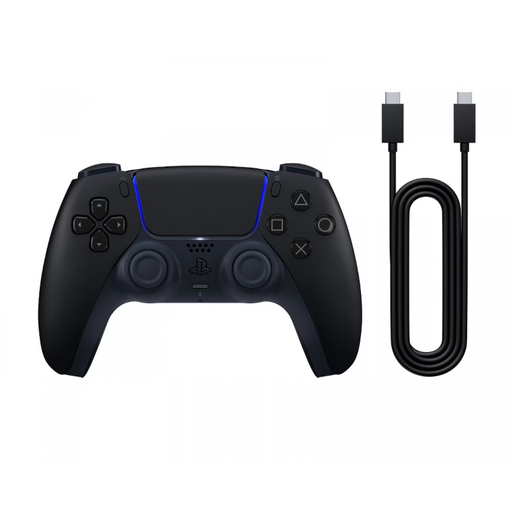
Why this choice suits this profile: This rechargeable USB-C PS5 controller is ideal for a first purchase on PS5 or PC. The cable is included, so you can start playing straight away without buying any extra accessories.
The listing states compatibility with PS5, Windows PCs, Macs and smartphones, plus a USB-C cable is included. So you won't need to buy the essential cable separately from the start.
Bluetooth and USB-C, built-in rechargeable battery, microphone and 3.5 mm headphone jack.
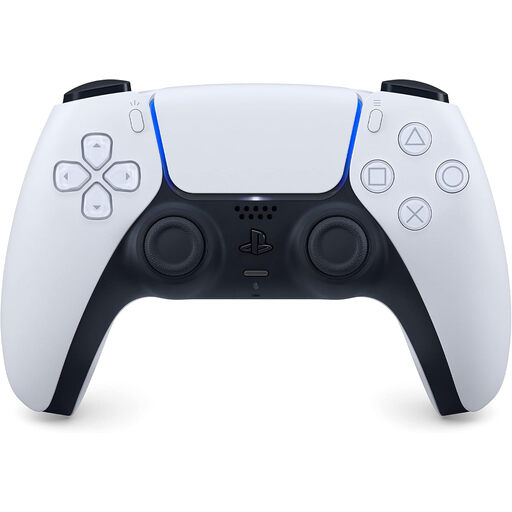
Why this choice suits this profile: The DualSense Edge is for players who want to fine-tune their controller and keep multiple configurations for different games.
The settings aren't just marketing hype: the listing details the profiles, programmable buttons, stick caps and removable triggers.
Three saveable profiles, Bluetooth or USB-C connection, 3 m braided cable and accessories for sticks and triggers.
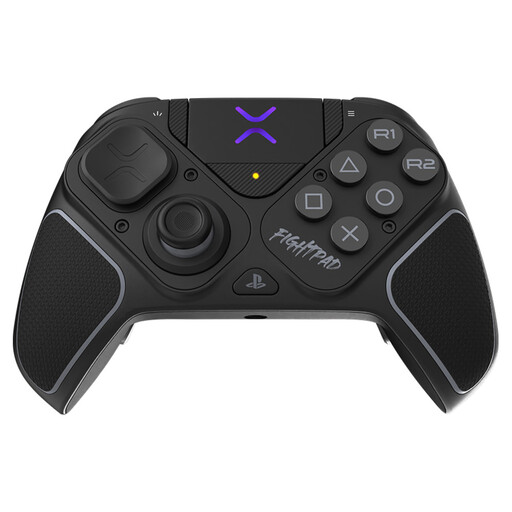
Why this choice suits this profile: Its modular design is aimed at players who switch between fighting games, FPS titles and competitive games on PS5, PS4 or Windows PC.
The listing clearly distinguishes the interchangeable modules, Hall-effect sticks, 2.4 GHz dongle and USB-C connection. So you can check that the settings on offer really match your play style.
Six buttons on the Fightpad module, four programmable rear buttons, five-position triggers and Hall-effect sticks.
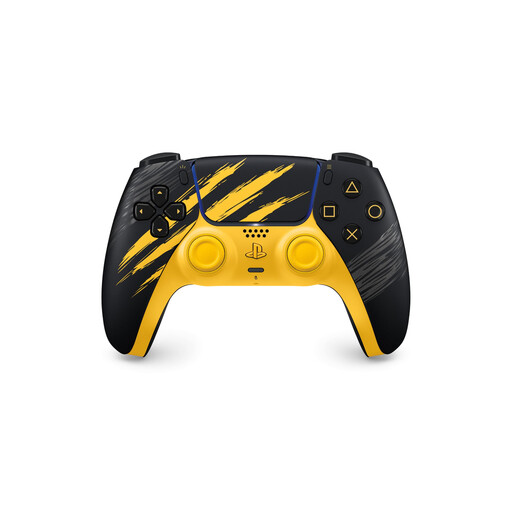
Why this choice suits this profile: This limited edition PS5 controller has all the features of the DualSense, with a Marvel's Wolverine design aimed at fans of special series.
Its appeal is crystal clear: the collector's design. The colourway isn't presented as a technical upgrade over other DualSense models.
Haptic feedback, adaptive triggers, built-in microphone, headphone jack and compatibility with PS5, PC, Mac and mobiles.
We've put together a full, real-time updated selection of products that meet these demanding criteria, while complying with European safety regulations.
On PS5, first plug the controller in with a USB-C cable, then press the PS button. On a compatible computer, turn on Bluetooth, hold down the PS and Create buttons at the same time until the light bar flashes, then select "Wireless Controller". A USB-C connection may be better when advanced features are only available in wired mode.
The listings we've checked state around 8 to 10 hours for some DualSense models, depending on usage. Haptic feedback, adaptive triggers, the microphone and volume can all affect this. For long sessions, a good quality USB-C cable lets you keep playing while it charges.
The Sony DualSense models shown are compatible with Windows. Several listings also mention macOS, iOS and Android. However, access to haptic feedback, adaptive triggers or the microphone depends on the game and the connection method. Always check these points before buying an eSport gaming controller or a model intended for multi-platform use.