
Livraison le jour même ou le lendemain

Qualité garantie

Débloquez vos offres de bienvenue: Livraison GRATUITE | Jusqu'à -80 % | 30 jours d'essai gratuits à JoyPlus
Téléchargez l'application
Buying a Sony PS5 DualSense wireless controller might seem straightforward. However, several details can make a real difference in everyday use. An appealing colour does not necessarily mean that a cable is included, PC compatibility can vary depending on the connection method, and advanced features are not supported by every game.
Here are the main points to check before choosing a Sony PS5 controller, whether you want to replace your current model, play with a second person or enjoy gaming on your PC.
The colourful and limited editions — Chroma Indigo, Chroma Teal, Hyperpop, Galactic Purple and Marvel’s Wolverine — generally retain the essential features of the standard DualSense. Your choice therefore mainly comes down to appearance, availability and what is included in the box. However, a special edition may cost more without offering any additional features.
Depending on the reference, the USB-C cable may be sold separately or included in the box. Take the time to check the box contents before placing your order. If you want to recharge a USB-C PS5 controller while playing away from the console, a sufficiently long cable can be useful, such as the 3 m HORI model compatible with the DualSense.
On PS5, compatible games can make use of haptic feedback and DualSense adaptive triggers. On PC, Mac, Android or iOS, the controller connects via Bluetooth or USB-C, but the availability of advanced features depends on the game, the operating system and sometimes a wired connection. So, “PC compatible” does not mean that it “offers exactly the same features as on PS5”.
An official PS5 wireless controller connects to the console via Bluetooth after an initial pairing using a cable. To use it with a computer or mobile device, switch on Bluetooth, then hold down the PlayStation and Create buttons until the light bar starts flashing. Then select “Wireless Controller” from the list of available devices.
A USB-C connection is still useful for potentially more consistent latency, completing the initial pairing or accessing advanced features in certain PC games. Also check which operating systems are supported. Product listings generally mention Windows, Mac, Android and iOS, but exact compatibility can vary from one piece of software to another.
The DualSense features a rechargeable battery. You can continue playing while it charges, provided it is connected to the PS5, a computer or a USB source that is compatible with a USB-C cable. Some product listings state that a full charge takes around three hours, while actual battery life depends on the volume level, microphone, haptic feedback and the intensity of the adaptive triggers.
The built-in battery is not designed to be replaced by the user. Avoid moisture, extreme temperatures and damaged cables. If the controller becomes unusually hot, swells or gives off an unusual smell, stop using it immediately.
Haptic feedback, adaptive triggers, the built-in speaker and the six-axis motion sensor are among the DualSense’s key features. However, their usefulness depends on whether the game supports them. The controller also features a built-in microphone, a mute button, a 3.5 mm headset jack and a dedicated Create button for screenshots and videos.
For most players, a standard DualSense is more than sufficient. The DualSense Edge is aimed more at users who want to remap certain buttons, adjust stick sensitivity or save several profiles.
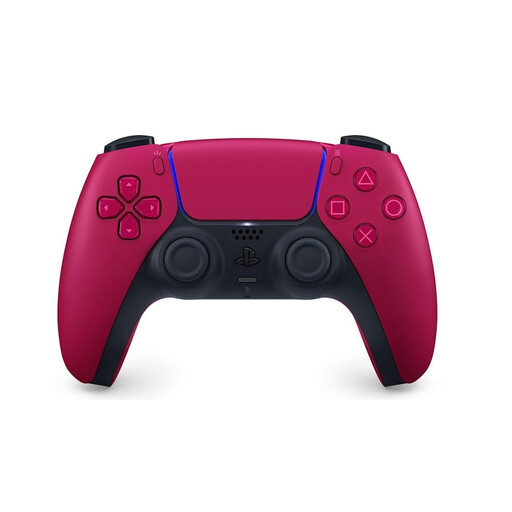
Why this choice suits this profile : This Sony PS5 controller offers the DualSense features you would expect for playing on PS5, with advertised compatibility with PCs and mobile devices.
The listing specifies Bluetooth and USB-C modes, as well as the built-in battery. Simply check that the cable is included before buying.
Haptic feedback, adaptive triggers, built-in microphone and 3.5 mm headset jack.
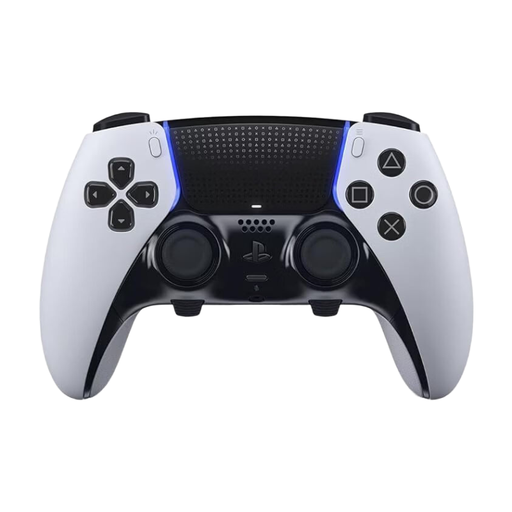
Why this choice suits this profile : The DualSense Edge is designed for players who want to adapt their setup to different game genres.
The settings are not based on marketing claims alone: the listing mentions programmable buttons, saveable profiles and removable components.
Three pairs of sticks, two sets of removable triggers and a 3 m braided cable included.
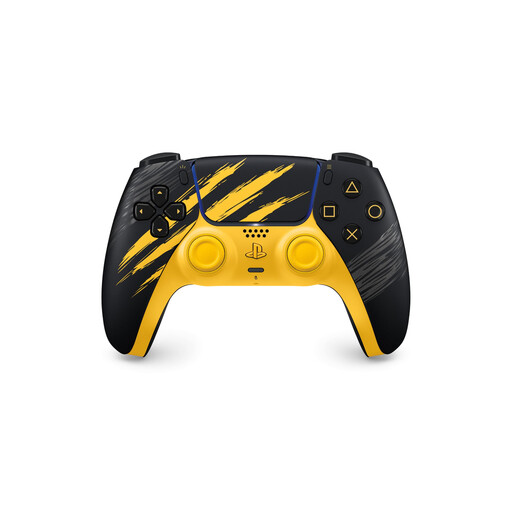
Why this choice suits this profile : This limited edition is aimed at collectors and players drawn to themed designs, without compromising on DualSense features.
The listing clearly distinguishes the Wolverine design from the technical specifications: the associated game is sold separately and the cable is not included.
Bluetooth and USB-C, built-in microphone, headset jack, haptic feedback and adaptive triggers in a yellow and black finish.
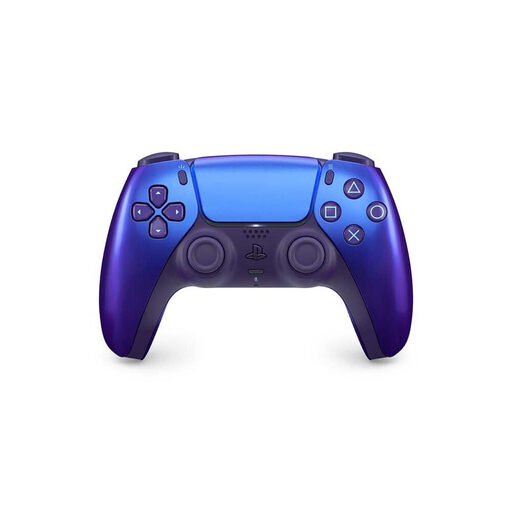
Why this choice suits this profile : Its Chroma Indigo finish lets you personalise your gaming setup while retaining the standard DualSense configuration.
The features are detailed separately from the colour: make sure the game supports haptic feedback before choosing this model for this purpose.
Advertised compatibility with PS5, PC, Mac, iOS and Android, along with Bluetooth and USB-C connections.
We have brought together a complete, real-time updated selection of products that meet these demanding criteria, while complying with European safety regulations.
Switch on Bluetooth on the computer, then hold down the PlayStation and Create buttons simultaneously until the light bar starts flashing. Then select “Wireless Controller”. A USB-C connection may be preferable when the game only supports haptic feedback or adaptive triggers in wired mode.
Battery life depends on the settings and use of the microphone, speaker, haptic feedback and adaptive triggers. Product listings for some models state around eight to ten hours, but this figure is indicative only. The controller can be used while charging with a suitable USB-C cable.
It works on PS5 and PC, but its programmable settings and removable parts are primarily aimed at players who want to customise their setup. For occasional use or simply replacing a controller, a standard DualSense will generally meet your needs with fewer settings to manage.