
Livraison le jour même ou le lendemain

Qualité garantie

Débloquez vos offres de bienvenue: Livraison GRATUITE | Jusqu'à -80 % | 30 jours d'essai gratuits à JoyPlus
Téléchargez l'application
A PS5 DualSense wireless controller isn’t just about colour or price. Between the standard versions, special editions and the DualSense Edge, there are real differences that affect compatibility, charging and gaming comfort.
Before buying a Sony PS5 controller, three common pitfalls keep cropping up:
On PS5, the initial pairing is usually done with a USB-C cable. Once the controller is paired, you can use it wirelessly. For a PS5 controller for PC, check the supported system and available connection modes.
The models featured here state compatibility with PS5 and, depending on the reference, with Windows, macOS, Android and iOS. On a computer, connection can be via Bluetooth or USB-C. However, advanced features aren’t supported in every game. Wired mode is often preferable if you’re looking to reduce latency or enjoy haptic feedback.
Haptic feedback replaces traditional vibrations with more nuanced sensations, tailored to the actions in the game. Adaptive triggers can vary the resistance of L2 and R2, for example to simulate braking a vehicle or drawing a bow.
These features require a compatible game and can be adjusted in the console settings. They don’t guarantee the same level of immersion across all titles. On PC, their activation can also depend on the game and whether you’re using a cable.
A standard DualSense has a built-in rechargeable battery. Battery life varies depending on the intensity of haptic feedback, use of the speaker and microphone. Some product listings state around 8 to 10 hours, but this depends on your settings and gaming habits.
A USB-C rechargeable controller can be used while charging. To avoid an extra expense, check whether the cable is included. The Midnight Black model sold with a USB-C cable is a practical option if you don’t already have this accessory. A separate charging station can also charge two controllers at once.
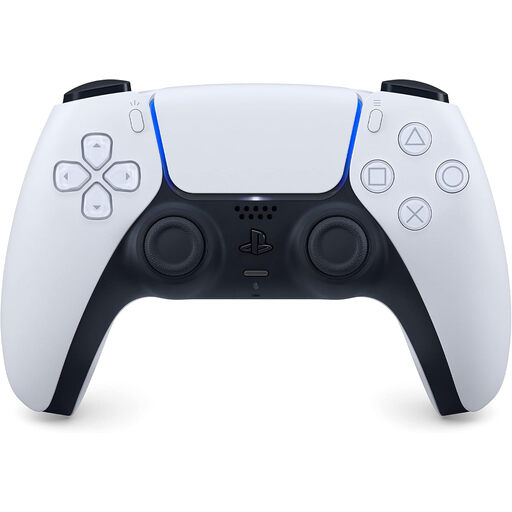
Why this suits this profile: A classic Sony PS5 controller to replace the one that came with your console or add a second controller for multiplayer games.
The listing mentions Bluetooth, USB-C, the built-in microphone and the main DualSense features. However, check whether the cable is sold separately.
Haptic feedback, adaptive triggers, built-in microphone and wireless connection on PS5 and compatible devices.
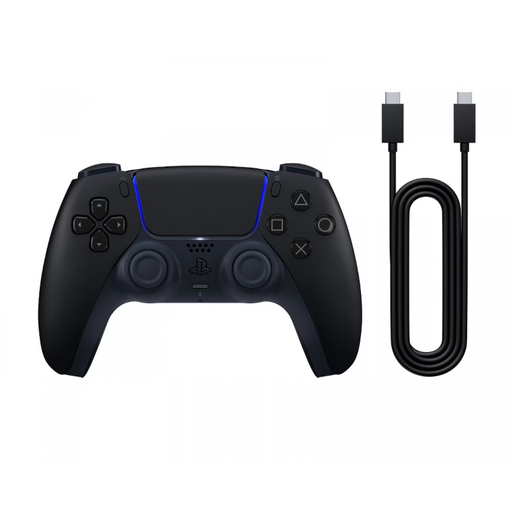
Why this suits this profile: The included cable makes setup on PC, Mac or PS5 simple and lets you play while charging.
The cable saves you an extra purchase and lets you test features that may require a wired connection on PC.
Bluetooth 5.1, USB-C, built-in battery, 3.5 mm headphone jack and stated compatibility with multiple devices.
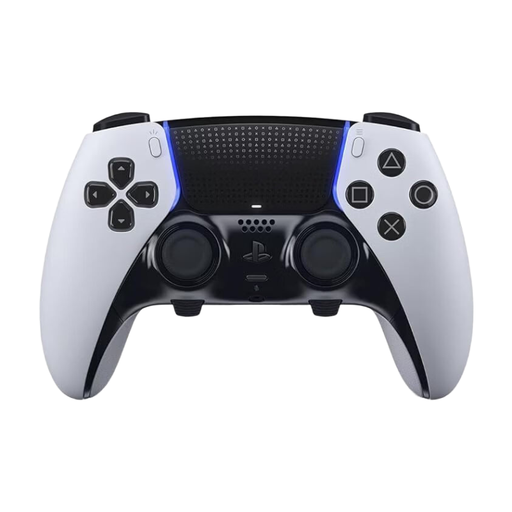
Why this suits this profile: Gamers who want to remap controls, save profiles and customise certain elements of the controller benefit from more advanced settings.
It doesn’t just offer a different finish – its programmable buttons, savable profiles and removable components meet a specific need.
Three profiles, multiple stick caps, adjustable triggers and a 3-metre braided USB-C cable.
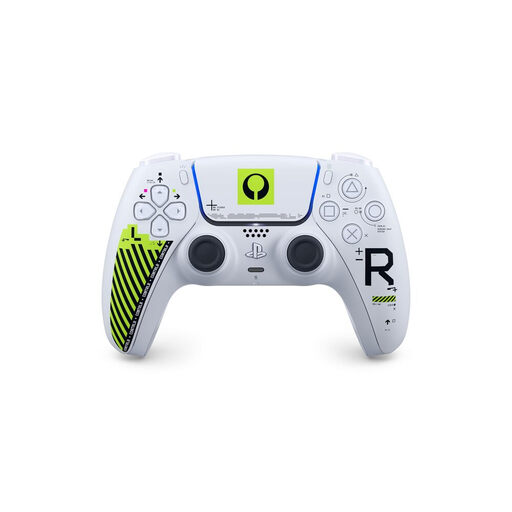
Why this suits this profile: An option for gamers looking for a collectable design without sacrificing the main DualSense features.
The listing details compatibility with PS5, PC, Mac and mobile devices, rather than relying solely on the graphic edition to justify the purchase.
Built-in battery, motion sensor, microphone, headphone jack and stated haptic features.
We’ve put together a comprehensive, real-time updated selection of products that meet these demanding criteria as well as European safety standards.
Turn on Bluetooth on your computer, then press and hold the PlayStation and Create buttons at the same time until the light bar flashes. Then select ‘Wireless Controller’ from the list of devices. To enjoy certain advanced features, use a USB-C cable and check that the game is compatible.
Some listings state a charging time of around three hours. Battery life then depends on your use of haptic feedback, adaptive triggers, microphone and speaker. A charging station can be handy for keeping a second controller ready for multiplayer sessions.
A limited edition mainly changes the controller’s external appearance. Features such as haptic feedback, adaptive triggers, microphone and Bluetooth connection are generally the same as those of the DualSense range mentioned in the product listing. So compare the included accessories, compatibility and charging conditions as a priority.