
Livraison le jour même ou le lendemain

Qualité garantie

Débloquez vos offres de bienvenue: Livraison GRATUITE | Jusqu'à -80 % | 30 jours d'essai gratuits à JoyPlus
Téléchargez l'application
Modernising an older car without removing the dashboard is now possible with a portable CarPlay screen for your car. This device sits on the dashboard and provides access to CarPlay or Android Auto, depending on the smartphone you use. The challenge is that product listings sometimes mix up resolution, compatibility and the functions that are actually available.
Before placing your order, there are three potential pitfalls to watch out for.
A portable CarPlay screen provides some of the functions of a car stereo, but it won’t necessarily work with your car’s original speakers. Depending on the model, sound may be transmitted via Bluetooth, an FM transmitter, an auxiliary output or the built-in speaker.
With an iPhone, check compatibility with wireless Apple CarPlay. With an Android smartphone, look specifically for wireless Android Auto. MirrorLink can complement these features, but support varies depending on the device and operating system.
So even without a connected car stereo, your car may still be able to use this type of screen. However, you’ll need to check the available sound output options, as well as whether a suitable power supply is included, usually via the vehicle’s 12 V socket.
The screen diagonal should be appropriate for the available dashboard space. A 10.26-inch car screen provides a large display area, making it convenient for viewing maps, calls and driving information. However, its mount takes up more room, and the whole unit must be positioned so it doesn’t obstruct your view.
A 7-inch car screen is more discreet and easier to fit in a small city car. 1080p resolution delivers a detailed image, but it can’t compensate for a poor viewing angle, excessive reflections or a mount that moves around. Measure the installation area before ordering and check that the screen won’t block the windscreen or essential controls.
Bluetooth 5.0 is a useful indicator for connecting to a phone or certain compatible devices. However, it isn’t enough on its own to assess sound quality in every car. Check the different output modes and the length of the cables supplied.
If reversing assistance is a priority, make sure you distinguish between the screen sold on its own and the package that includes a camera. A 720p reversing camera provides an image at that resolution, but the result also depends on lighting, the mounting angle and the quality of the installation. Naturally, it doesn’t replace visual checks around the vehicle. The wiring should be installed neatly and, where necessary, entrusted to a qualified professional.
The models below feature the functions listed in their product descriptions: 1080p touchscreen, wireless CarPlay and Android Auto, Bluetooth 5.0 and MirrorLink. Their screen size and whether or not a camera is included make them suitable for different needs.
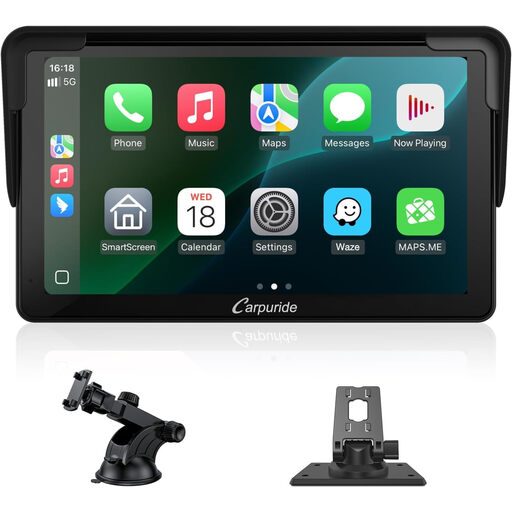
Why this choice suits this profile : Its 7-inch format is ideal for drivers looking for a discreet installation and straightforward operation, particularly in a city car or a vehicle with limited dashboard space.
The listing clearly states the 1080p resolution, along with CarPlay, Android Auto, Bluetooth 5.0 and MirrorLink. It’s therefore easier to check that the product meets your expectations before buying.
Compact 7-inch format ; 1080p touchscreen and advertised wireless connections.
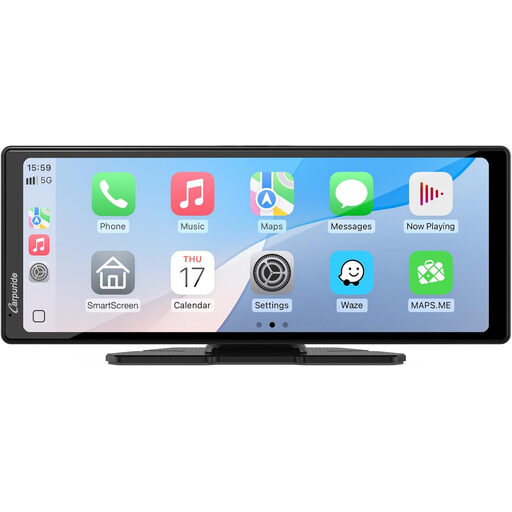
Why this choice suits this profile : Its 10.26-inch screen is aimed at drivers who prioritise comfortable viewing of routes, calls and compatible apps in a vehicle with sufficient space behind the screen.
This large screen is paired with 1080p resolution. Even so, measure the available space and check that the mount is stable before adding it to your basket.
10.26-inch touchscreen ; 1080p resolution and Bluetooth 5.0 advertised.
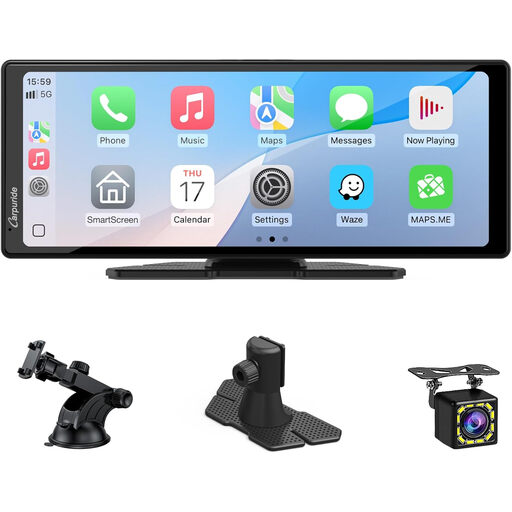
Why this choice suits this profile : This package is designed for drivers who want connected display features and parking assistance in one solution, particularly for frequent use or in a vehicle without a factory-fitted camera.
The 720p reversing camera appears in the model name. This reduces the risk of confusing a screen-only product with a package that includes a camera.
Advertised 720p reversing camera ; 10.26-inch 1080p screen with wireless CarPlay and Android Auto.
We’ve put together a complete, real-time updated selection of products that meet these demanding criteria, as well as European safety requirements.
Install the screen on a stable surface without reducing your field of vision. Avoid operating the interface while driving and use voice controls whenever they’re supported by your phone and app. When setting it up for the first time, test the wireless connection, sound, navigation and automatic reconnection after starting the car, one by one.
If you’re using a camera, check its orientation, mounting and cable routing. A permanent power connection can drain the battery when the car is left unused. Follow the manufacturer’s recommendations and unplug the device if the instructions advise you to do so.
Yes, it can be used without replacing the original car stereo. However, the way sound is transmitted varies depending on the device and vehicle. Before buying, check whether it has an auxiliary output, Bluetooth connectivity or an FM transmitter.
Compatibility depends on the iPhone model, its software version and the product’s specific requirements. Check the technical specifications and allow for an initial pairing via Bluetooth or Wi-Fi, according to the stated procedure. Wireless Android Auto also has specific requirements relating to the smartphone.
The screen generally doesn’t require a separate subscription to display your phone’s compatible features. However, navigation and content streaming may use data from your mobile plan. Power consumption mainly comes from the 12 V supply and depends on how long you use the vehicle.