
Livraison le jour même ou le lendemain

Qualité garantie

Débloquez vos offres de bienvenue: Livraison GRATUITE | Jusqu'à -80 % | 30 jours d'essai gratuits à JoyPlus
Téléchargez l'application
A cartridge that won't fit, a reference almost identical to your printer's, or a multi-pack where one colour remains unused: with HP consumables, buying mistakes can quickly become costly. Whether you're a home user, student, parent or professional, the price tag alone isn't enough to judge an HP ink cartridge.
Here are the main pitfalls to avoid:
Before choosing a black HP cartridge, a colour HP cartridge or an HP cartridge pack, note the full reference on the front of your printer or in its menu. The DeskJet, ENVY, OfficeJet, OfficeJet Pro and Photosmart ranges use different cartridge families.
Here are some common matches from our selection:
The list printed on the packaging or shown on the product page must match your device's model. If in doubt, the reference of the cartridge already installed can be a starting point, but it doesn't replace a compatibility check.
The page count is generally calculated according to the ISO/IEC 24711 standard. This method allows you to compare products under standardised conditions, but the actual yield depends on your document coverage, printing frequency, print head cleaning cycles and the type of file you print.
As a guide:
These figures are useful for comparing different options, but they don't guarantee the same page count in every home or office.
A colour cartridge typically combines cyan, magenta and yellow in a single casing. If one colour runs out before the others, ink may remain in the other two compartments, but the cartridge can no longer be used.
Pigment inks are often preferred for black used in documents. Dye-based inks are common in colour cartridges and for graphic printing. Product pages state the announced composition: it's better to refer to this than to try and predict performance from the trade name alone.
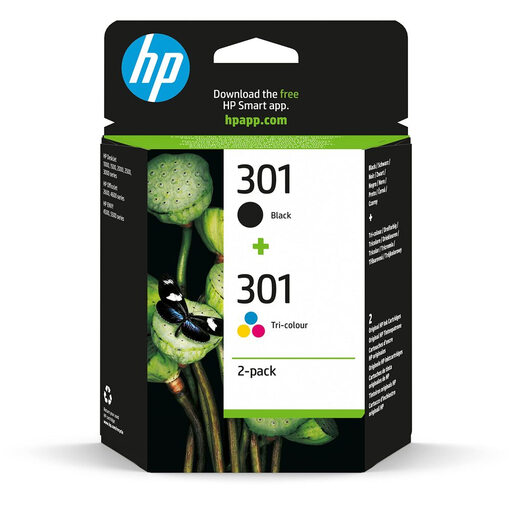
Why this choice suits this profile: this pack contains one black and one tri-colour cartridge – handy for replacing both consumables in a compatible home printer.
The pack contents are clearly stated: one black and one tri-colour cartridge, with stated yields of 190 and 165 pages according to ISO/IEC 24711.
Two original HP cartridges; compatibility stated with several models from the DeskJet, ENVY and OfficeJet ranges.
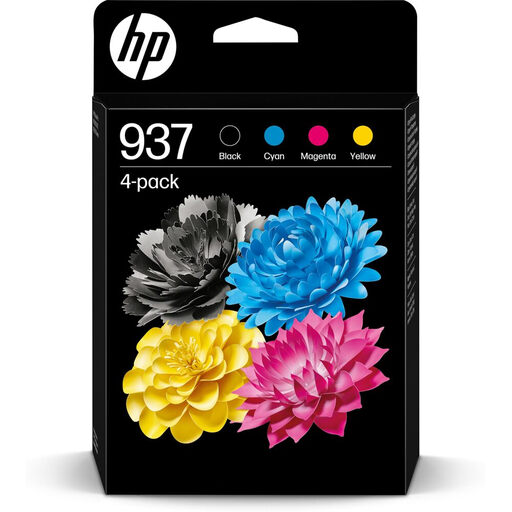
Why this choice suits this profile: this multi-pack is aimed at compatible OfficeJet Pro users who print professional documents regularly.
The capacity is detailed separately: around 1,450 pages for black and 800 pages for each colour, according to ISO/IEC 24711.
Four original HP pigment ink cartridges; integrated RFID chip and compatibility stated with several OfficeJet Pro models.
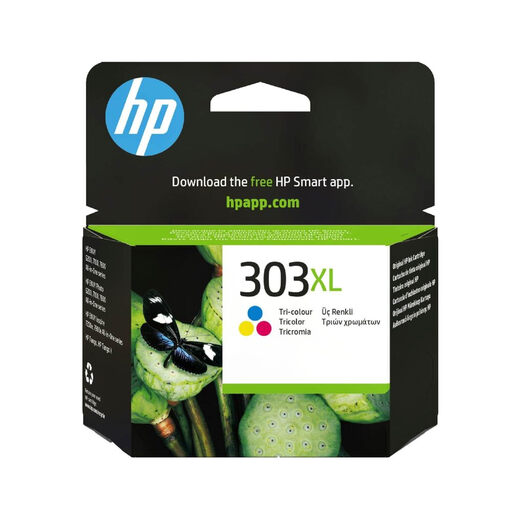
Why this choice suits this profile: its XL capacity suits compatible ENVY Photo or HP Tango users who print in colour often.
The XL label and stated yield of around 415 pages clearly distinguish it from the standard colour HP 303.
HP 303XL tri-colour cartridge with a stated capacity higher than the standard version; dye-based ink suitable for colour printing.
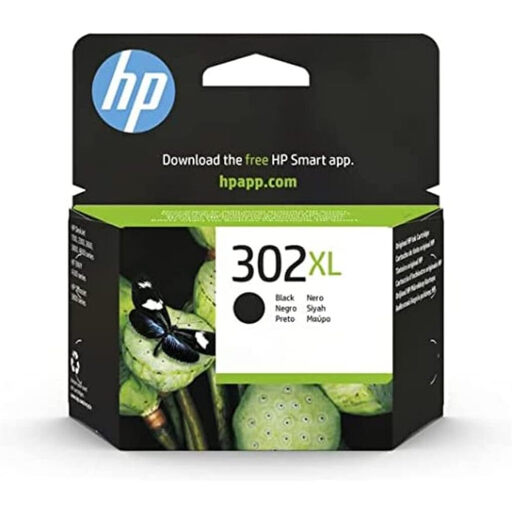
Why this choice suits this profile: this high-yield HP cartridge is designed for text printing related to remote work, admin tasks or studies.
Its stated yield of around 480 pages clearly sets it apart from the standard black HP 302.
Black pigment ink rated at around 480 pages; compatibility stated with several DeskJet, ENVY and OfficeJet models.
We've compiled a complete, real-time selection of products that meet these exacting criteria, while complying with European safety regulations.
Keep each cartridge in its sealed packaging until you're ready to replace it. When installing, remove the protective tape without touching the copper or gold electronic contacts or the nozzles. Insert the cartridge into the corresponding slot until you hear a click, then let the printer run its preparation procedure.
Store cartridges upright, in a cool, dry place away from sunlight and extreme temperatures. Do not pierce the casing or attempt to refill it. Keep consumables out of reach of children. Used cartridges should be disposed of through an appropriate collection scheme.
Check your printer's full reference, then compare it with the product's compatibility list. The reference on your old cartridge can also guide you, but the HP 301, 302, 303, 305, 62, 912, 903, 364, 937 and 924/933 families are not interchangeable by default.
It depends on your print volume. An XL version, such as the black HP 302XL or the colour HP 305XL, offers a higher stated yield than the corresponding standard version. To work out the best value, compare the cartridge price with the stated ISO/IEC 24711 page count and your actual needs.
The shelf life depends on the information on the packaging and storage conditions. Keep the cartridge sealed until use and store it in a dry place at a moderate temperature, away from light. Once installed, its usable life depends mainly on your printing frequency and the printer's cleaning cycles.