
Livraison le jour même ou le lendemain

Qualité garantie

Débloquez vos offres de bienvenue: Livraison GRATUITE | Jusqu'à -80 % | 30 jours d'essai gratuits à JoyPlus
Téléchargez l'application
An original HP ink cartridge should not be chosen based solely on its price or colour. Whether you have an HP DeskJet, ENVY, OfficeJet or OfficeJet Pro printer, the reference must match the model you use exactly. Choosing the wrong series can make the cartridge unusable, even when the packaging looks virtually identical.
The most disappointing purchases usually come down to three classic mistakes:
Start by finding the full reference of your printer on its front panel, screen or manual. Then look for the cartridge reference recommended by HP. The range name alone is not enough: an HP ENVY printer may use a 301, 302, 303, 304, 305 or 62 series, depending on the model.
For example, the references in this selection correspond to specific printer families:
Simply stating that a “cartridge is compatible with an HP printer” therefore does not guarantee universal compatibility. Always check your printer model and the reference number printed on the old cartridge.
Yield refers to the approximate number of pages that can be printed under standardised conditions, in accordance with the ISO/IEC 24711 standard. It allows you to compare different references, but does not guarantee the same lifespan in every household. Page coverage, colour printing and automatic cleaning cycles can all affect ink consumption.
Here are a few useful guidelines:
An HP high-yield cartridge can therefore be a worthwhile choice for working from home, children’s homework or regularly printing administrative documents. Conversely, if you only print a few pages each month, the standard capacity avoids storing a cartridge that holds more ink than you need.
Black cartridges often use pigment ink, which is particularly well suited to text. Colour cartridges may use dye-based ink, especially for graphics and images. However, this distinction alone does not guarantee identical results in every situation: the type of paper, print settings and condition of the print nozzles also play a part.
Before placing your order, identify what you actually need:
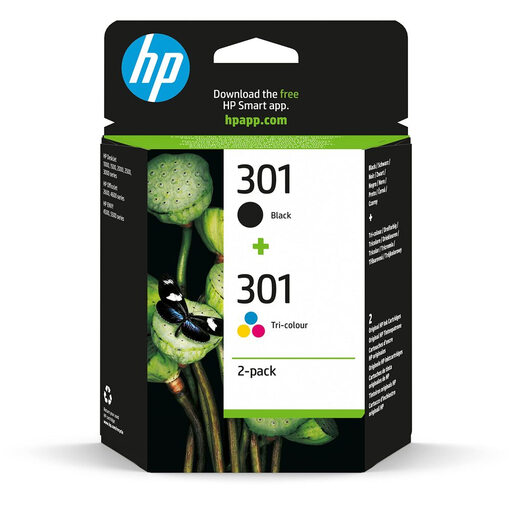
Why this choice suits this profile: this pack contains one black cartridge and one tri-colour cartridge, so you can replace both cartridges in a single order.
The reference, pack contents and stated yields are clearly specified: approximately 190 pages in black and 165 pages in colour according to the ISO/IEC 24711 standard.
Pigment black ink, dye-based colour ink and compatibility with several DeskJet, ENVY and OfficeJet printers.
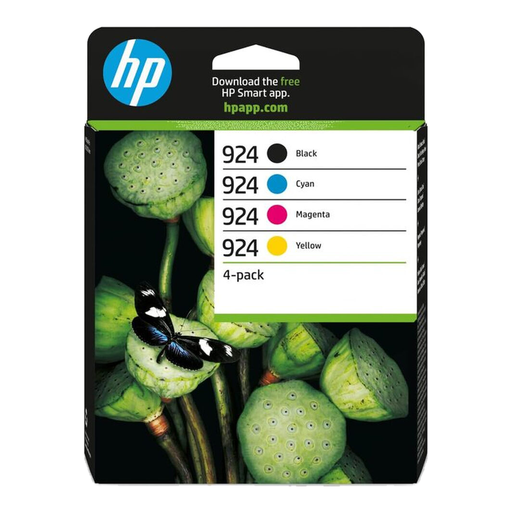
Why this choice suits this profile: this pack is intended for users of the OfficeJet Pro 8120 and related series who want all four colours available.
The contents are clearly detailed: one black 924 cartridge and three 933 colour cartridges, rather than a selection with ambiguous references.
Approximately 500 pages in black and 400 pages per colour, according to the ISO/IEC 24711 standard.
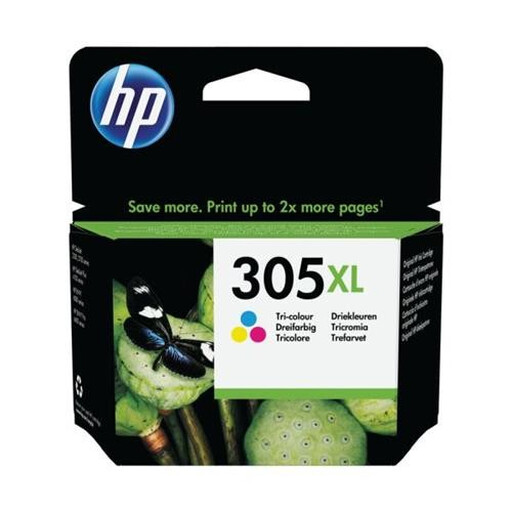
Why this choice suits this profile: families, students and people working from home who print in colour regularly can reduce how often they need to replace their cartridges.
The XL capacity is clearly distinguished from the standard HP 305: the stated colour yield reaches approximately 200 pages, compared with around 100 pages.
Dye-based colour ink and stated compatibility with several DeskJet 2700, 4100 and ENVY 6000 or 6400 printers.
We have put together a complete, real-time updated list of products that meet these demanding selection criteria and European safety standards.
Keep the cartridge in its sealed packaging until you are ready to install it. Then remove the protective strip without touching the copper electronic contacts or the metal nozzles. Insert the cartridge into the corresponding slot until you hear it click into place.
For storage, keep it upright, with the nozzles facing down, in a dry place away from direct sunlight and extreme temperatures. Keep cartridges out of the reach of children. If the ink comes into contact with your eyes or skin, rinse immediately with water or wash the affected area thoroughly.
Find the exact model of your printer and compare it with the list of compatible devices shown on the product page. Also check the reference number, such as CH561EE, F6U65AE, 3YM63AE or 6C3Z1NE.
It depends on the number of pages printed, their coverage and the printer’s cleaning cycles. The ISO/IEC 24711 yield provides a basis for comparison, but actual lifespan can vary from one user to another.
Not necessarily. Compare the cartridge price with its stated yield and your printing habits. An HP high-yield cartridge can reduce the number of replacements when used regularly, while a standard capacity will often be better suited to a printer that is only used occasionally.