
Livraison le jour même ou le lendemain

Qualité garantie

Débloquez vos offres de bienvenue: Livraison GRATUITE | Jusqu'à -80 % | 30 jours d'essai gratuits à JoyPlus
Téléchargez l'application
Building or upgrading a computer with Cooler Master PC components can make it easier to choose your case, power supply and cooling system. However, a detailed specification sheet alone does not guarantee that all your components will be compatible. The costliest mistakes often come from failing to check the form factor, choosing an underpowered power supply or buying a cooler that cannot be installed.
Here are the key points to check before placing your order, along with a selection suited to several types of users in France.
A 650 or 750 W power supply should not be chosen based solely on its rated output. You also need to check the available connectors, the ATX 3.1 standard and your graphics card’s requirements. A 650W 80 Plus Gold PC power supply may suit a well-balanced gaming build, but a recent graphics card may require a native 12V-2x6 connector.
A compact case may accommodate a long graphics card while limiting the height of the CPU cooler or the space available for cables. The Cooler Master Elite 302 Lite Black Fan supports graphics cards up to 365 mm without a fan or radiator installed at the front, as well as CPU coolers up to 163.5 mm high. Always compare these figures with the exact dimensions of your components.
A 360 mm AIO water cooler requires three 120 mm fan mounts, as well as enough depth to accommodate the radiator and fans. In the Elite 302 Lite case, the 360 mm radiator can be installed at the front, while the top supports a model up to 280 mm. This means that a 360 mm AIO cannot be installed at the top in this configuration.
For a compact PC build, the Cooler Master Elite 302 Lite supports Mini-ITX and Micro-ATX motherboards, with four expansion slots. Its removable mesh front panel makes cleaning easier, while the ventilation system can accommodate up to six fans, depending on the configuration chosen.
The case measures 390 × 203.5 × 430 mm and has a stated volume of 34.13 litres. It also features a front USB Type-C port, dust filters at the top, bottom and front, plus 18.5 mm of space for cable routing.
For the models featured, 80 PLUS Gold certification indicates a stated efficiency of at least 90 % at typical load. This figure relates to the efficiency of the electrical conversion process, but on its own it does not determine the power required by your processor, graphics card, drives and peripherals.
The ATX 3.1 standard takes into account the power fluctuations of recent graphics cards. The 750 W model includes a native 12V-2x6 cable rated for up to 450 W, while the 650 W model featured here uses PCIe 6+2-pin connectors. Check your graphics card’s required connections before making your choice.
The Cooler Master ML 360 Atmos II VRM Fan ARGB is compatible with Intel LGA1851, LGA1700, LGA1200, LGA115x and AMD AM5/AM4 sockets. Its radiator measures 394 × 119.2 × 27 mm, while its three SickleFlow Edge ARGB fans run at between 690 and 2,500 rpm, according to the published specifications.
The kit also includes an ARGB VRM fan cover, Gen2 addressable lighting profiles and offset brackets for the LGA1851 socket. Before installation, check the space around the socket, the position of the memory modules and whether your case supports a 360 mm radiator.
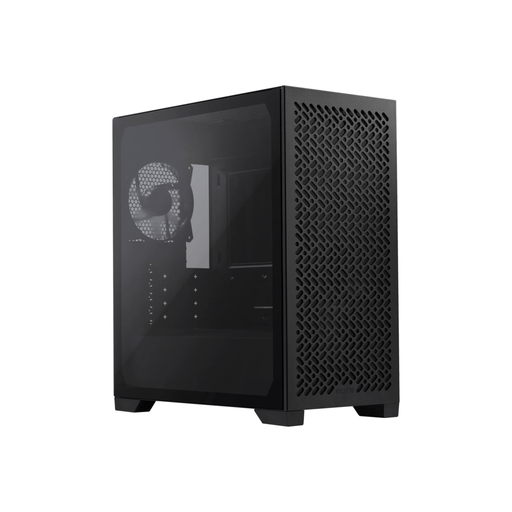
Why this choice suits this profile : This Mini Tower case is ideal for a first Micro-ATX or Mini-ITX build, even in a limited space, without sacrificing a front USB Type-C port.
The maximum dimensions for the graphics card, cooler and power supply are clearly stated. The mesh front panel and dust filters reduce the compromises associated with a compact format.
Can accommodate up to six fans, a 360 mm front radiator and a graphics card up to 365 mm, depending on the configuration.
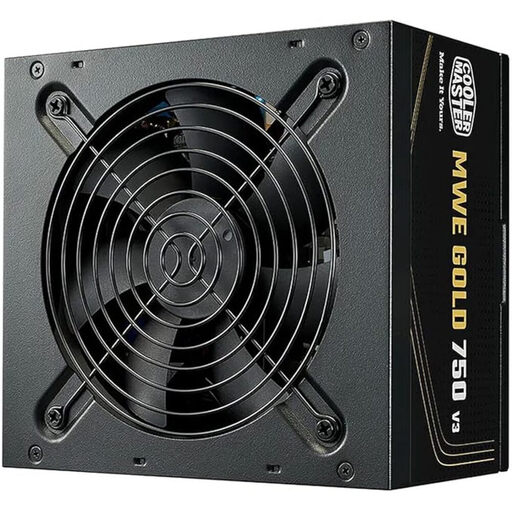
Why this choice suits this profile : This 750W ATX 3.1 PC power supply is designed for demanding gaming builds and users planning to install a next-generation graphics card.
Its native 12V-2x6 cable means you do not have to rely solely on an adapter, provided your chosen graphics card is compatible.
750 W, ATX 3.1 standard, 80 PLUS Gold certification, multiple electrical protections and a stated five-year warranty.
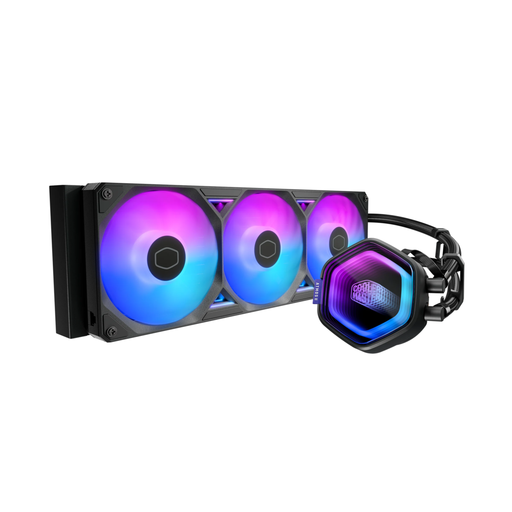
Why this choice suits this profile : Its 360 mm radiator and VRM cooling module are well suited to systems designed for long gaming sessions, content creation or particularly demanding processors.
Socket compatibility, radiator dimensions and PWM/ARGB connectivity are clearly specified, reducing the risk of buying an incompatible product.
Three ARGB fans, a pump rated at 3,400 rpm ± 300, a removable VRM fan and a stated six-year warranty.
We have put together a complete, real-time updated list of products that meet these strict selection criteria and the requirements of European safety regulations.
Start by checking the power rating recommended by the graphics card manufacturer, then verify the required connector. The MWE Gold 750 V3 model has a native 12V-2x6 cable rated for up to 450 W. The 650 W model uses four PCIe 6+2-pin connectors and may suit certain configurations, depending on the system’s total power consumption.
Yes, provided you stay within the format limits and clearance requirements. The Elite 302 Lite supports Mini-ITX and Micro-ATX motherboards, graphics cards up to 365 mm in certain configurations and CPU coolers up to 163.5 mm high. For a 360 mm AIO, plan to install it at the front and check how much space remains for the graphics card.
A sealed AIO system generally does not need to be refilled by the user. However, you should regularly remove dust from the fans and radiator, check the cables and watch out for unusual noises or any signs of leaks. Before carrying out any work, shut down the PC completely and unplug it.