
Livraison le jour même ou le lendemain

Qualité garantie

Débloquez vos offres de bienvenue: Livraison GRATUITE | Jusqu'à -80 % | 30 jours d'essai gratuits à JoyPlus
Téléchargez l'application
A 360 mm AIO water cooler for your processor appeals to PC gamers, content creators and enthusiasts who value a well-presented build, thanks to its large radiator, stylish design and lighting options. However, an imposing model or one fitted with a display does not, by itself, guarantee a successful installation. Compatibility with the case, socket and various connections remains crucial.
Before buying a 360 mm liquid CPU cooler, take the time to avoid three particularly common pitfalls.
A PC water-cooling kit advertised as compatible with Intel LGA 1851, LGA 1700 or AMD AM5/AM4 may be perfectly suitable for your processor yet impossible to install in your case. A 360 mm radiator generally takes up three 120 mm fan positions. You also need to allow enough room for the radiator, fans and tubing.
In particular, check:
An ARGB AIO can give a build plenty of personality, but lighting effects reveal nothing about fan speed or the system’s ability to regulate temperature. It is important to distinguish ARGB, which controls addressable lighting effects, from the dedicated connector used to power and control the fans.
PWM fans are preferable if you want their speed to be adjusted automatically by the motherboard. Also check whether there is an ARGB connector compatible with your motherboard or a controller supplied with the kit.
A water cooler with a display can show an image, animation or various system details, depending on the software used and the connections available. However, a model with an AIO pump featuring an IPS or AMOLED display may require an internal USB cable, a dedicated application and enough unobstructed space inside the case.
Before making your decision, check the display size, customisation options, software compatibility and readability behind a glass panel. A feature that looks appealing on paper can quickly become inconvenient if it requires a difficult-to-access connection.
For a recent platform, look for clear compatibility with Intel LGA 1851 or AMD AM5. Older systems may require support for LGA 1700, LGA 1200, LGA 115X or AMD AM4. The presence of a socket in the product title does not remove the need to check the box contents and the instructions.
Intel and AMD processors use different mounting systems. Make sure the supplied mounting kit is compatible with your motherboard before removing your old cooler.
A 360 mm radiator provides a large heat-transfer surface, but its effectiveness also depends on airflow through the case and the quality of the fans. Expressed in CFM, airflow indicates the volume of air moved. Static pressure, generally shown in mmH₂O, provides a useful indication of the fans’ ability to push air through the radiator fins.
For example, the LE100 360 states 2 500 rpm, 81.8 CFM and 3.2 mmAq. These figures correspond to the manufacturer’s stated specifications. They should be assessed alongside the noise level, PWM curve and the case’s overall airflow.
The pump must be connected to the appropriate header and properly secured to the processor. Take the time to organise the cables before closing the side panel, particularly on models with lighting and a display.
Like any closed-loop system, a liquid cooler remains a component that should be monitored. Pay attention to any change in noise, keep an eye on temperatures and regularly check for unusual marks around the radiator, tubing and pump block. Follow the manufacturer’s recommendations and the consumer rights applicable in France in the event of a fault.
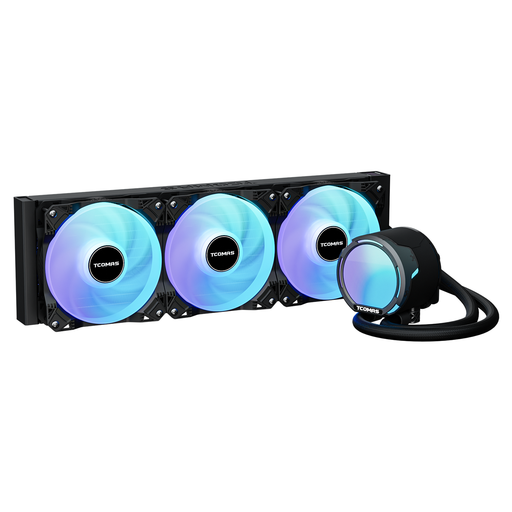
Why this choice suits this profile : This model combines broad compatibility — Intel LGA 1851/1700/1200/115X and AMD AM5/AM4 — with ARGB lighting. It is an appealing option for a first 360 mm build when a display is not a priority.
The product details mention PWM fans along with precise figures of 2 500 rpm, 81.8 CFM and 3.2 mmAq, rather than focusing solely on aesthetics.
FOC three-phase pump, as stated, PWM fans, ARGB lighting throughout the system and compatibility with several socket generations.
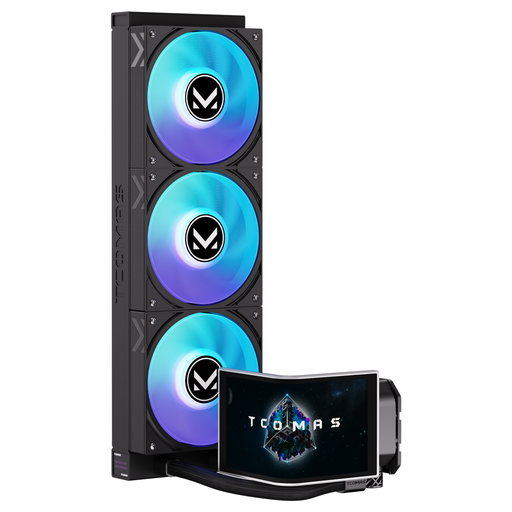
Why this choice suits this profile : Its 6.67-inch curved AMOLED panel and customisable 3D visual effects are designed for glass-sided builds where the display plays a central role.
The display size and technology are clearly stated, allowing you to check how it will look in your build and whether there is enough room before placing your order.
6.67-inch curved AMOLED display, 3D effects and stated compatibility with Intel LGA 1851/1700 and AMD AM5/AM4.
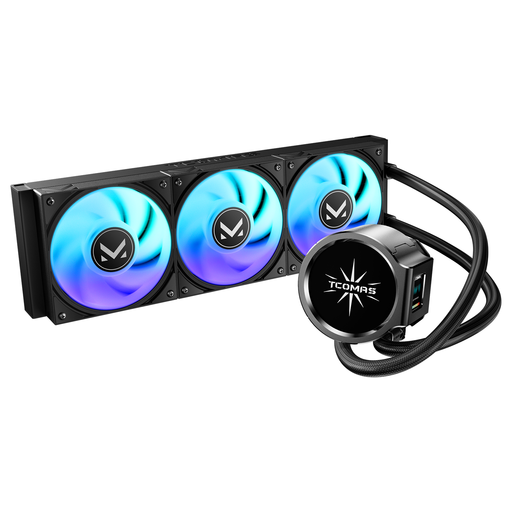
Why this choice suits this profile : Users who like to monitor and customise their build get a pump block with two displays: a round main display and a square secondary display.
The presence of two displays is explicitly stated, so there is no confusing simple pump lighting with a genuine display function.
Dual pump display, ARGB fans and stated compatibility with Intel LGA 1851/1700 and AMD AM5/AM4 sockets.
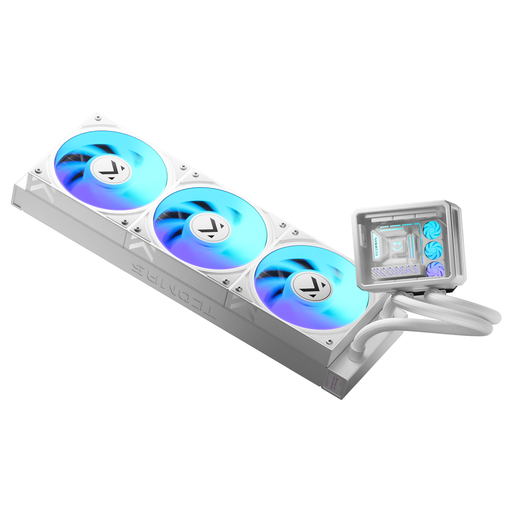
Why this choice suits this profile : Its micro-landscape pump-block design, stated thicker radiator and ARGB fans are a natural fit for a white build designed to be displayed.
The product details explain the pump design and the radiator’s stated thickness, allowing you to compare the technical specifications rather than relying solely on the colour.
Thicker radiator, as stated, micro-landscape pump design, ARGB fans and support for Intel LGA 1851/1700 and AMD AM5/AM4.
We have brought together a complete, real-time-updated selection of products that meet these demanding selection criteria and European safety standards.
No. You need to check the processor socket, the available mounting positions in the case, the clearance around the motherboard and the required connectors. Compatibility with AM5 or LGA 1851 does not guarantee that the case can accommodate a 360 mm radiator.
Its lifespan depends on the pump, fans, usage intensity and installation conditions. Monitor temperatures, unusual noises and the visual condition of the connections. To help preserve the system, regularly dust the radiator and fans without pressing on the fins.
No. Whether it is IPS, AMOLED or made up of several displays, the screen adds a visual feature and customisation options. Thermal performance mainly depends on contact with the processor, the pump, radiator, PWM fans and airflow through the case.