
Livraison le jour même ou le lendemain

Qualité garantie

Débloquez vos offres de bienvenue: Livraison GRATUITE | Jusqu'à -80 % | 30 jours d'essai gratuits à JoyPlus
Téléchargez l'application
A wireless computer mouse can make working from home, studying, travelling or gaming much easier. However, product specifications can sometimes list impressive figures without explaining what they really mean in everyday use. Before placing your order, it is better to focus on the essentials: connectivity, comfort, battery life and compatibility with your equipment.
A mouse with a USB receiver needs a free USB-A port. However, some recent laptops rely almost exclusively on USB-C, so an adaptor may be necessary. Conversely, a Bluetooth mouse connects directly to a compatible device, although the initial pairing process can vary from one operating system to another.
So check the stated compatibility with Windows, macOS, ChromeOS or Linux, as well as the connection method offered: 2.4 GHz receiver, Bluetooth or both.
A mouse set to 1000 DPI is generally sufficient for browsing the web, working or studying. Models capable of reaching 7200, 12 800, 24 000 DPI or more are aimed mainly at gamers and users who like to fine-tune sensitivity precisely.
A high figure does not guarantee a better experience. The surface you use, the mouse shape, its weight and connection stability also play a role. For everyday use, several adjustable sensitivity levels can be much more useful than a spectacular maximum value.
A compact mouse is easy to slip into a bag, but it can become uncomfortable for larger hands during prolonged use. A vertical ergonomic mouse and an ambidextrous model meet different needs. You should also distinguish between the various power and comfort options:
A USB mouse with a receiver is generally very easy to set up: plug in the dongle, switch on the mouse and you are ready to go. 2.4 GHz models often claim a range of up to 10 metres, but metal surfaces and interference can affect connection stability.
Bluetooth frees up a USB port and is particularly convenient with laptops, tablets and other compatible devices. For gaming, 2.4 GHz mode or a wired connection may be preferable when latency needs to remain minimal. Three-mode models generally combine Bluetooth, 2.4 GHz and USB-C.
An optical mouse uses a sensor to analyse movement across the surface. For office work, 1000 DPI is a common and sufficient setting. In gaming, settings can reach 7200, 12 800, 24 000 or 30 000 DPI, depending on the model.
However, resolution should not be considered in isolation. On a wireless gaming mouse, the polling rate, weight, programmable buttons and configuration software often have a greater impact on how it feels to use. A 1000 Hz polling rate is already suitable for many uses; higher rates are intended for more specific needs.
An ambidextrous mouse is suitable for both right- and left-handed users, while a vertical model changes the position of the hand and may meet specific ergonomic needs. Also consider the length, width, weight and number of buttons.
When comparing battery life, check the conditions under which the figures were measured. A rechargeable mouse advertised as offering 32 hours with the lighting switched off cannot be compared directly with a battery-powered model rated for 12 or 18 months. Manufacturers generally provide theoretical figures, which vary according to frequency of use, lighting and the distance from the receiver.
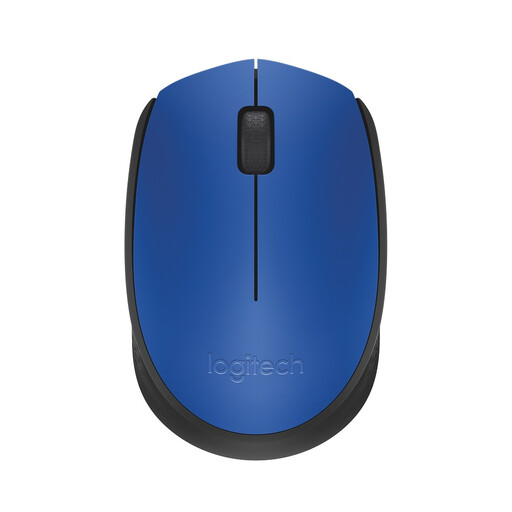
Why we think this model is a good choice : Its 2.4 GHz connection with a USB receiver and software-free setup make it a straightforward solution for office work, lessons and family use, on both PC and Mac.
The product details clearly state the receiver type, a range of up to 10 metres and compatibility with several operating systems.
An ambidextrous design, an optical sensor, line-by-line scrolling and advertised battery life of up to 12 months.
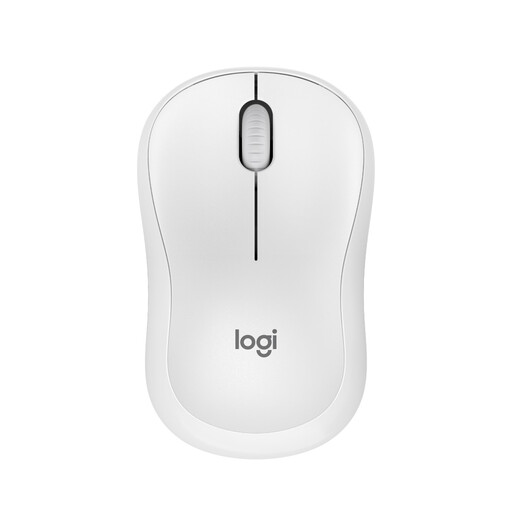
Why we think this model is a good choice : Bluetooth connectivity without a receiver and clicks advertised as 90 % quieter make it particularly suitable for home working, shared offices and travel.
The product details specify Bluetooth connectivity and advertised battery life of up to 18 months with one battery, without taking up a USB port.
A 1000 DPI optical sensor, a compact design and compatibility with Windows, macOS and ChromeOS.
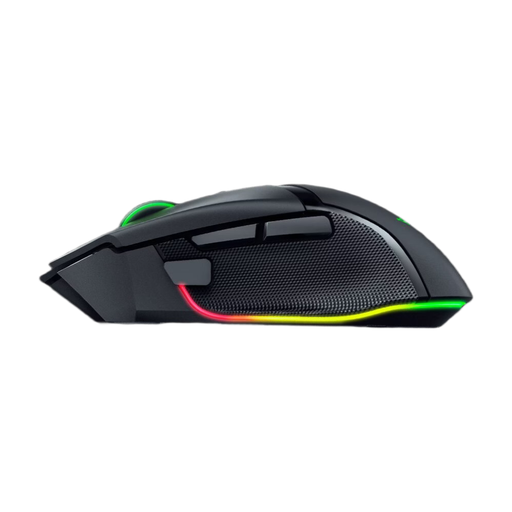
Why we think this model is a good choice : This mouse is designed for gamers and creators who want to customise the controls, RGB lighting and connection mode to suit their environment.
Battery life is broken down by mode: up to 90 hours in HyperSpeed and 150 hours in Bluetooth, according to the supplied information.
A sensor rated at 30 000 DPI, 11 programmable controls, a scroll wheel that can be used in four directions and three connection modes.
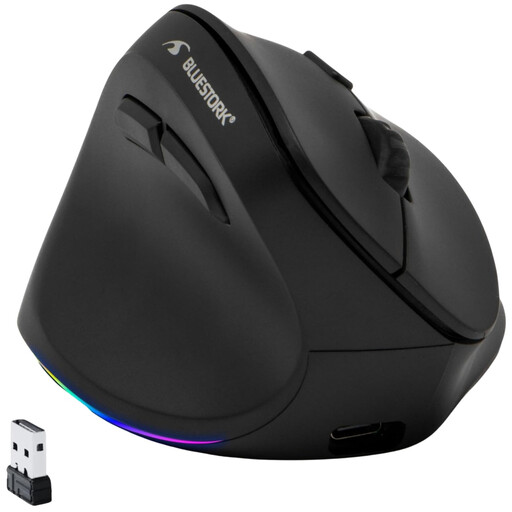
Why we think this model is a good choice : Its vertical left-handed design meets a need often overlooked by conventional ambidextrous mice, while also including a rechargeable battery.
The product details clearly distinguish the left-handed orientation, 2.4 GHz receiver, USB-C charging and the various adjustable DPI levels.
A vertical left-handed design, resolution of up to 4800 DPI, an integrated lithium battery and RGB lighting that can be switched off or customised.
We have put together a complete, real-time selection of products that meet these demanding criteria and European safety regulations.
Yes, provided that the computer has Bluetooth and its operating system is compatible with the mouse. Switch on Bluetooth, select the mouse’s name from the list of devices and wait for pairing to complete. On a computer without Bluetooth, a model with a USB receiver will often be easier to use.
This depends mainly on its power supply. A battery-powered mouse requires occasional replacement batteries, while a rechargeable model uses electricity and may need to be replaced when its integrated battery reaches the end of its life. Also check whether a USB-C cable is included and, for some models, whether the charging dock is sold separately.
Yes, provided you choose a stable connection, an adjustable sensor and sufficient battery life for your gaming sessions. Gamers may wish to consider 2.4 GHz, Bluetooth and wired modes, the polling rate, weight and number of buttons. For office work or studying, a quiet or ambidextrous optical mouse set to 1000 DPI may be perfectly adequate without unnecessary gaming features.