
Livraison le jour même ou le lendemain

Qualité garantie

Débloquez vos offres de bienvenue: Livraison GRATUITE | Jusqu'à -80 % | 30 jours d'essai gratuits à JoyPlus
Téléchargez l'application
Choosing a wireless gaming mouse can quickly become a headache. Between latency, DPI, weight, and ergonomics, spec sheets are filled with technical jargon that can be confusing. Our mission is to help you cut through the noise and present a selection of models suited for every type of user—whether you're a pro gamer, a marathon player, or a creative professional seeking precision and comfort.
Our mission at Joybuy is to arm you with the right information to make an informed choice, objectively and free from marketing hype.
Before diving into our selection, let's review the key points that will guide your choice.
The performance of a gaming mouse is all about the specs. Here are the three pillars to watch for.
A mouse should be an extension of your hand. An ergonomic gaming mouse is designed to fit the shape of your palm, reducing fatigue during long gaming sessions. The choice depends on your grip style (palm, claw, or fingertip) and the size of your hand.
Weight is also a key factor. A lightweight gaming mouse (usually under 80g) allows for quicker, less tiring movements—a major advantage in FPS (first-person shooter) games where reaction speed is king. Conversely, a heavier model can provide a greater sense of stability, which comes down to personal preference.
Wireless freedom comes at a price: battery life. A good rechargeable gaming mouse should last for dozens of hours so it doesn't die on you mid-game. The inclusion of a USB-C port for charging is now an almost essential standard.
Finally, don't overlook the little extras that make a difference: programmable buttons and RGB gaming mouse lighting. Extra buttons allow you to assign macros or shortcuts, while RGB helps you enhance the aesthetics of your setup.
Let's get to the specifics with models that have caught our eye, each catering to a distinct player profile.
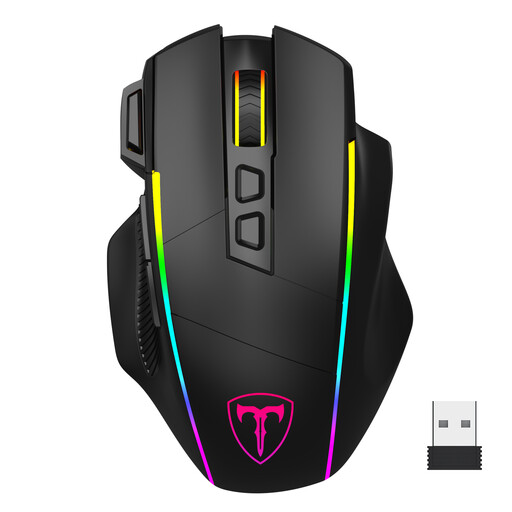
Why it stands out: This model is all about absolute versatility. With its triple connectivity (2.4 GHz, Bluetooth, wired USB-C), it effortlessly switches from intense gaming to office work across multiple devices. Its ergonomic design is intended for medium to large hands.
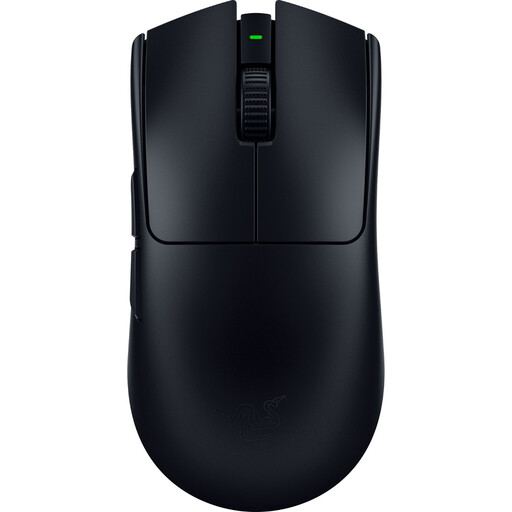
Why it stands out: The Viper V3 Pro is a lightweight gaming mouse built for esports. Weighing in at just 54g and featuring 8K Hz HyperPolling technology, it aims for ultimate responsiveness and precision.
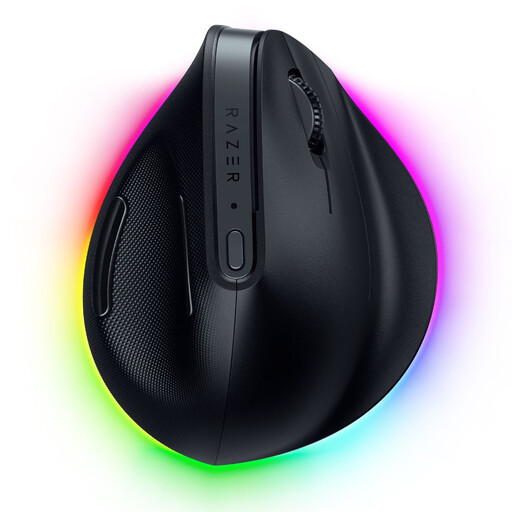
Why it stands out: This model breaks the mould with its vertical design. This ergonomic gaming mouse positions the wrist at a more natural angle, helping to prevent strain and pain (like carpal tunnel syndrome) during prolonged use. It combines productivity-focused features with a high-performance gaming sensor.
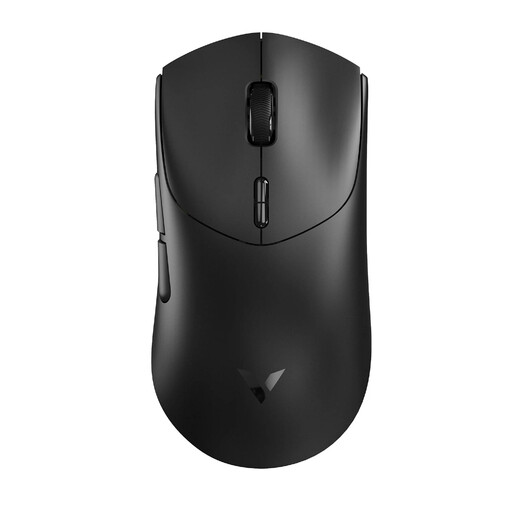
Why it stands out: The Rapoo VT7 establishes itself as a serious contender in the featherweight category. Tipping the scales at just 53g, it's especially impressive for its marathon battery life (up to 750 hours at 1000 Hz) and its native 8,000 Hz wireless polling rate.
This selection highlights a few gems with distinct profiles. If you haven't found your perfect match or are simply curious, our full catalogue is packed with other options.
? Discover our entire wireless mouse category on Joybuy.fr
It all comes down to latency (response time). The 2.4 GHz connection, via its dedicated USB dongle, ensures an ultra-low response time (typically 1 ms), which is essential for gaming. Bluetooth, while more universal and convenient as it's dongle-free, suffers from higher latency, often a deal-breaker for fast-paced games.
Not necessarily, and it's often a misleading marketing point. A sensitivity (DPI) that's too high can make the cursor uncontrollable. The majority of gamers, including pros, set their mouse between 800 and 3,200 DPI. The most important thing is to have a reliable sensor and the ability to adjust DPI in increments to find the right balance for your playstyle and screen resolution.
A few simple steps can extend your battery life. The number one tip: turn off or lower the intensity of the RGB lighting. It's by far the biggest power drain. Also, remember to turn the mouse off with its switch if you won't be using it for a long time. Finally, as with all lithium-ion battery devices, avoid letting it fully discharge too often to preserve its lifespan.