
Livraison le jour même ou le lendemain

Qualité garantie

Débloquez vos offres de bienvenue: Livraison GRATUITE | Jusqu'à -80 % | 30 jours d'essai gratuits à JoyPlus
Téléchargez l'application
A rechargeable wireless mouse helps declutter your desk, reduce cables and avoid buying batteries regularly. However, with specification sheets packed with figures and options that are not always useful, it is not always easy to know what to look for. To choose a mouse suited to everyday use, focus on four key points: connectivity, shape, charging and compatibility.
Not every wireless mouse has a built-in battery. Some models still use an AA battery, such as the HOFOTEK M311. They may be perfectly suitable in certain situations, but they do not meet the same needs as a USB-C rechargeable mouse.
Before placing your order, check:
A sensor rated at 4 800 or 24 000 DPI is not necessarily more useful for office work. DPI measures cursor sensitivity, but it is not enough to assess accuracy, stability or ease of use. For writing, browsing the web and managing documents, a few well-calibrated levels are generally sufficient.
A mouse with adjustable DPI nevertheless lets you adapt the cursor speed to your screen size, resolution or current activity. For gaming, you should also consider the polling rate, latency and the options available through the customisation software.
A compact mouse is easy to slip into a bag, but may become uncomfortable if you have a large hand. Conversely, a vertical ergonomic mouse may take a few days to get used to. Left-handed users should also check the model’s orientation: a mouse designed for the right hand will not necessarily be suitable as a left-handed mouse.
A Bluetooth mouse connects directly to a laptop, tablet or any other compatible device. It does not occupy a USB port, which is particularly useful when travelling. However, you should check the supported Bluetooth version and compatibility with the operating system you use.
A 2.4 GHz mouse generally works with a USB nano receiver. Once connected, it is often ready to use straight away, but it does require an available port. Models compatible with both Bluetooth and 2.4 GHz offer greater flexibility, particularly when switching between a work computer and a personal device.
For work, side buttons can speed up navigation between pages and tabs. Some six-button models also include a dedicated DPI adjustment control. For gaming, remember to check:
The figures provided by manufacturers describe what the product can do. They do not guarantee that the mouse will feel comfortable or precise in every situation.
A built-in battery eliminates disposable batteries, but requires a few precautions. Use the recommended cable and charger, protect the mouse from moisture and never attempt to open its battery.
To help your equipment last longer:
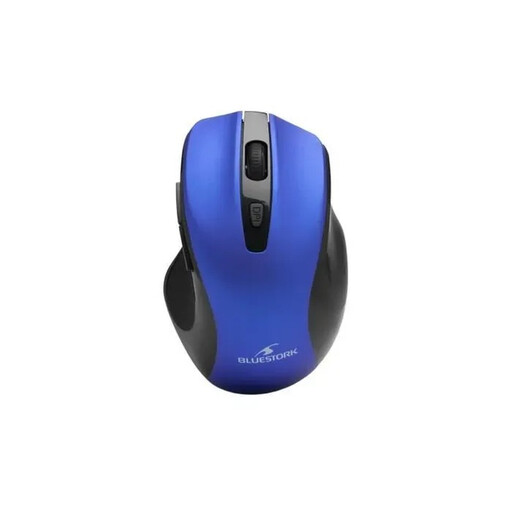
Why this choice suits this profile : Its dual Bluetooth and 2.4 GHz connectivity makes it a good first mouse for the office, studying or home use. Its quiet operation is well suited to shared spaces.
The product details clearly state that it is rechargeable and offer several sensitivity levels, without relying on an excessively high DPI figure for everyday tasks.
Six buttons, quiet operation, ambidextrous design and switching between three devices, according to the product description.
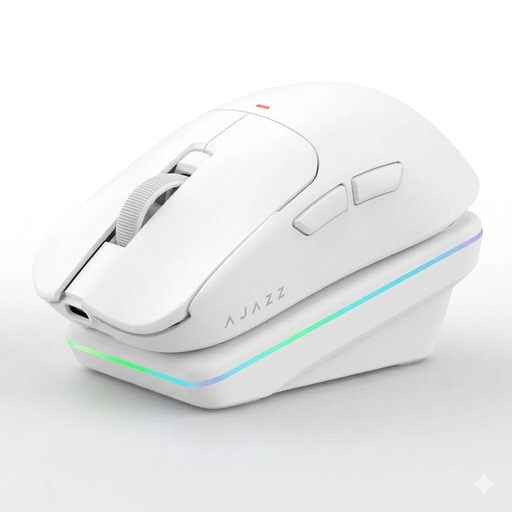
Why this choice suits this profile : This model is aimed at users looking for a versatile wireless gaming mouse that can switch between gaming, work and mobile devices.
The product details distinguish between Bluetooth, 2.4 GHz and USB-C modes, as well as DPI settings and polling rate, rather than reducing the mouse to a single figure.
Sensor rated up to 24 000 DPI, three connection modes, magnetic charging dock and stated weight of 65 grams.
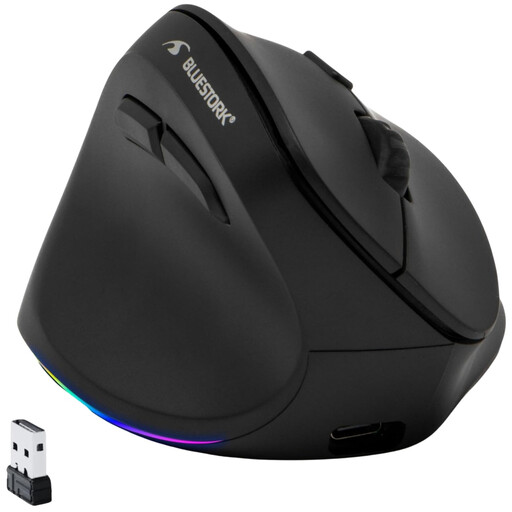
Why this choice suits this profile : Its vertical left-handed design addresses a factor that is too often overlooked when choosing an office mouse.
The left-handed orientation is clearly stated. The mouse comes with USB-C charging and a 2.4 GHz nano receiver.
Adjustable sensor up to 4 800 DPI, built-in battery, RGB lighting and stated compatibility with Windows computers.
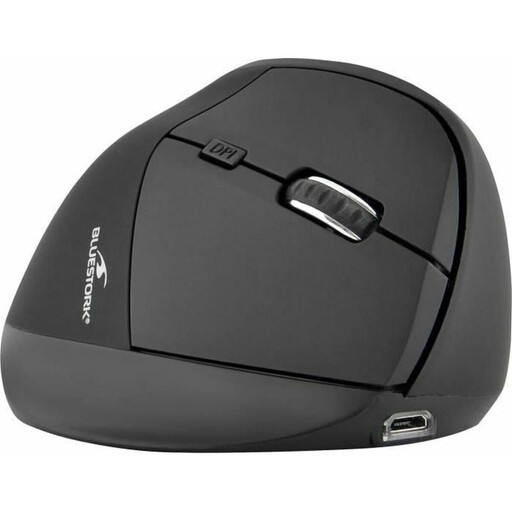
Why this choice suits this profile : Its vertical right-handed design may suit people who spend several hours at a computer and want to try a different grip.
The product details list four DPI levels — 400, 800, 1 200 and 3 200 — and explain the USB charging method and the two connection modes.
Vertical right-handed shape, pleasant-to-touch matt finish, six buttons and integrated lithium battery, according to the stated specifications.
We have put together a complete, real-time updated selection of products that meet these demanding criteria while complying with European safety regulations.
Yes, provided that the computer has compatible Bluetooth or a USB port for the 2.4 GHz receiver. Also check the supported operating systems: Windows, macOS, iPadOS or Android, depending on the model.
It depends on the battery and the model. The Lofree EP115 states a charging time of around three hours and battery life of up to one month. This figure is indicative only: it varies depending on how often you use the mouse, the settings and the connection mode.
It can significantly reduce clicking noise in a library, open-plan office or during a video conference. However, check that the “quiet” claim applies to the main buttons and not just the scroll wheel.