
Livraison le jour même ou le lendemain

Qualité garantie

Débloquez vos offres de bienvenue: Livraison GRATUITE | Jusqu'à -80 % | 30 jours d'essai gratuits à JoyPlus
Téléchargez l'application
Buying printer consumables seems straightforward… until a cartridge isn't recognised, the colours run out at lightning speed, or the photo paper gets stuck in the tray. For individuals, families, students and small businesses, the real challenge isn't just choosing between two brands. You also need to check compatibility, assess the actual yield and anticipate the running costs.
Some deals bundle cartridges with photo paper, while others focus on large formats or ink-free thermal systems. Before you place an order, three pitfalls deserve your attention.
The Canon PG-540/CL-541, PG-545/CL-546 and PG-585/CL-586 series look alike, but they aren't compatible with the same printers. The same range can also come in standard or XL capacity. So always check the exact reference listed in your manual or printer menu, rather than relying solely on the brand.
The same caution applies to Canon ink cartridges, Epson 24XL cartridges and consumables for compact photo printers.
Yield is usually measured according to the ISO/IEC 24711 standard, but this figure is still theoretical. A photo, a colour-heavy document or frequent cleaning cycles use far more ink than a simple page of text.
Compare the stated page count, the ink volume and the pack price. An XL cartridge can be good value if you print regularly, but not necessarily if your printer only produces a few sheets each month.
An inkjet printer uses cartridges, whereas a thermal dye-sublimation photo printer works with a ribbon and dedicated paper. Meanwhile, a portable thermal printer requires compatible thermal paper, sometimes adhesive – standard photo paper won't do.
For children, a small thermal photo printer can produce black-and-white prints without any cartridge. For colour photos in 10 × 15 cm format, thermal dye-sublimation and its dedicated consumables are a better choice.
Note down the full printer reference, including any suffixes. For example, the Canon PG-540L and CL-541XL pack listed for several PIXMA models should not be confused with the PG-545L and CL-546, which are intended for different devices.
Here are some matches from our selection:
If you're unsure, compare the reference printed on your old cartridge with the one on the product you're considering.
With a three-in-one colour cartridge, the whole thing becomes unusable as soon as a single colour runs out. Models with separate ink tanks let you replace only the cyan, magenta, yellow or black that has reached the end of its life.
The type of ink also matters:
The 10 × 15 cm photo paper format is great for albums, frames and family prints. Check the thickness your tray can handle, the finish – glossy, matt or textured – and the loading direction.
Kodak MSC20 consumables, for example, combine 20 sheets and a colour ribbon in a cartridge designed for several Kodak Mini printers. Phomemo T02 thermal paper, meanwhile, comes in rolls of 50 mm × 3.5 m for certain miniature Phomemo models.
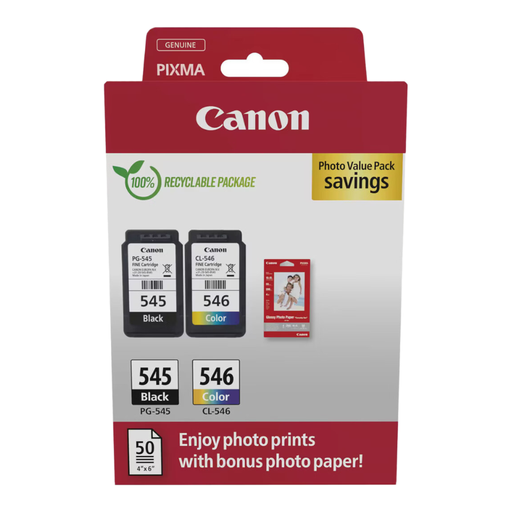
Why this choice suits this profile: This pack brings together a black cartridge, a colour cartridge and 50 sheets in 10 × 15 cm format. A practical solution for getting set up for the first time and printing both documents and family photos.
The PG-545L/CL-546 reference and PIXMA compatibility are stated on the product sheet, which reduces the risk of picking a similar but incompatible series.
A complete pack with 50 photo sheets and separate cartridges for black and colour.
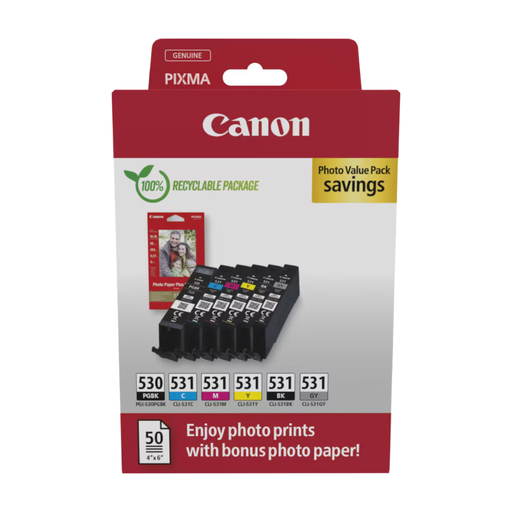
Why this choice suits this profile: With its six inks, including a grey one, this pack is aimed at amateur photographers who want to reproduce subtle shades more accurately – provided you own a compatible PIXMA.
The six PGI-530 and CLI-531 references are listed separately – you must check your PIXMA PRO model before buying.
Six colours, including grey, with Canon photo paper included depending on the stated composition.
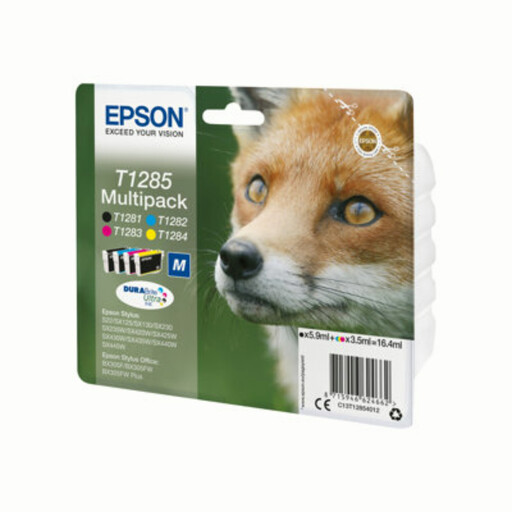
Why this choice suits this profile: This single cartridge is ideal for regular Expression Photo XP users who want to replace only the magenta. Its stated yield reaches around 740 pages according to the ISO/IEC 24711 standard.
The 24XL reference and the list of compatible printers let you check your device before ordering, without relying solely on the "XL" label.
A single 8.7 ml cartridge with a stated yield of around 740 pages.
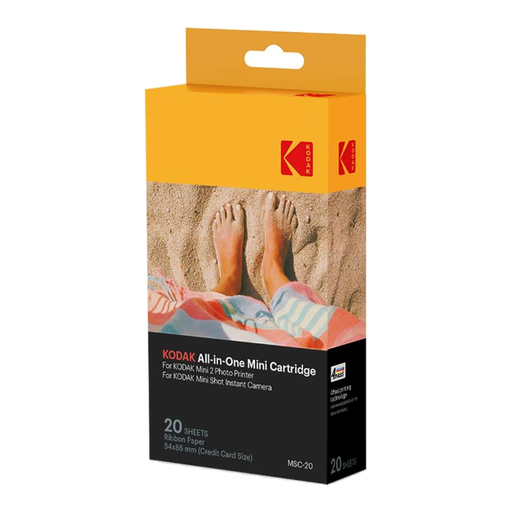
Why this choice suits this profile: This all-in-one format is ideal for users of the Kodak Mini 2, Mini 2 Plus, Mini 2 Retro or Mini Shot 2 who want to easily print and share compact photos.
The paper and ribbon are designed to work together – do not insert incompatible paper into the printer.
4Pass technology, 20 prints per cartridge and a protective layer claimed to resist water and fingerprints.
We've put together a complete selection, updated in real time, of products that meet these strict criteria as well as European safety requirements.
Store cartridges in their sealed packaging, away from sunlight and extreme temperatures. Do not touch the electrical contacts and never attempt to refill or pierce a cartridge. After installation, run a test print.
For Phomemo thermal paper, store the rolls in a dry place away from heat sources. Thermal prints can be sensitive to light and high temperatures. An ink-free printer like the Phomemo A282U can be suitable for contracts, invoices or tickets, provided you use the paper recommended by the manufacturer.
If you're looking for a fast 3D printer, also plan for the right consumables: PLA, PETG, ABS or reinforced filaments depending on the machine. The Creality K2 Combo, QIDI Q2 Combo and Elegoo Centauri Carbon don't all accept the same speeds or temperatures. The filament must therefore match the capabilities of the nozzle, build plate and enclosure.
It depends on the date printed on the packaging and the storage conditions. An opened cartridge must be protected from drying out and used according to the manufacturer's instructions. A printer that is used infrequently may also run automatic cleaning cycles, which gradually reduce the available yield.
Start by comparing the cost per page based on the stated ISO yield, then distinguish between text printing and photos. XL packs or separate cartridges can be worthwhile if you print frequently. For small monochrome notes, a portable thermal printer can avoid the need to buy cartridges, but it does require its own dedicated paper.
For albums and everyday prints, the 10 × 15 cm format remains a classic. Choose paper suited to your technology: inkjet paper for a standard printer, consumables with ribbon for thermal dye-sublimation, or a thermal roll for an ink-free instant photo printer.