
Livraison le jour même ou le lendemain

Qualité garantie

Débloquez vos offres de bienvenue: Livraison GRATUITE | Jusqu'à -80 % | 30 jours d'essai gratuits à JoyPlus
Téléchargez l'application
A cartridge that doesn't match your printer exactly can be rejected, poorly recognised, or produce incomplete documents. The trouble is that packaging often focuses on colour, format or capacity without clearly detailing the compatibility limits.
Before buying printer ink cartridges, it's worth keeping three common pitfalls in mind:
Note the full name printed on the printer lid or in the device settings. Then check the list of compatible models shown on the product page. This check applies just as much to an original ink cartridge as it does to a compatible ink cartridge.
For example, the HP 303 black cartridge is designed for certain HP ENVY Photo and HP TANGO printers. The HP 301 cartridge, on the other hand, is used with other DeskJet, ENVY and OfficeJet models. Two references that look alike are not necessarily compatible.
The number of pages is usually given according to a standard such as ISO/IEC 24711. This is a comparative value obtained under standardised conditions. In practice, the actual result depends on page coverage, the images you print, your settings and how often you use the printer.
Here are some benchmarks from our selection:
A black cartridge sold separately can be enough if you mainly print office documents. If you regularly print illustrated documents, also look at the capacity of the colour cartridge: it can run out much faster depending on your habits.
Cartridge printers often have a print head built directly into each consumable. Tank models, such as certain Epson EcoTank printers, work with bottles designed to fill a dedicated compartment.
The Epson 104 bottle features a 'Key Lock' system that identifies colours and reduces the risk of inserting it into the wrong tank. Never force the bottle, never squeeze it, and never fill the tank while the print head is moving.
With a Kodak photo printer, the paper and cartridge can be combined in one kit. The Kodak PHC80 kit includes 80 sheets in 4 × 6 inch format (100 × 148 mm), along with a cartridge designed for 4-pass thermal dye sublimation technology.
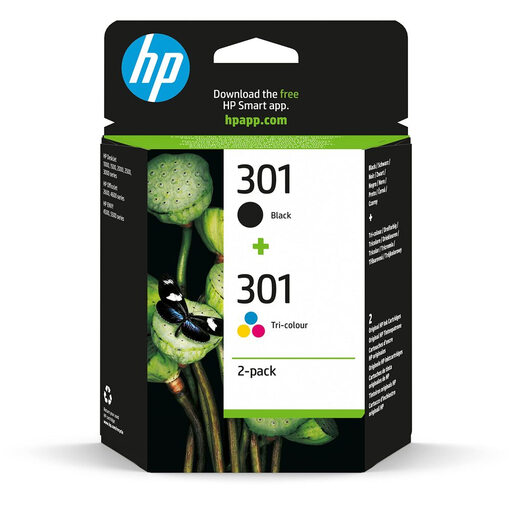
Why this suits this profile: This pack brings together one black and one tri-colour cartridge for everyday home printing, homework and admin documents.
The HP 301 reference and compatible models are clearly stated, reducing the risk of ordering a similar series.
Two original HP cartridges, with a stated yield of approximately 190 pages in black and 165 pages in colour.
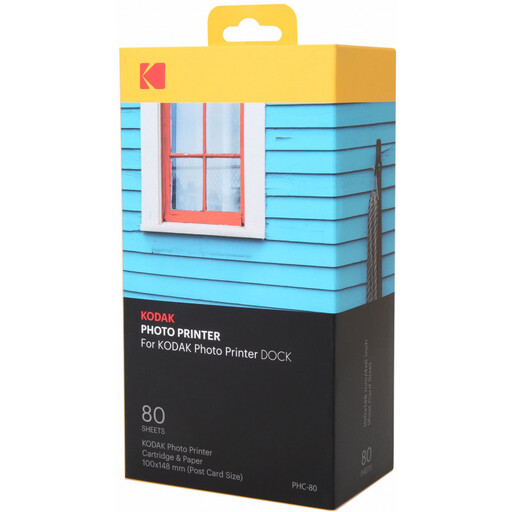
Why this suits this profile: This kit is aimed at users who regularly print 10 × 15 cm photos with a Kodak PD460 or compatible model.
The paper size and compatible device are specified: this is not a universal cartridge for an office printer.
80 photo sheets in 4 × 6 inch format and an all-in-one cartridge, with 4-pass thermal transfer technology.
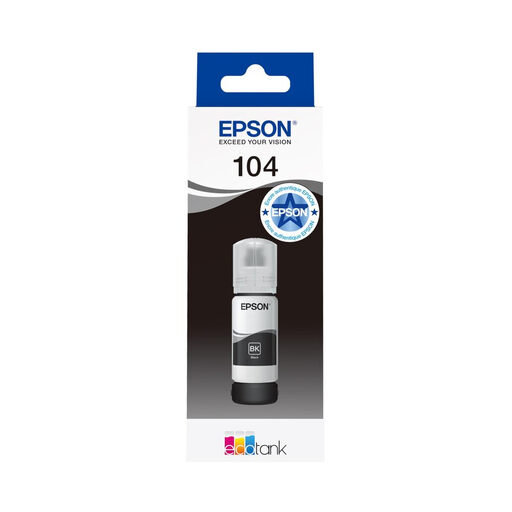
Why this suits this profile: This bottle is suitable for households, remote workers and small businesses that print frequently with a compatible Epson EcoTank printer.
The compatibility list and 65 ml volume let you check that the product is indeed intended for a tank printer.
Epson 104 black ink bottle rated for approximately 4,500 pages according to ISO/IEC 24712, with Key Lock anti-mistake system.
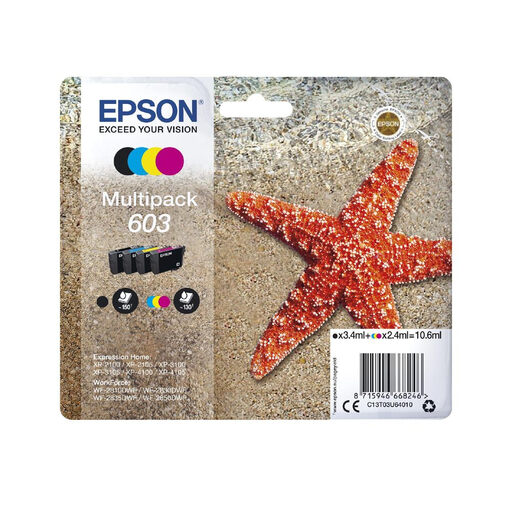
Why this suits this profile: This four-colour pack is ideal for those who switch between black documents, graphics, course materials and images.
The compatible Expression Home and WorkForce models are listed, so you avoid buying an Epson 603 pack meant for a different series.
Four separate cartridges: pigment black and dye-based colours, with yields stated according to ISO/IEC 24711.
Keep cartridges in their sealed packaging until you're ready to replace them. After opening, avoid touching the copper contacts and nozzles. Install the consumable immediately into the correct slot, then run a test page if your printer offers that option.
Store cartridges upright, in a dry place away from direct light and extreme temperatures. With an ink bottle, don't squeeze it and never force it in. Used consumables should be taken to collection points in your local area or through the appropriate recycling schemes.
An original ink cartridge is made by the printer brand and carries an official reference. A compatible cartridge is produced by another manufacturer for a given reference. In both cases, check the list of supported devices, the stated yield and the returns policy.
The shelf life depends on the packaging, storage conditions and the manufacturer's recommendations. A sealed cartridge should be kept away from heat, frost and light. Once opened, install it promptly to prevent the nozzles from drying out and to avoid print defects.
Not necessarily. Compare the pack price with the respective yields for black and colour. If you print little in colour, a full pack can tie up part of your budget without being fully used. For frequent use, the stated yield and the ability to replace colours independently may matter more than the price tag.