
Livraison le jour même ou le lendemain

Qualité garantie

Débloquez vos offres de bienvenue: Livraison GRATUITE | Jusqu'à -80 % | 30 jours d'essai gratuits à JoyPlus
Téléchargez l'application
You're looking for photo paper 10 × 15 cm for your printer, but the options soon start to look the same. A6 format, paper weight, glossy or matt finish, compatibility with an inkjet printer, cost of cartridges… A wrong decision can lead to curling sheets, faded colours or paper jams.
Before you place an order, three pitfalls deserve your attention:
In catalogues, the 10 × 15 cm format sometimes appears as A6 photo paper. However, dimensions can vary slightly from one manufacturer to another. So check your printer's manual and verify the tray width and the recommended insertion direction.
With an inkjet printer, select the correct setting in the driver for the paper you're using: "glossy photo paper", "matt paper" or "fine art paper", as appropriate. This setting determines the amount of ink applied and the drying time.
Expressed in g/m², the paper weight gives an indication of the sheet's thickness and rigidity. At 210 g/m², Kodak Fine Art Paper offers a firmer feel, ideal for albums, cards and prints intended for display. However, not all home printers accept thick media. Check the limit specified by Canon, Epson, HP or your printer's manufacturer.
The finish should also match your intended use:
Paper alone isn't enough to guarantee consistent prints. If you own a Canon PIXMA, check the exact cartridge reference: Canon PG-540 CL-541 cartridges are not automatically compatible with Canon PG-545 CL-546 cartridges.
Packs that combine ink and paper can simplify restocking your photo printer, but they are designed for specific models. Check your printer's full name before ordering. Cartridges should also be stored away from heat, humidity and direct light.
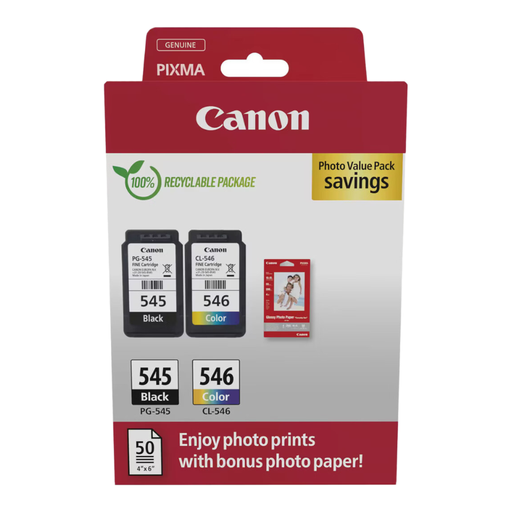
Why this choice suits this profile: This bundle includes two Canon cartridges and 50 sheets of 10 × 15 cm photo paper. It's ideal for anyone wanting to restock their consumables in a single order, subject to compatibility with their PIXMA model.
The cartridge reference and paper quantity are clearly stated on the product page. This makes pre-purchase checks simpler and reduces the risk of ordering incompatible consumables separately.
Includes PG-545L and CL-546 cartridges, plus 50 sheets in 10 × 15 cm format.
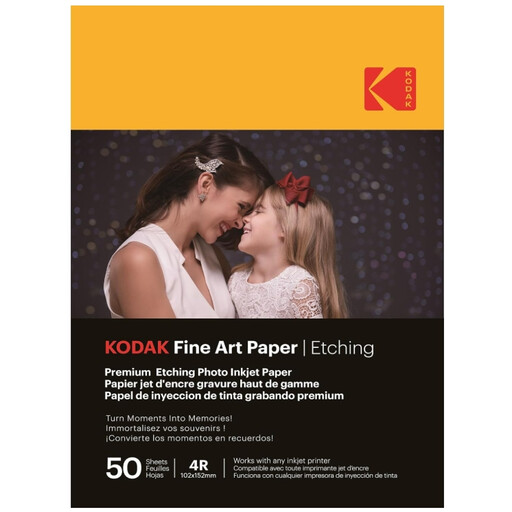
Why this choice suits this profile: Its matt, textured surface is aimed at photography enthusiasts, custom album makers and crafters looking for a thicker, higher-quality media than standard photo paper.
The 210 g/m² weight and finish are clearly specified. This helps you anticipate the feel and thickness, while checking that your inkjet printer accepts this type of media.
50 sheets, matt finish with canvas effect, stated format 10 × 15 cm and compatibility with inkjet printers.
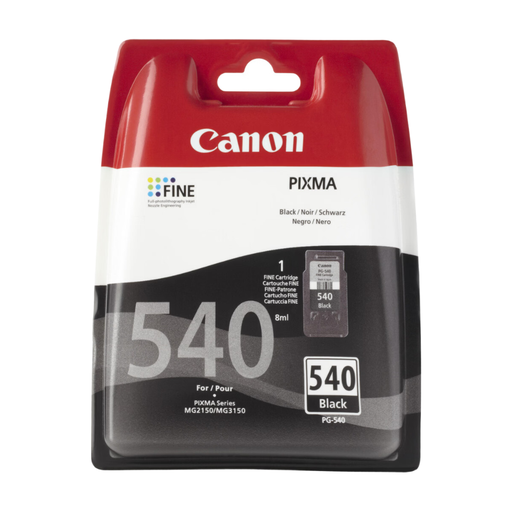
Why this choice suits this profile: This pack is designed for households that regularly print photos, documents and creative projects with a compatible Canon PIXMA.
The PG-540/CL-541 reference is clearly distinct from the PG-545/CL-546 series. This clarity reduces the risk of choosing cartridges that don't suit your photo printer.
PG-540 and CL-541 cartridges, 50 glossy 10 × 15 cm sheets, with ink and paper combined in one pack.
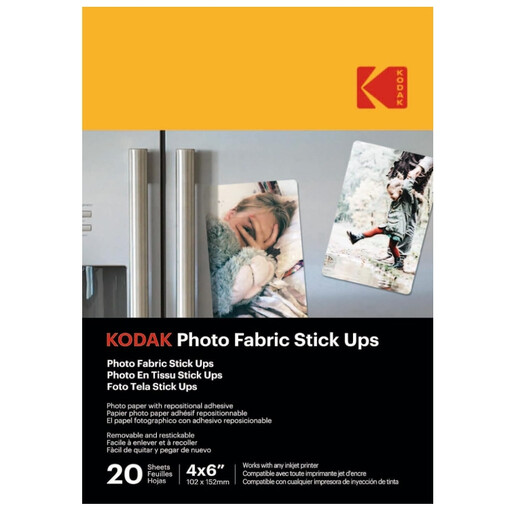
Why this choice suits this profile: This self-adhesive photo paper is ideal for collages, albums, wall decorations and scrapbooking projects that need a repositionable application.
The product page states that the adhesive backing is repositionable. However, wait until the ink is completely dry and avoid using on fragile or freshly painted surfaces.
20 sheets 10 × 15 cm, textured surface, repositionable adhesive backing and designed for use with an inkjet printer.
We've selected a full range, updated in real time, of products that meet these exacting criteria and European safety standards.
To avoid the most common printing problems:
Phomemo thermal paper rolls belong to a different family of consumables. They are designed for compatible mini printers, such as the T02, Q02E, M02L or M02X models, not for a standard Canon inkjet printer. At 50 mm × 3.5 m, they are better suited to notes, labels, creative journals and small scrapbooking elements than to 10 × 15 cm photo prints.
Choose a paper clearly marked as 10 × 15 cm, then check its compatibility with your printer. A glossy finish enhances colours and works well for display memories. A matt or textured finish is better suited to albums, cards and handmade creations.
Storage life depends on the packaging, humidity, light and paper finish. Keep sheets in their original packaging, flat and in a dry place. For cartridges, follow the manufacturer's recommendations and avoid extreme temperatures.
No, not necessarily. Check its compatibility with an inkjet printer, the maximum paper thickness accepted and the loading direction. After printing, let the ink dry completely before peeling off the adhesive backing to avoid smudges and misalignment.