
Livraison le jour même ou le lendemain

Qualité garantie

Débloquez vos offres de bienvenue: Livraison GRATUITE | Jusqu'à -80 % | 30 jours d'essai gratuits à JoyPlus
Téléchargez l'application
Is your Canon printer's light flashing and your documents coming out pale or streaky??? That's a sure sign it's time to replace your black Canon ink cartridge. But between the standard PG-545 model, its high-yield counterpart the PG-545XL, and the convenient PG-545 CL-546 multipack, navigating the options can be tricky. What's the best choice for your needs??
This guide is here to help. We'll break down the key factors to consider so you can make an informed decision, and we'll present a selection of genuine cartridges—your guarantee for flawless prints and a long-lasting printer.
By the Joybuy Team, Our Product Experts
Before you order, a few simple checks can save you a lot of hassle and prevent ordering mistakes.
Your first instinct should be to confirm that the PG-545 cartridge is compatible with your printer model. This reference is designed for a wide range of Canon PIXMA printers, including the MG, TS, and TR series.
For example, if you're looking for a cartridge for a Canon MG2450 or ink for a Canon PIXMA TS3350, the PG-545 is the right choice. To be absolutely sure, the easiest way is to check your printer's manual or, even more directly, open the cover to read the reference number on the cartridge already installed.
Canon offers its black cartridge in two versions?:
The choice is simple: it all depends on your monthly print volume.
If the light for your colour cartridge (CL-546) is also flashing, or if you simply like to stay one step ahead, the PG-545 CL-546 multipack is an excellent deal. It combines the black and tri-colour (cyan, magenta, yellow) cartridges in a single purchase. This is not only more convenient but also often more cost-effective than buying them separately.
To guide you, here is our selection of official Canon products, designed for every type of use.
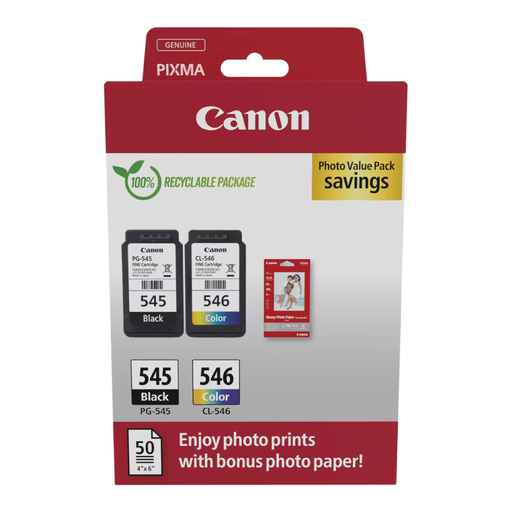
Why it stands out?: An ideal all-in-one solution to get a fresh start. This pack doesn't just provide the inks?: it also includes photo paper to capture your most precious memories.
Advantages?:
Who is it for???: Individuals and families who print both documents and photos and appreciate the simplicity of an all-in-one kit.
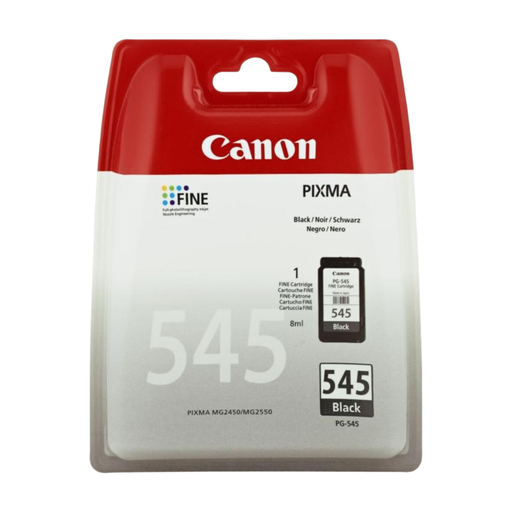
Why it stands out?: This is the standard reference, the reliable choice for everyday printing. It ensures deep, sharp, and precise black text, page after page.
Advantages?:
Who is it for???: Users with moderate printing needs who primarily print text documents (letters, reports, schoolwork).
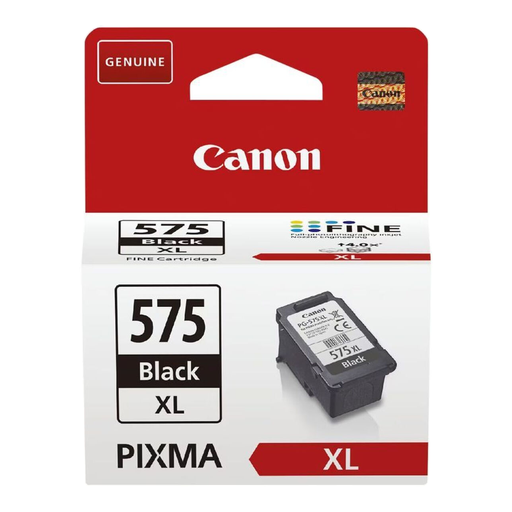
Why it stands out?: With nearly double the capacity, this XL cartridge is engineered for performance and savings. It allows you to replace cartridges less often and print with peace of mind.
Advantages?:
Who is it for???: Students, remote workers, and small offices that print frequently and want to manage their budget. It's the smart choice for a Canon PIXMA TS3350 and other recent models.
Is your printer model not on the list, or are you looking for another type of consumable?? Explore our complete selection of ink and toner cartridges to find the perfect match for your equipment.
The difference lies in the ink volume and, therefore, the page yield. The standard PG-545 contains 8?ml of ink for approximately 180 pages, while the high-yield PG-545XL holds 15?ml for about 400 pages. The XL version offers a much better cost per page and is intended for more frequent use.
The easiest way is to check your printer's manual or read the reference number on the cartridge already installed. For your information, the PG-545 and PG-545XL cartridges are compatible with a wide range of Canon PIXMA models in the TS (e.g., TS3150, TS3350), MG (e.g., MG2450, MG2550), and TR (e.g., TR4550) series.
Generally, Canon PIXMA printers require both cartridges (black and colour) to be installed and contain a minimum amount of ink to initiate printing. Forcing a print job with a completely empty cartridge can damage your equipment's print heads. It is therefore strongly recommended to replace any cartridge that the printer reports as empty.