
Livraison le jour même ou le lendemain

Qualité garantie

Débloquez vos offres de bienvenue: Livraison GRATUITE | Jusqu'à -80 % | 30 jours d'essai gratuits à JoyPlus
Téléchargez l'application
Buying an original HP black ink cartridge is not simply a matter of choosing a box bearing the HP logo. Two very similar references, such as the HP 301 and HP 301XL cartridges, may be designed for different printers or offer different page yields. Choosing the wrong series can result in an unrecognised cartridge, a complicated return or unnecessary expense.
For households, students, home workers and small businesses in France, three pitfalls crop up particularly often.
Claims such as ‘water-resistant’, ‘smudge-resistant’ and ‘sharp text’ should also be understood as features stated by the manufacturer. They are not a guarantee that the cartridge will perform the same way with every type of paper, print setting or storage condition.
Start by noting the reference printed on the installed cartridge or shown in your printer’s menu. The HP 301XL cartridge, HP 302XL cartridge, HP 62XL cartridge, HP 62 cartridge, HP 301 cartridge and HP 308 cartridge are not interchangeable.
Next, check the printer’s full reference. An HP DeskJet, ENVY or OfficeJet series may accept one specific model without being compatible with every HP black cartridge. If the packaging, product page and manual provide different information, rely on the compatibility list for your printer.
The advertised page count is generally measured according to the ISO/IEC 24711 standard. This method makes it possible to compare products under identical conditions, but actual yield depends on the amount of ink used, the presence of images, cleaning cycles and print settings.
A high-capacity black cartridge can be a good choice if you regularly print student assignments, invoices or business documents. Conversely, standard capacity avoids tying up too much stock if you only print a few pages a month. Some models advertise a yield of up to 600 pages, while others offer around 120, 190 or 200 pages.
The references featured here use HP pigment-based black ink. This type of ink is designed to produce high-contrast text and, according to the specifications provided for each model, offers a degree of water and marking resistance under defined conditions.
For letters, contracts and forms, text legibility is usually the priority. For photo printing, however, check the printer’s complete configuration along with the colour inks being used. A black cartridge alone will not turn an office printer into a true photo printer.
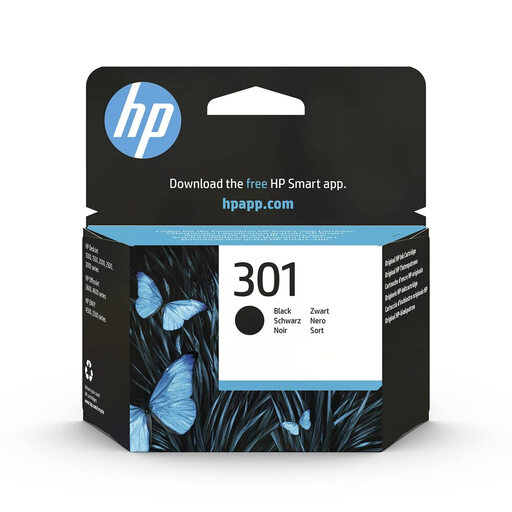
Why this choice suits this profile : Its standard capacity is suitable for occasional home use, such as printing letters, homework or administrative documents.
The CH561EE reference lets you check compatibility precisely instead of choosing an HP 301XL cartridge based solely on its appearance.
Pigment-based ink, HP thermal technology and an advertised yield of around 190 pages according to ISO/IEC 24711.
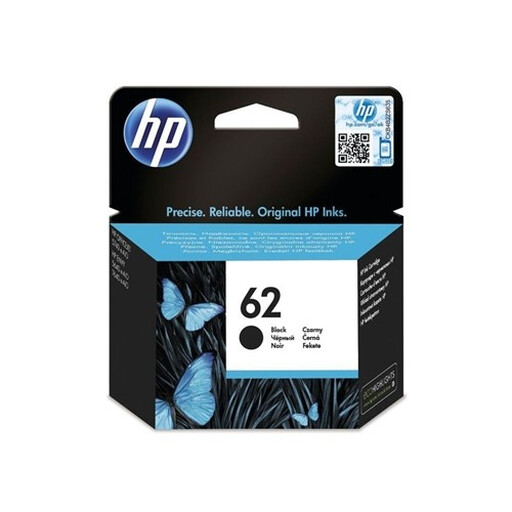
Why this choice suits this profile : This original cartridge is aimed at users of HP ENVY or OfficeJet laptops who want to keep a clearly identified reference.
The C2P04AE designation distinguishes the HP 62 cartridge from its XL version, reducing the risk of confusing capacity with compatibility.
Pigment-based black ink and an advertised yield of around 200 pages according to ISO/IEC 24711.
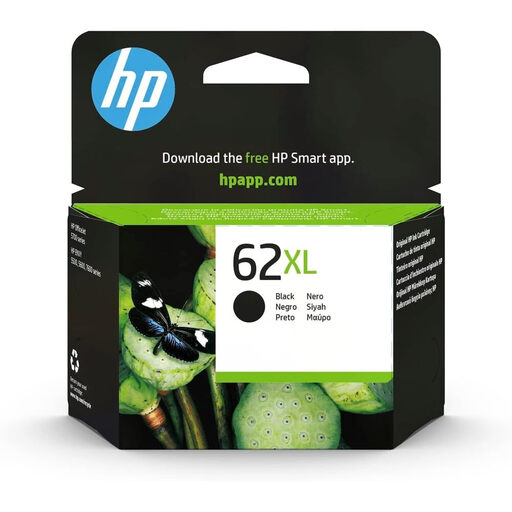
Why this choice suits this profile : Its high-capacity format is suitable for home workers, students and small organisations that regularly print in black.
With an advertised yield of around 600 pages, it lets you compare the cost per page with a standard-capacity cartridge instead of focusing only on the box price.
Pigment-based ink, XL format and advertised compatibility with several HP ENVY and OfficeJet printers.
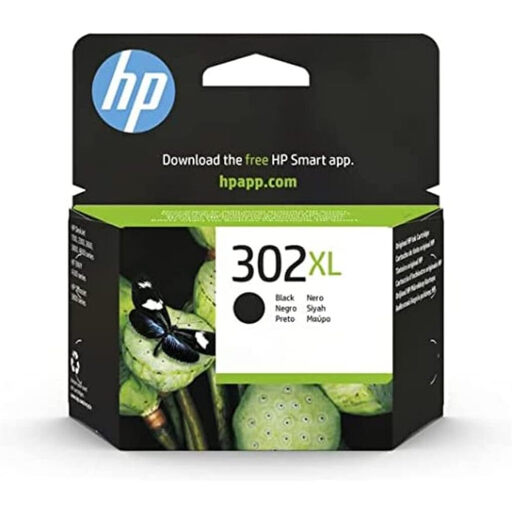
Why this choice suits this profile : This cartridge is designed for HP DeskJet, OfficeJet and ENVY printers used regularly for assignments, lessons or business documents.
The F6U68AE reference and list of compatible models help prevent confusion between the 302 and 301 series.
XL format and an advertised yield of around 480 pages according to ISO/IEC 24711.
Keep the cartridge in its sealed packaging until you are ready to replace it. Once opened, remove the protective strip without touching the copper electrical contacts or the nozzle. Insert the cartridge into the corresponding slot until it clicks into place, then close the cover.
Store unused cartridges upright, in a dry place away from sunlight and extreme temperatures. If ink comes into contact with your skin or eyes, rinse thoroughly with water and follow the safety instructions on the packaging. Used cartridges should be taken to an appropriate collection point, not placed in household rubbish.
Not necessarily. These two references belong to the same family, but you must check that your exact printer model accepts the XL version. Consult the compatibility list and product code, such as CH563EE for the 301XL.
Yield depends on the reference. The models featured advertise approximately 120 pages for the HP 308, 190 pages for the HP 301, 200 pages for the HP 62, 480 pages for the HP 301XL and HP 302XL, and around 600 pages for the HP 62XL. These figures are measured according to ISO/IEC 24711 and may vary depending on the content of your documents.
It depends on your printing volume and the price difference compared with a compatible cartridge. An original HP cartridge offers a clearly identified reference and advertised compatibility with certain models. For occasional use, focus above all on yield, purchase date and storage conditions to avoid keeping an opened cartridge for too long.