
Livraison le jour même ou le lendemain

Qualité garantie

Débloquez vos offres de bienvenue: Livraison GRATUITE | Jusqu'à -80 % | 30 jours d'essai gratuits à JoyPlus
Téléchargez l'application
Buying original HP ink cartridges seems simple… until you discover that two printers in the same range do not necessarily use the same reference. An HP 301 cartridge will not fit a printer that uses HP 305 cartridges, and an XL version is not available for every model.
For individuals, students, families, home workers and small businesses, three mistakes crop up regularly:
Before placing your order, note the reference printed on the old cartridge, shown on the printer display or listed in the manual. This check is far more reliable than searching based solely on the brand and the shape of the device.
The reference is a criterion you should never overlook. The HP 301, HP 302, HP 303, HP 304, HP 305, HP 308, HP 364, HP 62, HP 903, HP 924 and HP 933 series belong to clearly distinct families.
For example:
The full reference, such as CH562EE, N9K05AE or 6C3Z1NE, greatly reduces the risk of confusing two very similar variants.
A black cartridge generally contains the ink used for printing text. A colour cartridge, on the other hand, may combine cyan, magenta and yellow in a single casing. This is known as a tri-colour HP cartridge.
To replace all the consumables, an HP cartridge pack may contain:
Separate cartridges allow you to replace only the colour that has run out. With a tri-colour cartridge, however, you may need to replace the entire cartridge when one of the three colours is depleted, depending on how the printer works.
The stated yield according to the ISO/IEC 24711 standard provides a useful basis for comparing different references. It is, however, an estimate: the actual number of pages depends on coverage, the type of documents printed, the settings and how frequently the printer is used.
Some figures taken from the product specifications:
A high-capacity HP cartridge, identifiable by its XL suffix, may be a good choice for a home worker or family that prints regularly. It is only compatible with printers designed for that version, however. Always check the full reference before choosing an HP 301XL, HP 305XL or HP 302XL cartridge.
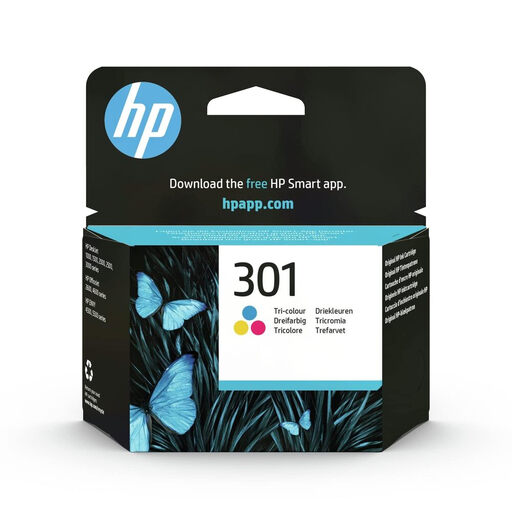
Why this choice suits this profile: This colour HP cartridge is suitable for occasional printing of illustrated documents and photos, with a stated yield of approximately 165 pages according to the ISO/IEC 24711 standard.
The CH562EE reference and list of compatible printers make it easier to check everything before ordering. The stated yield is clearly distinguished from XL capacity.
Dye-based tri-colour ink, HP thermal inkjet technology and a standard format offering a yield of approximately 165 pages.
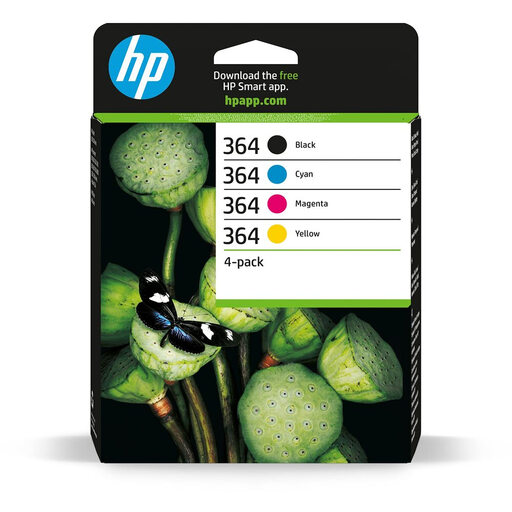
Why this choice suits this profile: With separate black, cyan, magenta and yellow cartridges, this pack is aimed at users who want precise control over each colour in a compatible printer.
The four separate cartridges mean you do not have to replace an entire tri-colour unit when only one colour has run out.
Pack of four HP 364 cartridges, with a yield of approximately 250 black pages and 300 pages for each colour according to the ISO/IEC 24711 standard.
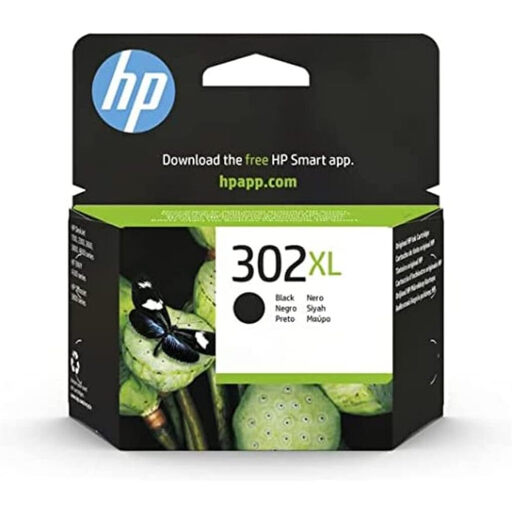
Why this choice suits this profile: This high-capacity HP cartridge is designed for printers compatible with the 302XL and for users who regularly print text documents.
The stated capacity of approximately 480 pages is clearly distinguished from that of the standard model, making it easier to compare options based on your expected print volume.
Pigment black ink and a stated yield of approximately 480 pages according to the ISO/IEC 24711 standard.
Keep the cartridges in their sealed packaging until you are ready to install them. Once opened, remove the protective strip without touching the copper electronic contacts or the nozzles. Insert the cartridge into the corresponding slot until you hear a click, then allow the printer to complete its preparation cycle.
For storage, choose a cool, dry place away from direct sunlight and significant temperature changes. Store the cartridges upright, in accordance with the product specifications, and keep them out of the reach of children. A cartridge compatible with an HP printer must always be installed in the intended model: never force it into place.
We have put together a comprehensive, real-time updated selection of products that meet these strict selection criteria and European safety requirements.
Check the label on the used cartridge, the printer’s maintenance menu or its manual. Also note the printer’s full reference, as the same family may use several types of cartridge.
Not necessarily. Compare the ISO/IEC 24711 yield, the pack price and how frequently you print. An XL version can extend the time between replacements if you print regularly, but it may offer little benefit for occasional use.
The date shown on the packaging is the one to follow. Until installation, keep the cartridge sealed in a dry, moderate-temperature place away from light. An opened cartridge should be installed promptly to reduce the risk of drying out or printing problems.