
Livraison le jour même ou le lendemain

Qualité garantie

Débloquez vos offres de bienvenue: Livraison GRATUITE | Jusqu'à -80 % | 30 jours d'essai gratuits à JoyPlus
Téléchargez l'application
The ink light starts flashing at the worst possible moment? It's a classic scenario. Changing your HP 305 cartridge should be a simple task, but it can quickly turn into a headache. Between similar model numbers, risky compatibility claims, and multiple sizes, a purchasing mistake can be costly in both time and money.
As a product expert at Joybuy, my mission is to help you make sense of it all. Let's break down the most common errors together so you can choose the ideal cartridge for your needs and budget, without falling for marketing traps.
To avoid making a mistake, you only need to check three things before you head to the checkout.
This is the absolute basic. An HP 305 cartridge is designed for very specific printer models. For a mistake-free purchase:
The choice between the standard HP 305 cartridge and its larger sibling, the HP 305XL, depends entirely on how often you print.
HP 305 cartridges come in three options:
To guide you, here are some concrete recommendations based on the criteria we've just covered.
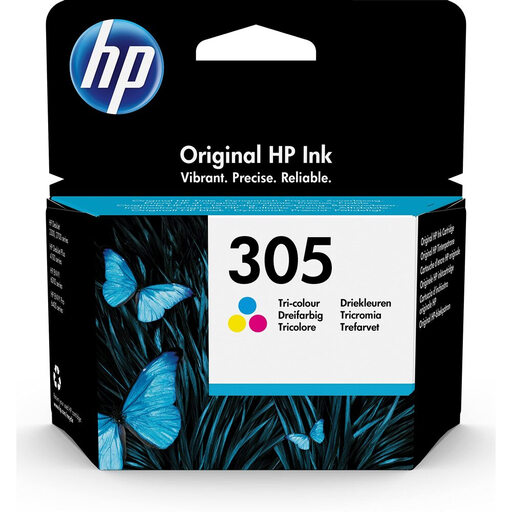
Why we chose it: Perfect for those who rarely print in colour (train tickets, invitations, charts). Its initial purchase cost is lower, which makes sense for infrequent use.
Avoid overspending. There's no point in buying an XL cartridge if the ink is likely to dry out before you've used it, a common issue with low usage.
Guaranteed HP quality: Perfect compatibility and vibrant colours. Yield: Approximately 100 pages, perfect for one-off needs.
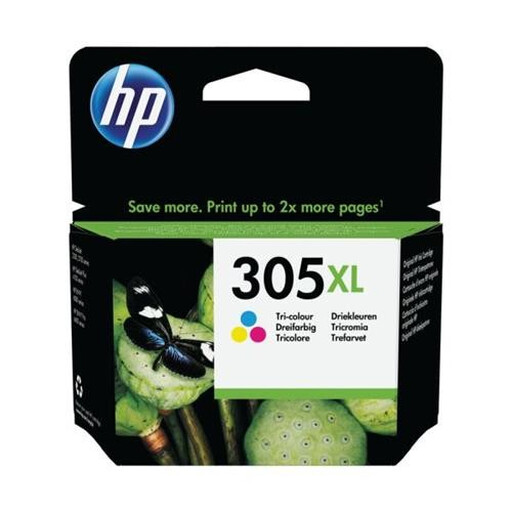
Why we chose it: The best choice for families, students, and remote workers. If you regularly print photos, presentations, or course materials, the XL size is unquestionably more cost-effective.
Outsmarting the false economy. Although more expensive upfront, its cost per page is up to twice as low, making it much more economical in the long run.
Double the yield: Approximately 200 pages, twice as much as the standard size. More convenient: Fewer replacements to manage and less waste.
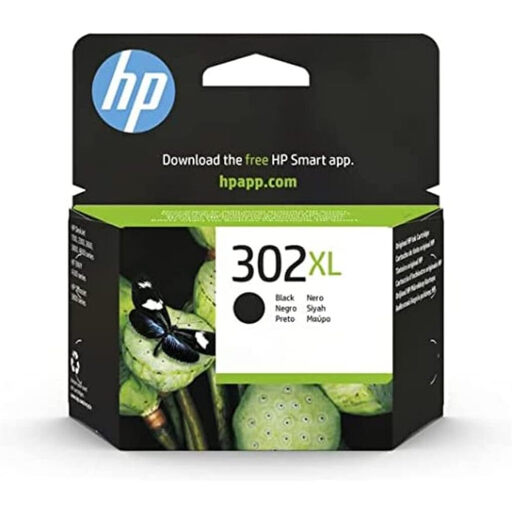
Why this example: This cartridge is a perfect example of the compatibility trap. It is designed for other HP series (DeskJet 2130, ENVY 4520, etc.) and will NEVER work with a 305-series printer.
Highlighting the risk of confusion. A quick second to check the number on the packaging against your old cartridge will save you from a useless purchase.
High yield (for the right models): Excellent yield (approx. 480 pages) for compatible printers. A quick reminder: Always, always, ALWAYS check your printer's model number.
Find our complete selection of ink cartridges, rigorously chosen for their reliability and value for money.
What is the difference between HP 305 and 305XL cartridges? The main difference is the amount of ink they contain. The HP 305XL cartridge holds more ink than the standard HP 305 version. According to manufacturer data (ISO/IEC 24711 standard), the XL version can print up to twice as many pages. Its cost per page is therefore much lower, making it more cost-effective for regular use.
How do I know if my HP 305 cartridge is empty? Your printer will notify you in several ways. The HP Smart software (on your computer or smartphone) will display a low ink level notification, and an indicator light will usually start flashing on the device itself. We recommend replacing it at the first sign to avoid degrading print quality or running out of ink mid-print.
Can I use a compatible cartridge with my HP Deskjet 2710 printer? Compatible cartridges are a budget-friendly alternative, but using them is not without risk. Sometimes the cartridge's electronic chip is not recognised by the printer's internal software (the firmware), especially after an update. The ink quality can also vary, affecting colour rendering or the longevity of the prints. If you decide to go this route, choose reliable sellers and carefully read reviews from other customers.