
Livraison le jour même ou le lendemain

Qualité garantie

Débloquez vos offres de bienvenue: Livraison GRATUITE | Jusqu'à -80 % | 30 jours d'essai gratuits à JoyPlus
Téléchargez l'application
Is your HP printer's ink light flashing just when you need to print an important document? Don't panic. Finding the right replacement cartridge can seem daunting, especially when choosing between the standard HP 305 ink cartridge and its high-yield version, the HP 305XL. This guide is here to break it all down and help you select the perfect cartridge for your needs and your printer, whether for home or office use.
We'll review the key points to check before you buy, plus our top picks for the best original HP 305 ink cartridges to ensure flawless prints.
Before you make a purchase, a few checks are necessary to ensure you get it right. Here are the criteria to consider.
It's the first and most crucial step: make sure your printer is compatible with the HP 305 ink series. These cartridges are specifically designed for certain models in the HP DeskJet and HP ENVY ranges.
The most common compatible printer series are:
If you're looking for a cartridge for an HP DeskJet 2700 printer or ink for an HP Envy 6000, the 305 series is indeed what you need. To be absolutely sure, check your device's manual or, even simpler, open the cover to read the reference number on the cartridges already installed.
HP offers its 305 cartridges in two sizes: a crucial choice for your budget that depends directly on your printing volume.
In short, it all comes down to your printing frequency. For heavy use, the HP 305XL cartridge represents a slightly higher initial investment, but it proves to be far more cost-effective in the long run.
The HP 305 series consists of two separate cartridges:
Be aware of an important detail: most compatible HP printers require both cartridges (black and colour) to be installed to function, even if you only print in black and white. Therefore, remember to check the levels of both before placing an order to avoid any issues.
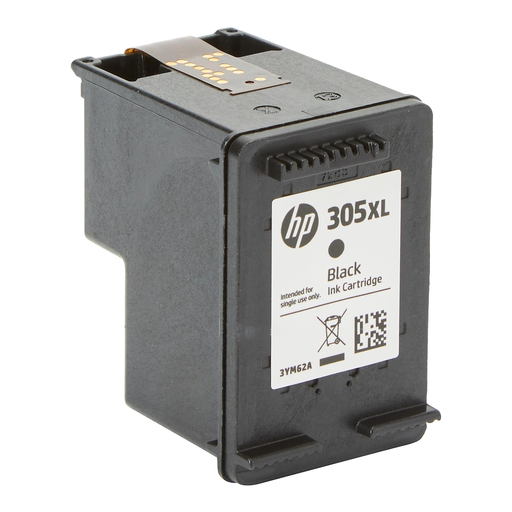
Key feature: Its high yield makes it the smart choice for regular black and white printing. No more frequent replacements!
Benefits:
Who is it for? Ideal for students, remote workers, and small businesses that frequently print documents (reports, invoices, homework) and want to optimise their cost per page.
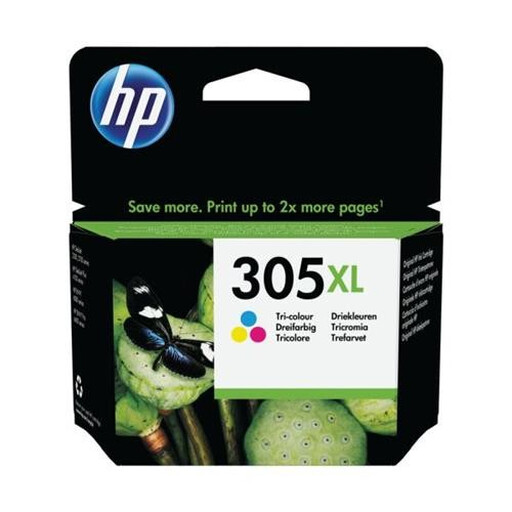
Key feature: This cartridge contains a larger volume of colour ink for vibrant, long-lasting prints. It's perfect for documents that mix text and graphics, as well as for photos.
Benefits:
Who is it for? For families and professionals who regularly print presentations, marketing materials, or photos, and who want the best cost per page for colour printing.
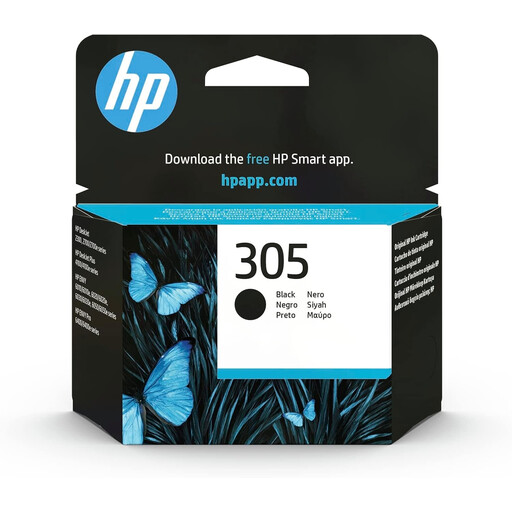
Key feature: The simplest solution for occasional black and white printing. It offers all the quality and reliability of an original HP cartridge, but at a more accessible price point.
Benefits:
Who is it for? Perfect for those who only occasionally print everyday documents: train tickets, administrative forms, letters, etc.
If the HP 305 series isn't right for your machine, don't worry. There are plenty of other options available for all models.
Explore our complete selection of original ink cartridges to find the one you need.
1. What is the difference between the HP 305 and 305XL cartridges? Simply put: the print capacity. The HP 305XL (high-yield) cartridge contains significantly more ink than the standard version, allowing you to print about twice as many pages. Although its purchase price is higher, its cost per page is much lower, making it far more economical if you print often.
2. Can I use only the HP 305 black cartridge in my printer? No, and this is a crucial point. Most HP printers compatible with the 305 series require both cartridges (black and colour) to be installed with a minimum amount of ink to operate. The printer uses a small amount of colour ink during its maintenance cycles to prevent the printheads from drying out.
3. How do I know if my printer is compatible with HP 305 ink? The easiest way is to look at the reference number on the cartridges already installed in your printer. Alternatively, you can check the list of compatible models, which is usually indicated on the cartridge packaging or its online product page. As a reminder, the main series concerned are the HP DeskJet 2700 and 4100, as well as the HP ENVY 6000 and 6400.