
Livraison le jour même ou le lendemain

Qualité garantie

Débloquez vos offres de bienvenue: Livraison GRATUITE | Jusqu'à -80 % | 30 jours d'essai gratuits à JoyPlus
Téléchargez l'application
A keyboard and mouse bundle can make buying computer accessories simpler, as long as you look beyond the price and appearance. The keyboard layout, connection type and comfort can all make a real difference to your everyday experience.
A QWERTY keyboard advertised as compatible with French PCs might not suit someone who regularly writes in French. Likewise, a mouse with an impressive DPI rating won’t automatically improve your office setup. Here’s what to check before choosing a keyboard and mouse set.
Compatibility with Windows, macOS or Linux doesn’t guarantee you’ll get an AZERTY keyboard and mouse. Check the keyboard layout separately.
A QWERTY model may work perfectly well with a French computer, but the characters printed on the keys won’t necessarily match the software settings. If you’re writing, studying or working from home in France, look specifically for French AZERTY, FR or French version.
A wireless keyboard and mouse can connect via a 2.4 GHz USB receiver, Bluetooth, or both. These options don’t all suit the same needs:
So, check which ports are available on your computer before choosing a USB, Bluetooth or dual-connection keyboard and mouse.
A 12 800 DPI mouse offers very high sensitivity, but not everyone needs it. For office work, the mouse’s shape, sensor accuracy and scroll wheel quality often matter more.
On the keyboard side, RGB lighting, anti-ghosting and macros can be useful for gaming, but are largely unnecessary for writing documents. The right choice depends on how you’ll actually use the set, not just what the marketing claims.
A keyboard and mouse set for office use should suit your typing habits, especially if you’ll be using it for long periods. A full-size keyboard includes a number pad, which is handy for spreadsheets, accounts and entering figures. TKL or 60–65% keyboards free up desk space, but have fewer dedicated keys.
It’s also worth checking:
Take the term ergonomic keyboard and mouse with a pinch of salt: an ergonomic design won’t replace a desk set to the right height or proper hand positioning.
For a wireless set that runs on batteries, check the type and number required. Some models claim several months or even years of battery life, depending on how they’re used. These figures are indicative and can vary with usage, lighting and sleep mode.
A rechargeable keyboard and mouse should specify the battery type, charging port and whether a cable is included. For everyday use, being able to keep using the set while it charges is a real advantage, but this feature isn’t standard across all models.
For office work, prioritise a stable connection, easy-to-reach multimedia keys and a mouse with sufficient precision. For gaming, compare:
A mechanical keyboard and mouse set can offer a distinctive typing feel, while a membrane set is often quieter. In either case, check the noise level and AZERTY layout.
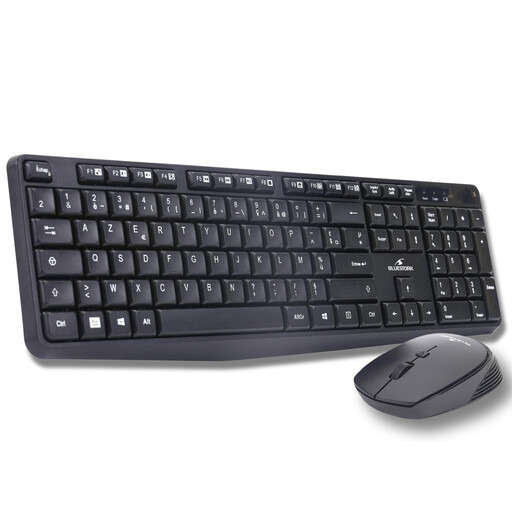
Why it suits this user: This wireless set connects via a single Nano USB receiver and works without any extra software. It’s suitable for everyday tasks on a PC or laptop with a USB-A port.
It has a stated range of around 10 metres and uses a shared receiver, so there are fewer setup steps.
Full-size keyboard, mouse included, 2.4 GHz connection and alkaline battery power.
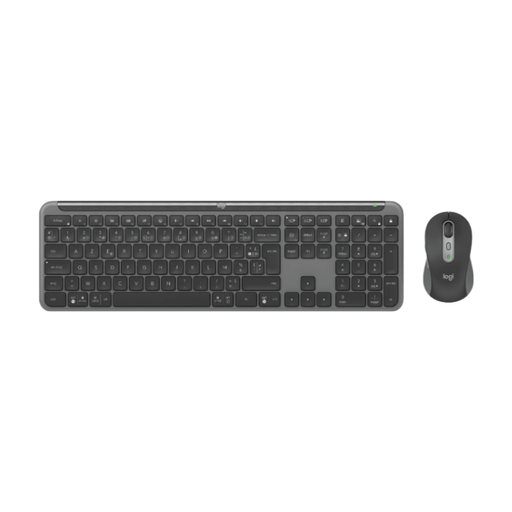
Why it suits this user: This AZERTY keyboard and mouse bundle combines Bluetooth with a Logi Bolt receiver, and lets you switch between up to three devices.
The AZERTY layout is clearly stated, while dual connectivity means you’re not reliant on just one connection type.
Number pad, mouse with adjustable 400 to 4 000 DPI resolution, quiet keys and compatibility with multiple operating systems.
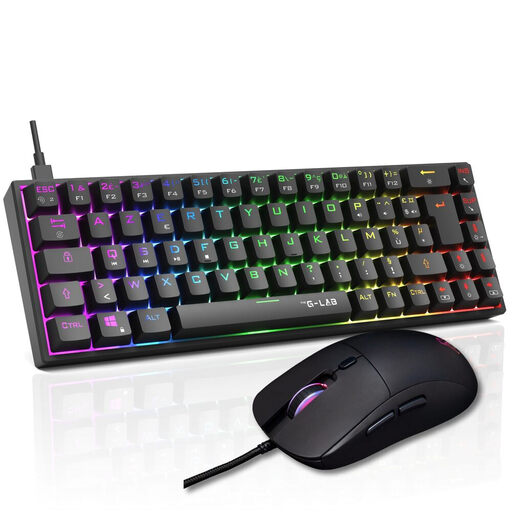
Why it suits this user: This wired gaming keyboard and mouse combo is for players looking for a compact layout, advanced settings and a direct connection to their PC.
The 65% keyboard frees up desk space, while the USB connection means no batteries or battery to manage during gaming sessions.
Linear red switches, 100% NKRO anti-ghosting, mouse up to 12 800 DPI and a 1 000 Hz polling rate.
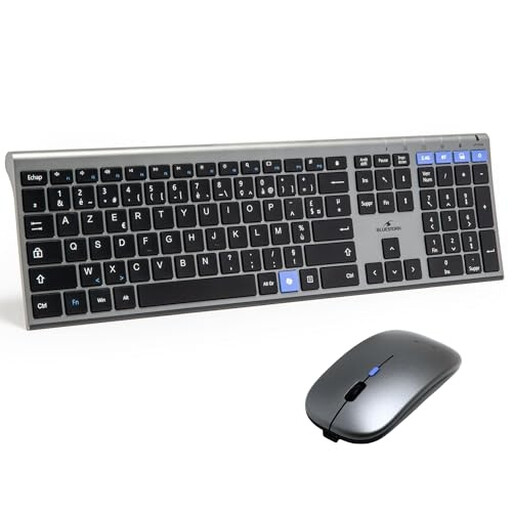
Why it suits this user: This rechargeable AZERTY keyboard and mouse combines a 2.4 GHz receiver with Bluetooth, and comes with a built-in battery and charging cable.
Dual connectivity lets you switch between a PC and a compatible tablet without buying a second set.
AZERTY layout, built-in lithium-ion battery, Nano USB receiver and compatibility with PCs, laptops and tablets.
We’ve put together a comprehensive, real-time list of products that meet these exacting selection criteria and European safety standards.
No. Your computer needs a compatible Bluetooth module. If it doesn’t have one, a USB receiver or a USB keyboard and mouse will usually be simpler. Also check the manufacturer’s list of supported operating systems.
It depends on the type of keys, how often you use it, how well you maintain it, and the quality of the cables or batteries. Keep liquids away, clean the set with a dry cloth and don’t force the connectors. Rechargeable batteries gradually lose capacity, while models that run on disposable batteries need them replaced regularly.
Wired sets are a good choice for fixed desks, gamers who prefer not to recharge and users with spare USB ports. Wireless sets are easier to put away and take with you. If you work from home and use several devices, a Bluetooth or dual-connection model can reduce the number of peripherals you need.