
Livraison le jour même ou le lendemain

Qualité garantie

Débloquez vos offres de bienvenue: Livraison GRATUITE | Jusqu'à -80 % | 30 jours d'essai gratuits à JoyPlus
Téléchargez l'application
A minimalist desk, free from cable clutter: that's the promise of every wireless keyboard and mouse combo. Unfortunately, that promise can turn into a nightmare if you choose your bundle in a hurry. Battery life that drains in a flash, questionable ergonomics causing pain, an unstable connection… the pitfalls are numerous.
As a product selection expert at Joybuy, my mission is to guide you through the jungle of options to find the gear that truly meets your needs, far from the siren song of marketing. Here are the key things to watch out for and the criteria to scrutinize for a successful purchase.
Before diving into product pages, let's review the deal-breakers that too often turn a good deal into a daily hassle.
To avoid these disappointments, simply focus on a few technical specifications that are clear indicators of a quality wireless keyboard and mouse bundle.
Two technologies currently dominate the market:
The choice depends on your use case: the stability of 2.4 GHz for a fixed workstation, or the versatility of Bluetooth for those on the go.
While comfort is subjective, some elements are universally beneficial. For intensive use, a wireless ergonomic keyboard is not a luxury. Pay special attention to the following:
A good combo should make you forget that batteries or charging even exist. Check the power source (AA/AAA batteries or a rechargeable battery, ideally via USB-C) and the presence of power-saving features. A physical on/off switch and an efficient auto-sleep mode are tell-tale signs of a long-battery-life keyboard and mouse combo.
To illustrate this advice, here are a few models that check all the boxes for reliability and comfort, each tailored to a specific user profile.
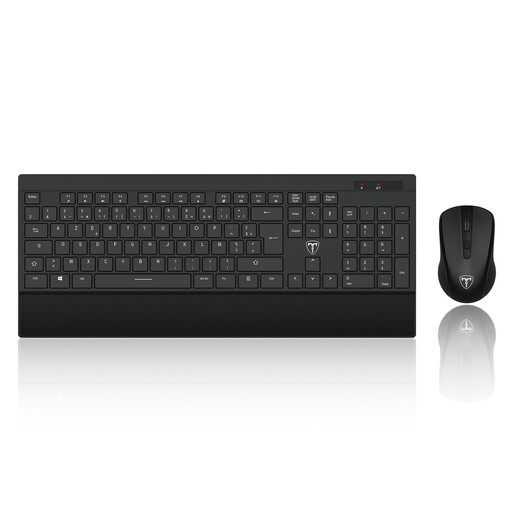
Ideal user: Perfect for those who spend long hours at the office or working from home. This combo is built for intensive office tasks where a reliable connection and typing comfort are non-negotiable. It's a pure workhorse.
It directly addresses the issues of comfort and battery life. Its ergonomic design includes a keyboard with a wrist rest, while its power-saving system is designed to maximize the time between battery changes.
Ultra-stable 2.4 GHz connection via a single dongle. Full-size 104-key QWERTY keyboard and an optical mouse with adjustable sensitivity (DPI).

Ideal user: Perfect for students or professionals who juggle a laptop, a tablet, and a desktop computer. Bluetooth connectivity is the masterstroke here, allowing you to travel light without a dongle and keep your USB ports free.
It sidesteps the single-connectivity trap. Unlike bundles that depend on a USB dongle, this model offers the full flexibility of Bluetooth, letting you switch from one device to another in a snap, with no accessories required.
Universal Bluetooth connectivity for multi-device use. Modern and compact design, perfect for a backpack.
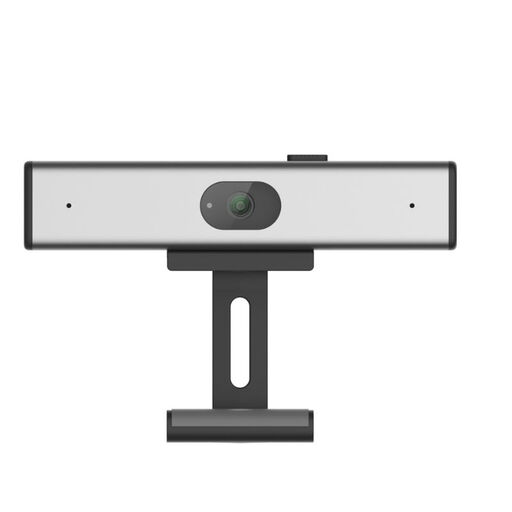
Ideal user: For those who believe desk aesthetics are as important as productivity. Its ultra-slim profile and silver finish pair beautifully with a minimalist setup, alongside a MacBook or a designer monitor.
It shatters the misconception that comfortable equipment has to be bulky. This combo is proof that you can combine a sleek design with a pleasant typing experience, without making any compromises.
Ultra-slim and elegant design for a modern desk. Quiet, short-travel keys, ideal for open-plan offices and quiet environments.
Explore our full selection of products that meet our strictest quality and reliability criteria.
The lifespan depends on two factors: physical wear and battery life. In terms of battery, a good bundle with optimized power management can last from 6 to 24 months on the same set of batteries. As for wear and tear, membrane keyboards are tested to withstand millions of keystrokes, ensuring several years of standard use.
It all depends on the technology used:
Absolutely. Using a keyboard with the standard layout for your language and region, such as QWERTY in the United States or United Kingdom, is essential. Trying to use a different layout (like AZERTY or QWERTZ) will turn typing common punctuation and symbols into a frustrating puzzle. For an English-language user, getting the right layout is a non-negotiable criterion.