
Livraison le jour même ou le lendemain

Qualité garantie

Débloquez vos offres de bienvenue: Livraison GRATUITE | Jusqu'à -80 % | 30 jours d'essai gratuits à JoyPlus
Téléchargez l'application
Choosing an Epson ink cartridge isn't just about price or colour. The reference must match your printer, your print volume and the type of documents you produce. A mistake with the series, format or technology can result in a cartridge that isn't recognised, disappointing print quality or unnecessary expense.
Whether you're a home user, student, remote worker, small business owner or imaging professional, here are the points to check before buying an original Epson cartridge or a compatible Epson ink cartridge.
The Epson 18, 29, 35XL, 502, 603, 604 and 24XL series are not interchangeable. Even an Epson black or cyan cartridge that looks similar in shape may be intended for a different range, such as Expression Home, WorkForce or Expression Photo.
The number on your old cartridge isn't always enough: also check the exact model of your printer. An Epson 603, for example, is suitable for several Expression Home XP and WorkForce WF models, while an Epson 604 is designed for different devices.
An Epson XL cartridge contains more ink and allows you to space out replacements. However, it's only worthwhile if your printer accepts it and your print volume justifies the purchase. For occasional use, a standard cartridge can prevent you from having unused ink sitting in storage.
Where the information is available, compare the claimed yield according to the ISO/IEC 24711 standard. This is an estimate obtained using a standardised measurement method, not a guarantee of the exact number of pages you will print at home.
A multipack of Epson cartridges typically includes black, cyan, magenta and yellow. It's convenient when all four levels are low. However, if you mainly print black documents, a full set may leave some colours unused for a long time.
Separate cartridges allow you to replace only the colour that has run out. This setup is particularly handy on printers with individual ink tanks.
Start by noting the reference on your printer or in its consumables management menu. An Epson cartridge for an Expression Home printer does not automatically work with a WorkForce. Similarly, consumables for a Stylus Pro are intended for large-format devices and very specific uses.
Always check:
Pigment ink is often preferred for documents, especially black. Product descriptions may mention better resistance to water or smudging, but the result also depends on the paper used and storage conditions.
Dye inks, such as those in some Claria Home ranges, are designed for colour printing and everyday photos. For photographic prints, the ink series and compatible paper matter just as much as the colour you choose.
The price of a cartridge doesn't always reflect its true cost in use. Compare it to the claimed yield and be sure to distinguish between different formats. For example, a standard Epson 603 black cartridge is rated at around 150 pages, while a 603XL multipack combines an XL black cartridge rated at approximately 500 pages with standard colour cartridges rated at around 130 pages each.
For high volumes, high-capacity formats can reduce interruptions and replacements. Users of a WorkForce Pro can look at references such as T9072 or T9074, rated at around 7,000 pages according to the ISO/IEC 24711 standard.
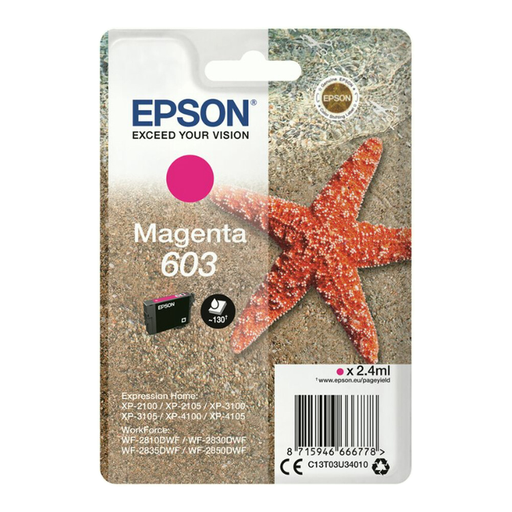
Why this choice suits this profile: this original Epson cartridge is compatible with several Expression Home XP and WorkForce WF models. It lets you replace only the magenta that has run out.
The 603 reference and colour are clearly stated, which reduces errors caused by buying based on visual similarity alone.
Dye ink, 2.4 ml volume and claimed yield of approximately 130 pages according to ISO/IEC 24711.
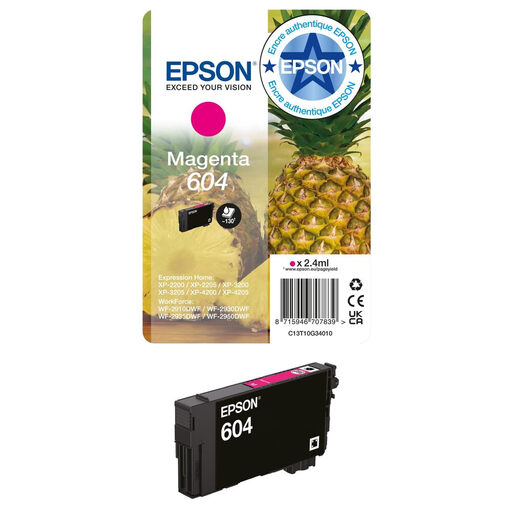
Why this choice suits this profile: this compatible cartridge works with certain Expression Home XP and WorkForce WF models, when the purchase price matters most.
The "compatible" label is explicit: you can't mistake it for an original Epson cartridge.
Standard magenta format, claimed volume of 2.4 ml and yield of approximately 130 pages according to ISO/IEC 24711.
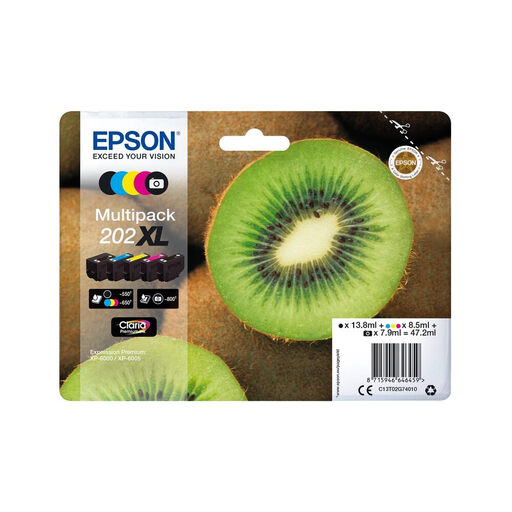
Why this choice suits this profile: this Epson T5803 cartridge is designed for users of Stylus Pro 3800 and 3880 printers who produce fine art prints or large-format proofs.
Its compatibility is limited to specific models, so you avoid buying a large-format ink for a home printer.
UltraChrome K3 pigment ink, magenta colour, claimed capacity of 80 ml and individual cartridge.
Why this choice suits this profile: this WorkForce Pro reference is aimed at offices and professionals who regularly print high volumes.
The capacity and yield are stated separately, so you can compare them with your actual usage rather than relying solely on the "XXL" claim.
DURABrite Pro pigment ink, claimed volume of 39.8 ml and yield of approximately 7,000 pages according to ISO/IEC 24711.
We've put together a comprehensive, real-time updated list of products that meet these strict selection criteria and European safety regulations.
An EcoTank printer does not use a standard cartridge. For an Epson EcoTank 104 ink, check the tank reference and colour before refilling. The Epson 104 multipack includes four 65 ml bottles: black, cyan, magenta and yellow. The claimed yield reaches approximately 4,500 pages for black and 7,500 pages for each colour, according to the ISO/IEC 24712 standard.
Never force a bottle into a tank it isn't designed for, and do not squeeze the bottle during refilling. Let the ink flow by gravity to minimise the risk of leaks.
Check the printer's label, its manual or the consumables replacement menu. Then note the series and colour. Always verify the list of compatible models shown on the cartridge's product page.
It can be worthwhile for frequent use, especially when the extra yield matches your consumption. If you print infrequently, compare the cost per page and the likely storage time before opting for a high-capacity cartridge.
Keep it in its sealed packaging at room temperature, away from heat and light. Once the cartridge is installed, follow the printer's prompts and replace it when it is reported as empty to maintain the proper functioning of the printing system.