
Livraison le jour même ou le lendemain

Qualité garantie

Débloquez vos offres de bienvenue: Livraison GRATUITE | Jusqu'à -80 % | 30 jours d'essai gratuits à JoyPlus
Téléchargez l'application
Running out of ink just as you need to print an important document, a school assignment or an invoice can be a real headache. However, choosing a cartridge isn't simply a matter of comparing colour and price. Between original ink cartridges, compatible models, XL formats and multipacks, picking the wrong one can lead to incomplete prints, a cartridge that your printer doesn't recognise, or a cost per page that's far higher than you expected.
Here are the key factors to check before buying printer ink cartridges for HP, Canon or Epson.
An HP printer won't accept every HP cartridge. An HP 301 ink cartridge, an HP 302, an HP 303, an HP 305 or an HP 62 all belong to very specific ranges. The same goes for a Canon PG-540 ink cartridge, an Epson 603 or an Epson 104 bottle.
The reference number on your old cartridge, in the manual or on your printer's screen must match the product you're buying exactly. Don't forget to check the list of compatible models too: two printers from the same brand can use completely different consumables.
A high-capacity XL cartridge generally contains more ink than a standard model, but it isn't necessarily compatible with every printer in the same series. The claimed page yield should also be compared under identical conditions.
For example, the HP 302XL black cartridge is rated at approximately 480 pages according to the ISO/IEC 24711 standard, compared with around 190 pages for the standard HP 302 black, based on the data provided. However, the actual number of pages will depend on your print coverage, print settings and the type of documents you're printing.
A multipack of ink cartridges can be convenient, but not all colours run out at the same rate. For mainly document-based printing, a bundle with one black and one colour cartridge may be sufficient. However, if you print photos or presentations, separate cyan, magenta and yellow cartridges let you replace only the colour that's run out.
Start by noting the full reference number, for example CH561EE for HP 301 black, F6U65AE for HP 302 colour, C2P04AE for HP 62 black or C13T00P140 for Epson 104 black. The cartridge's commercial name alone isn't always enough.
For Canon consumables, make sure you check the PIXMA printer series that's compatible with the Canon PG-540. The Canon BCI-370 and BCI-71 references also require you to verify your exact printer model.
A black cartridge using pigment-based ink is generally designed to produce sharp, crisp text. A colour cartridge using dye-based ink is often used for graphics and images. This distinction describes the product's stated composition, but it doesn't on its own guarantee identical results on all papers and printers.
In the Epson 603 packs, the black cartridge uses pigment ink, while the cyan, magenta and yellow cartridges contain dye-based inks. The Epson 603 pack is rated for approximately 150 pages in black and 130 pages per colour, according to the ISO/IEC 24711 standard.
The pack price alone isn't enough to compare two offers. Use this simple formula:
Cost per page = cartridge price ÷ number of pages claimed
Only compare yields measured against the same standard, particularly ISO/IEC 24711 for cartridges. If your printer is used several times a week at home or in the office, the XL format can reduce how often you need to replace them. For occasional use, a standard cartridge means you won't have a partly used consumable sitting around for too long.
Tank-based printers, such as certain Epson EcoTank models, use a bottle rather than a traditional cartridge. The Epson 104 black, for example, is a 65 ml bottle rated for approximately 4,500 pages according to ISO/IEC 24712. It's compatible with several EcoTank models: ET-2710, ET-2711, ET-2712, ET-2714, ET-2715, ET-2720, ET-2726 and ET-4700.
Never pour a bottle into the tank of a different reference. The Key Lock system on this bottle is designed to guide filling by colour. Don't force the bottle and don't squeeze it during the process.
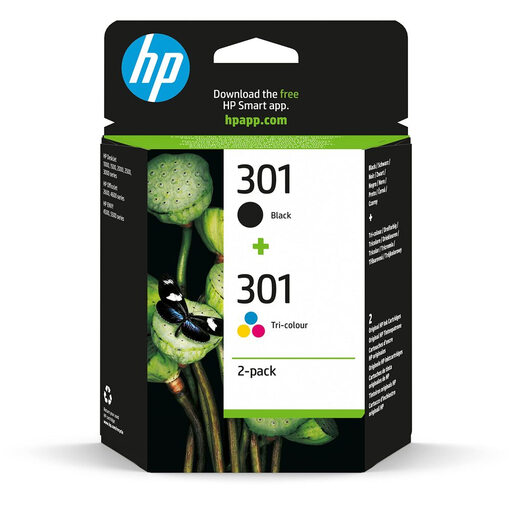
Why this suits this profile: this bundle includes one black and one tri-colour cartridge for everyday home printing, admin tasks and schoolwork.
The HP 301 reference and compatible models are clearly stated, which reduces the risk of choosing a bundle based on brand alone.
Approximately 190 pages in black and 165 pages in colour according to ISO/IEC 24711, with pigment black ink and dye-based colour ink.
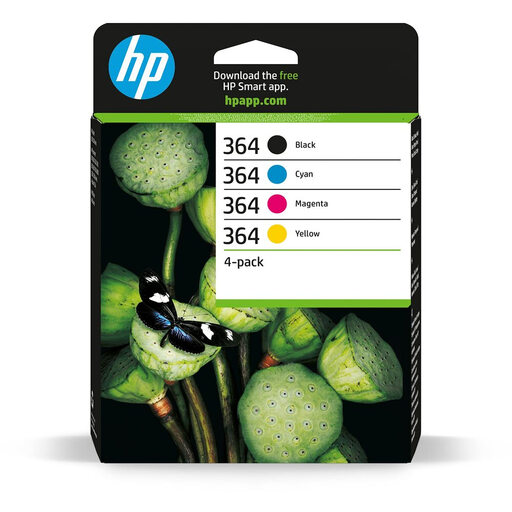
Why this suits this profile: with four separate colours, this original solution lets you track your usage more closely when printing illustrated documents.
The pack clearly states the HP 364 reference, the CMYK contents and the compatible Photosmart, DeskJet and OfficeJet series.
Approximately 250 pages in black and 300 pages per colour according to ISO/IEC 24711, with individual cartridges.
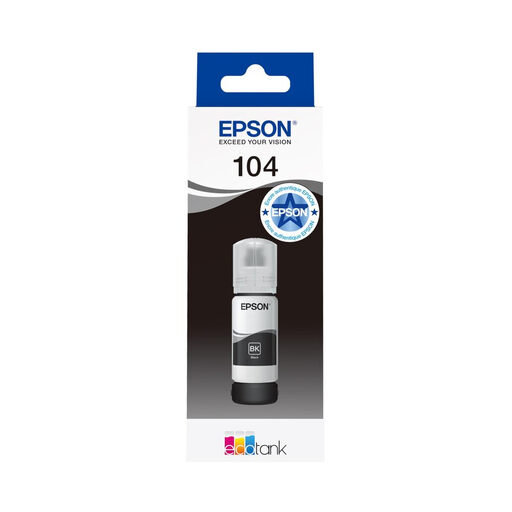
Why this suits this profile: this bottle is designed for households, remote workers and small businesses with a compatible EcoTank printer who print regularly in black.
The 104 reference and compatible EcoTank models are detailed – this isn't a universal cartridge for a standard printer.
Black bottle of 65 ml, claimed yield of approximately 4,500 pages according to ISO/IEC 24712 and Key Lock anti-mistake system.
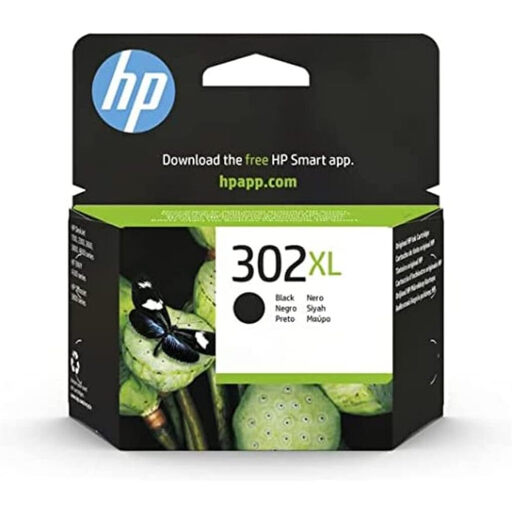
Why this suits this profile: the high-capacity format is ideal for frequent printing of course materials, bills, letters and professional documents in black.
The claimed yield lets you compare the XL format with a standard cartridge on a numerical basis, while keeping the HP 302 reference.
Approximately 480 pages according to ISO/IEC 24711, with pigment black ink claimed to be water-resistant and highlighter-proof.
We've put together a comprehensive, real-time updated list of products that fully meet these strict selection criteria and European safety regulations.
Choosing a compatible cartridge for your printer requires the same care as an original model: reference, colour, yield and the list of compatible devices remain the key factors. For compatible products from another brand, such as certain Inkcloud references, also check your exact printer model and the contents of the bundle.
Start by noting the reference displayed on your old cartridge or in your printer's menu. The HP 301, HP 302, HP 303, HP 305, HP 62 and HP 364 series are not interchangeable. Then compare the colour, the standard or XL format and the list of compatible models.
The shelf life depends on the information on the packaging, storage conditions and the date you opened it. Keep the cartridge sealed until use, at a moderate temperature and away from light. Once installed, printing regularly can help avoid long periods of inactivity.
Not necessarily. Calculate the cost per page based on each cartridge's yield. A multipack is worthwhile if you use both black and colour regularly. If one colour runs out quickly, buying separately can prevent the other cartridges from going unused.