
Livraison le jour même ou le lendemain

Qualité garantie

Débloquez vos offres de bienvenue: Livraison GRATUITE | Jusqu'à -80 % | 30 jours d'essai gratuits à JoyPlus
Téléchargez l'application
A simple OBD2 code reader can display an engine fault, but it quickly reaches its limits when you need to examine the ABS, gearbox, airbag, TPMS or air conditioning. For motoring enthusiasts, independent garages and fleet managers, a bidirectional OBD2 car diagnostic scanner offers a much more comprehensive approach: it reads data, communicates with multiple control units and, where the vehicle allows it, can operate certain components.
However, it is important not to be swayed by overly broad promises. Here are the criteria to consider before buying a car diagnostic tool.
Many devices display the term ‘OBD2’ while being limited to the engine control unit. They can read and clear a fault code, but may be unable to access the ABS, SRS, EPB, BMS or transmission.
Before placing your order, check for an explicit all-systems diagnostic function, as well as the list of modules supported for your make and model. Access depends on the vehicle, its production year, engine type and control unit version.
A diagnostic tool may advertise 15, 20 or 30 service functions without every one being available on all vehicles. EPB reset, injector coding, DPF regeneration, ABS bleeding and throttle relearning follow different procedures depending on the manufacturer.
The technical specifications should therefore be read as a list of potentially available functions, not as a guarantee that they will work with every car. For a specific operation, provide the seller with the VIN before buying.
An offer that includes updates may only be valid for a limited period. Some models advertise lifetime free updates, but certain advanced functions or software may still be subject to specific conditions.
Vehicles equipped with a secure gateway may also require a separate FCA AutoAuth account. This registration, along with any fees charged by the manufacturer, is not necessarily included with the scanner.
A versatile device should offer, at a minimum:
For workshop use, a graphical display of several parameters makes it possible to compare engine speed, temperature, pressure and battery voltage. However, it does not replace the mechanical and electrical checks required for a reliable diagnosis.
Bidirectional control, also known as an active test, allows the scanner to send a command to a control unit. Depending on the vehicle, it may therefore be possible to activate a fan, pump, injector, air-conditioning relay, lock, window or windscreen-wiper motor.
This function helps distinguish between a problem with the command signal, wiring or actuator. It must nevertheless be used in accordance with the conditions specified by the manufacturer: sufficient battery voltage, the vehicle stationary and the correct procedure followed.
For newer vehicles, check compatibility with CAN FD and, where necessary, DoIP. A Bluetooth connection gives you more freedom to move around the vehicle, while a wired tablet generally offers a more stable connection.
You should also check:
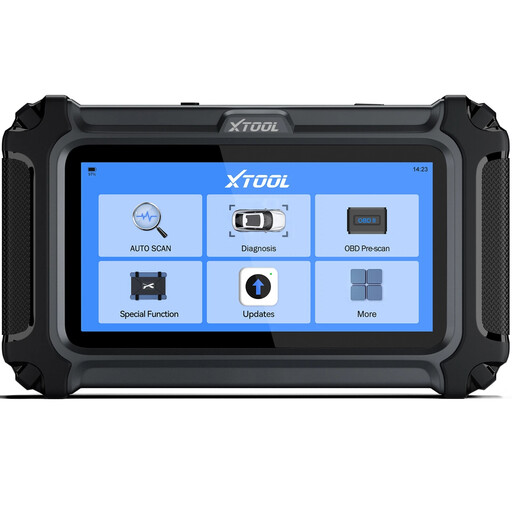
Why this choice suits this user profile : Its touchscreen, guided interface and everyday functions are ideal for routine maintenance at home and for carrying out your first diagnostic checks.
It distinguishes between diagnostics for supported systems and service functions that may vary by vehicle, and recommends checking compatibility by VIN.
Engine, transmission, ABS and SRS diagnostics, live-data display, PDF reports and advertised lifetime free updates.
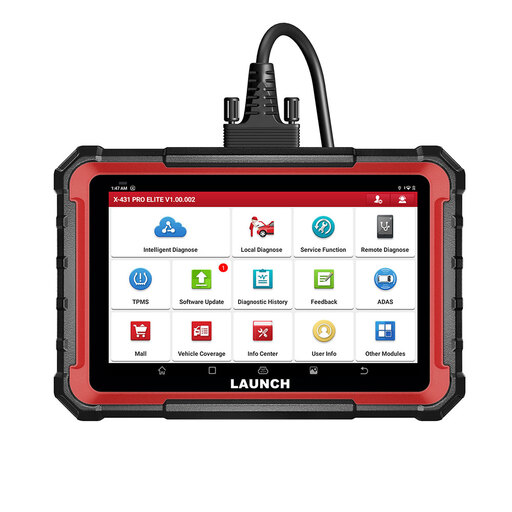
Why this choice suits this user profile : Its 8-inch tablet, bidirectional control and ECU coding functions are designed for users looking for a more comprehensive platform.
The specifications state that coding, active tests and service functions vary by make, model and control unit.
CAN FD and DoIP support, active tests, ECU functions and updates included for a defined period.
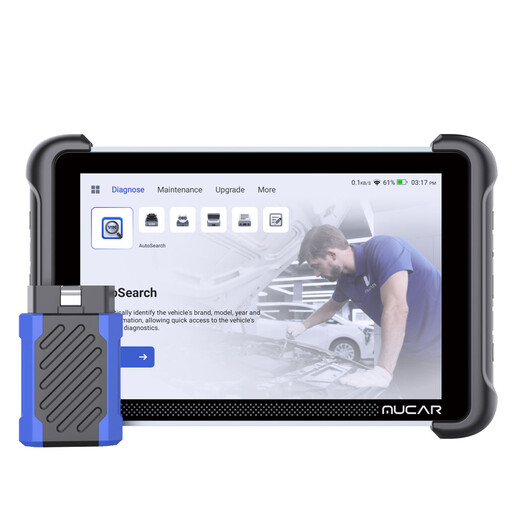
Why this choice suits this user profile : Its 8-inch tablet, active tests, ECU coding and maintenance functions are aimed at garages and users working on several vehicles.
The specifications distinguish between advertised functions and their actual availability, and detail compatibility conditions for FCA and newer vehicles.
CAN FD, DoIP, more than 34 advertised services, bidirectional diagnostics and lifetime free updates according to the product specifications.
We have put together a comprehensive, real-time selection of products that meet these demanding buying criteria and European safety requirements.
Clearing a warning light is not enough to fix the fault. If the code reappears, you need to investigate the cause using live data, wiring diagrams and the appropriate mechanical checks.
Yes, provided you choose an easy-to-understand interface and check which functions are genuinely available for your vehicle. For home use, everyday functions such as code reading, service resets, EPB or BMS may already be sufficient.
An internet connection is generally required for activation, downloads, updates, certain reports and, in some cases, online functions. The diagnostic process itself can work offline on several models, but this depends on the device and software.
This depends on the battery, the quality of the cable or connector, the availability of updates and software compatibility. When stored correctly, protected from moisture and used with a stable voltage, a reliable model can serve several vehicles for many years.