
Livraison le jour même ou le lendemain

Qualité garantie

Débloquez vos offres de bienvenue: Livraison GRATUITE | Jusqu'à -80 % | 30 jours d'essai gratuits à JoyPlus
Téléchargez l'application
An OBD2 car diagnostic tool can be used to read a dashboard warning light, monitor live data or support more advanced repairs. However, the differences between models can be considerable. Some are limited to the engine control unit, while others can access the ABS, airbags, gearbox and servicing functions.
For a private individual, independent garage or mobile mechanic, the main risk is buying a scanner whose advertised functions are ultimately unavailable on the vehicle in question. Here are the points to check before placing your order.
The term “OBD2” indicates compatibility with standardised functions, mainly related to emissions and the powertrain of compatible vehicles. It does not guarantee access to all control units.
A basic car fault code reader can read and clear certain engine codes, without necessarily communicating with the ABS, SRS, air conditioning or body control module. To benefit from full-system diagnostics, check that the product listing clearly states access to the systems supported by your vehicle.
A scanner may advertise 15, 28 or more servicing functions. This does not mean that they will all be available for your car. Service resets, ECU coding, battery registration, DPF regeneration and automotive bidirectional testing depend on the make, model and year, and sometimes on the vehicle’s electronic configuration.
Before ordering, provide the VIN to the seller or, failing that, state the make, model, engine and year. This precaution is particularly important for European vehicles equipped with a security gateway.
Some scanners include updates for a set period and then require renewal. Others advertise lifetime free updates, while certain manufacturer-specific functions may still require an account or separate access.
With FCA, for example, using AutoAuth may require separate registration or a subscription. Similarly, secure Renault access and certain programming operations may require an additional cable, token or authorisation.
For versatile use, look in particular for the following features:
A multi-brand diagnostic scanner will not necessarily offer the same coverage for every manufacturer. Always check the list of supported makes and models.
The most common functions include oil, EPB, BMS and TPMS resets. More advanced devices may also offer injector coding, throttle body adaptation, ABS bleeding and DPF regeneration.
The automotive bidirectional test deserves particular attention. It allows you to send a command to an actuator — such as a fan, pump, relay, injector or window motor — to observe its response. This function does not replace electrical measurements or mechanical checks, but it can help you avoid unnecessary dismantling.
ECU coding depends even more heavily on the vehicle. It may only be available for certain control units and may require a stable power supply. An interruption during a programming procedure can leave the vehicle unusable.
Bluetooth diagnostics offer greater freedom around the vehicle, while a wired connection generally reduces the risk of interruptions. In a workshop, also remember to check:
For occasional or mobile use, a compact adapter connected to a phone may be sufficient. For a diagnostic tool for mechanics, a tablet with a Bluetooth VCI, vehicle history and detailed reports will generally be more practical.
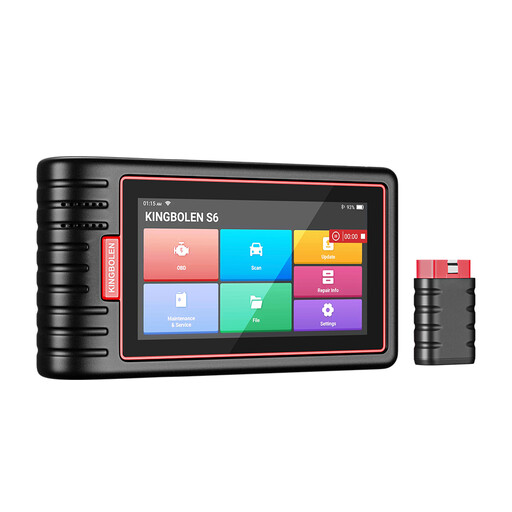
Why this choice suits this profile : This Bluetooth model is aimed at those who want to go beyond basic engine reading and check several systems from a compact interface.
The product listing states that it diagnoses the available systems, automatically identifies the VIN and offers servicing functions whose availability depends on the vehicle.
Bluetooth connectivity, a 15,2 cm touchscreen, 28 advertised servicing functions and lifetime free updates for the relevant functions.
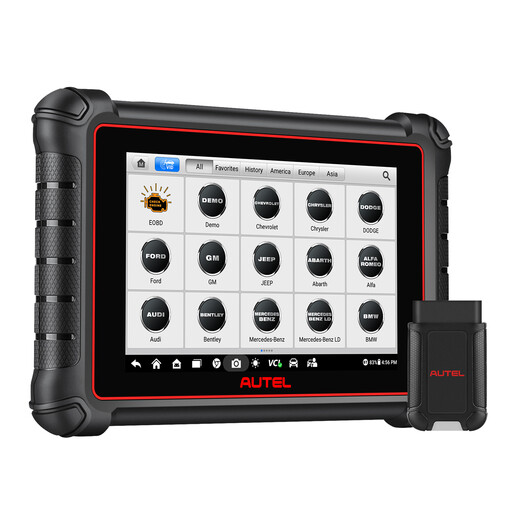
Why this choice suits this profile : With its 20,3 cm tablet, wireless VCI and active command functions, this model meets the needs of a workshop looking for comfortable navigation.
The product listing distinguishes between CAN FD and DoIP protocols and states that active tests depend on the make and model.
20,3 cm screen, diagnostics for available systems, live data in several formats and more than 3 000 advertised active tests, depending on software coverage.
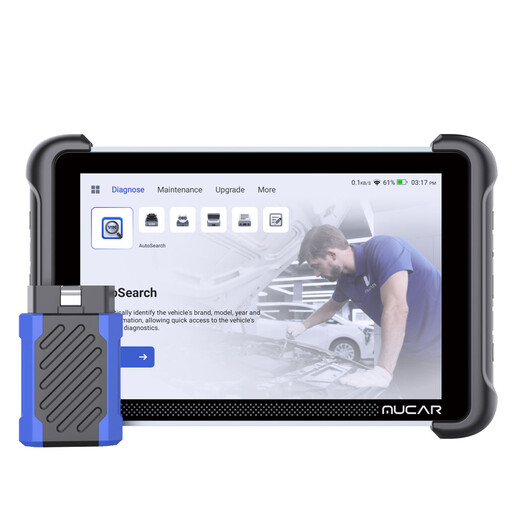
Why this choice suits this profile : This tablet is designed for garages and technicians who want to combine ECU coding, bidirectional controls and the management of numerous vehicles.
The description specifies the vehicle-related limitations and recommends checking compatibility before carrying out any coding or active test.
20,3 cm screen, magnetic VCI, advertised CAN-FD and DoIP protocols, ECU coding functions and more than 34 services, depending on the vehicle.
We have put together a complete, real-time updated selection of products that meet these demanding criteria, as well as European safety standards.
Connect the VCI to the OBD2 socket, usually located beneath the dashboard, then switch on the ignition without starting the engine if the software prompts you to do so. Next, select the vehicle automatically or manually. Before clearing a code, save the report along with the freeze-frame data.
For coding or programming operations, use a regulated power supply that complies with the manufacturer’s recommendations. Do not disconnect the tablet during the procedure. Also bear in mind that clearing a fault does not repair the cause of the problem: if the code reappears, mechanical, electrical or electronic checks will still be required.
No. Compatibility depends on the protocol used, whether a 16-pin socket is present, and the vehicle’s make, model, engine and year. Advanced functions may remain limited, even when standard OBD2 reading works.
The budget is not limited to the purchase price. Remember to check the cost of updates, any subscriptions, manufacturer accounts and the accessories required. Some models advertise lifetime free updates, while others include only a limited period.
Yes, if the device and vehicle support this function. However, clearing the light removes the recorded information without fixing the underlying cause of the fault. The warning light may reappear if the fault persists or if the conditions required for the check have not been met.