
Livraison le jour même ou le lendemain

Qualité garantie

Débloquez vos offres de bienvenue: Livraison GRATUITE | Jusqu'à -80 % | 30 jours d'essai gratuits à JoyPlus
Téléchargez l'application
A bidirectional OBD2 car diagnostic scanner can read fault codes, analyse multiple control units and operate certain actuators. For an independent garage, a mobile mechanic or a private owner who carries out their own vehicle maintenance, it helps avoid guesswork and some trips to the workshop. The problem is that product descriptions sometimes mix theoretical compatibility, optional functions and software subscriptions.
Joybuy’s Product Recommendation Officer therefore bases its selection on practical criteria: actual vehicle coverage, access to different systems, active tests, maintenance functions and the long-term cost of use.
A product presented as an all-makes car diagnostic tool will not necessarily support every function on every model. Reading engine codes may work, while ECU coding, DPF regeneration or EPB reset remain unavailable.
Compatibility depends in particular on the make, model, production year, engine, control unit and sometimes the vehicle’s equipment level. Before ordering, provide the seller with the 17-character VIN if you are looking for a specific function.
A list of 15, 20 or 30 functions does not guarantee that they will be available for your vehicle. BMS reset, ABS bleeding, throttle-body relearning and injector coding may be limited to certain makes and models.
You also need to distinguish between a simple reset and a genuine programming operation. ECU coding can modify a module’s configuration. It requires a stable power supply, an appropriate procedure and confirmed compatibility.
Some tablets include a period of updates, while others advertise free lifetime updates for all or part of the software. Check what will remain accessible once the included period has ended: complete diagnostics, special functions, new makes and support.
For protected FCA vehicles, FCA AutoAuth may also require you to create an account and pay separate fees to the official service. The scanner does not replace this authorisation.
An engine-only scanner is not enough to investigate a fault in the ABS, SRS, transmission, EPB, TPMS, air conditioning or body control modules. In a workshop, prioritise an all-system diagnostic function with code reading and clearing, live data, ECU information, freeze-frame data and report export.
The AutoVIN function makes vehicle identification easier, but manual selection should still be available for older models or when automatic reading fails.
A bidirectional active test sends a command to the control unit so that you can observe a component’s response. Depending on the vehicle, this may involve a fan, ABS pump, injector, air-conditioning relay, electric window, lock or throttle body.
This function helps distinguish between a problem with the command, wiring or actuator. However, it does not guarantee an automatic diagnosis of the fault. Follow the on-screen instructions and do not send commands if the battery voltage is unstable.
For newer vehicles, check support for CAN FD diagnostics and, where necessary, the DoIP protocol. Bluetooth gives you greater freedom of movement, while a wired connection can provide a more stable link in a workshop.
The product description should also specify the type of device: a standalone Android tablet or an adapter that works with an iOS/Android app. Check the minimum required phone version, the space needed to install the software and whether a Wi-Fi connection is required.
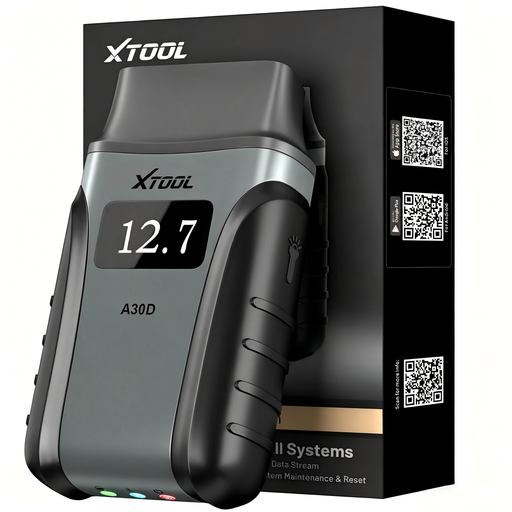
Why this choice suits this profile : Its Bluetooth format works with an Android or iOS phone or tablet. It is therefore suitable for routine maintenance on a family car and occasional checks.
The product description states that the 19 functions and bidirectional control vary depending on the vehicle. This limitation is clearly displayed and should be checked before purchase.
All-system diagnostics, graphical display of up to 8 parameters, CAN FD, FCA AutoAuth and advertised free lifetime updates.
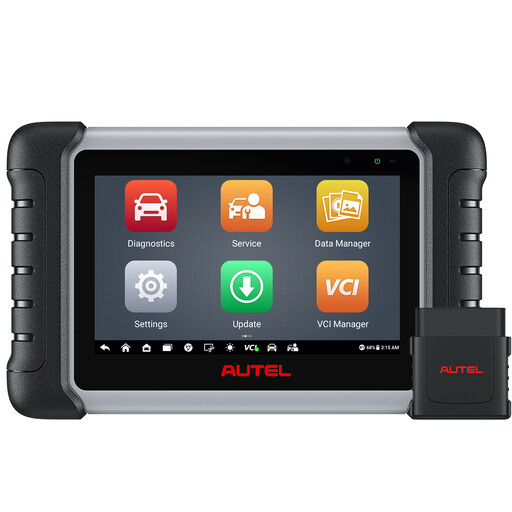
Why this choice suits this profile : Its standalone tablet, wireless connection and extensive diagnostic functions are aimed at users looking for a structured working environment.
The included update period is stated as one year. The renewal cost should therefore be factored into your budget.
Tablet format, all-system diagnostics, active control, more than 38 advertised maintenance functions and compatibility with control accessories.
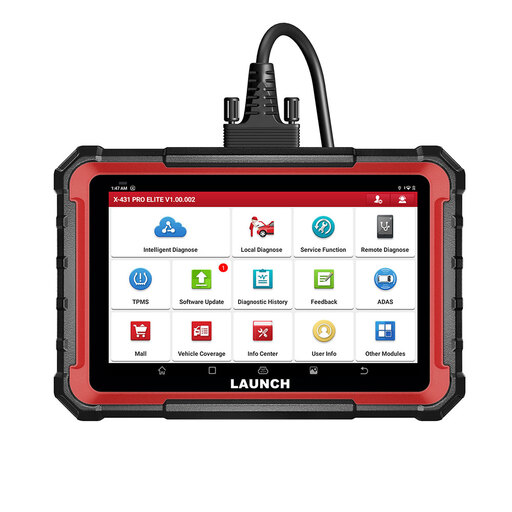
Why this choice suits this profile : This dedicated tablet is suitable for workshops that need ECU coding, active tests and protocols adapted to several generations of vehicles.
The product description distinguishes between functions that vary by make and model. It also states that TPMS or ADAS accessories are sold separately.
8-inch screen, CAN FD, DoIP, bidirectional control, ECU coding and two years of advertised free updates.
We have put together a complete, real-time updated selection of products that meet these strict criteria, while also taking European safety regulations into account.
When buying in France, check for French or multilingual instructions, the CE marking where claimed, the contact details of the person responsible established in the European Union, and the warranty and returns terms. These elements do not prove the device’s diagnostic capabilities, but they help you assess its compliance and the quality of after-sales support.
No. The OBD2 socket and standard protocols make compatibility easier, but access to control units and special functions always depends on the vehicle’s make, model, engine and electronic version. Checking by VIN is recommended.
Engine scanning is mainly limited to the powertrain control unit and OBD2 functions. All-system diagnostics interrogates the different available modules, such as the ABS, SRS, transmission, EPB, TPMS and air conditioning. Exact coverage depends on the vehicle and the software used.
Not necessarily. They may cover the diagnostic software, but certain manufacturer-specific services, particularly FCA AutoAuth, may require separate registration or a subscription. Also check that all special functions remain included after activation.