
Livraison le jour même ou le lendemain

Qualité garantie

Débloquez vos offres de bienvenue: Livraison GRATUITE | Jusqu'à -80 % | 30 jours d'essai gratuits à JoyPlus
Téléchargez l'application
A warning light on the dashboard, an ABS message, or a recently replaced battery can quickly lead to a hefty bill. An OBD2 car diagnostic tool lets you read certain faults and, depending on the model and vehicle, carry out maintenance tasks without having to visit a garage every time.
However, not all scanners offer the same level of access. Here are the criteria to check before buying, the pitfalls to avoid, and a selection suited to different needs.
Many devices marketed as "complete scanners" are limited to the OBD2 port and the engine control unit. They can read a fault code related to emissions, but are unable to access the ABS, SRS, gearbox, or air conditioning.
To go further, look for the term full system diagnostic tool or "diagnostics for all available control units." The actual coverage depends on the make, model, engine type, and electronic architecture of the vehicle.
A device may advertise 28 or 31 maintenance functions without all of them being available on your car. Oil reset, ABS and SRS reset, DPF regeneration, or TPMS reset can vary depending on the control unit installed.
Before ordering, have your VIN, make, model, engine type, and date of first registration to hand. Ask the seller whether the function you need is supported by your vehicle.
Some scanners require a subscription after an initial period. Others offer lifetime free updates, but only for certain functions or vehicle families. Read the activation terms carefully and check whether a manufacturer account is still needed.
Vehicles with secure access, particularly some models from the FCA group, may also require a separate registration with AutoAuth. This external service and any associated fees are not necessarily included with the device.
If you simply want to read fault codes, a basic OBD2 reader may be enough. If you want to monitor the ABS, SRS, transmission, or TPMS, it is better to opt for a car diagnostic scanner capable of analysing multiple control units.
A versatile device should generally allow you to:
A Bluetooth OBD2 scanner offers more freedom to move around the vehicle. It is well suited for checks under the bonnet or test drives where you need to keep the screen at a distance. On the downside, the connection between the VCI module, phone, or tablet must remain stable.
A wired connection limits movement but can reduce the risk of disconnection. For mobile use, also check compatibility with Android and iOS, the Bluetooth range, and the required app.
Bidirectional testing sends a command to an actuator to observe its response – for example, a fan, pump, relay, injector, window regulator, or door lock. This function can help distinguish between a control fault and a component failure. However, it must be used with caution.
ECU coding and programming of certain control units depend even more on the vehicle. These operations may be necessary after replacing a module, adding equipment, or carrying out an adaptation procedure. It is best to back up the existing settings and follow the manufacturer's documentation.
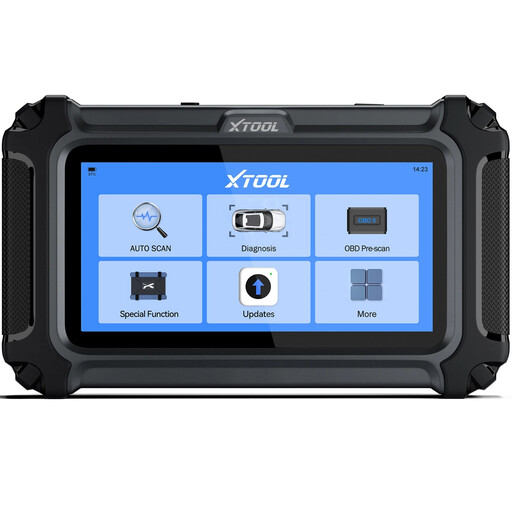
Why this choice suits this profile: Its touchscreen, AutoVIN function, and code library make initial home diagnostics more accessible, particularly for the engine, transmission, ABS, and SRS.
The product page specifies the compatibility limits of the functions and advertises lifetime free updates, with no annual subscription indicated.
Multi-system diagnostics, live data display, PDF reports, and claimed CAN FD support on compatible vehicles.
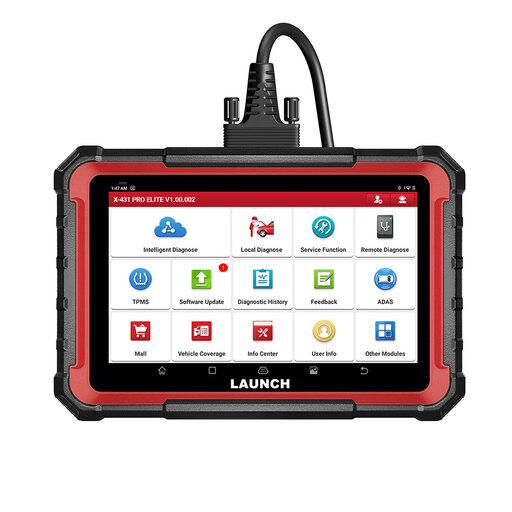
Why this choice suits this profile: Its 8-inch tablet, full system diagnostics, ECU coding, and active tests are aimed at users who regularly work on multiple vehicles.
The product page distinguishes the included update period from later use of the device and reminds you that available functions depend on the vehicle.
Claimed CAN FD and DoIP protocols, shareable reports, guided assistance for certain models, and compatibility with add-on modules.
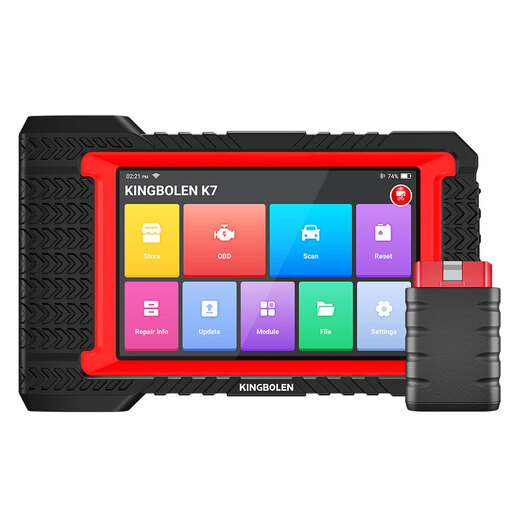
Why this choice suits this profile: Independent garages and experienced enthusiasts will benefit from the Bluetooth connection, bidirectional testing, ECU coding, and the many advertised maintenance functions.
The product page advertises lifetime free updates, while specifying that available menus and functions may vary depending on the vehicle.
Over 28 advertised maintenance functions, live data, diagnostic reports, and claimed compatibility with more than 100 makes.
We have compiled a comprehensive list, updated in real time, of products that fully meet these strict selection criteria and European safety regulations.
No. The OBD2 port is widely available, but access to different systems and special functions varies by vehicle. When looking for a specific function, check compatibility using the VIN.
Most compatible devices can clear certain codes and turn off the warning light. However, it may come back on if the fault is still present. Clearing the code does not replace finding the cause.
Not necessarily. They may only cover the scanner manufacturer's software. Some protected vehicles require a separate registration or authentication with the manufacturer, particularly for certain ECU coding functions or secure access.