
Livraison le jour même ou le lendemain

Qualité garantie

Débloquez vos offres de bienvenue: Livraison GRATUITE | Jusqu'à -80 % | 30 jours d'essai gratuits à JoyPlus
Téléchargez l'application
Gaming, streaming, working from home… Spending hours in front of a screen puts a real strain on your body. The direct result? Back pain and creeping fatigue. Far from being a simple gadget, an ergonomic gaming chair is a true investment in your health, comfort, and concentration.
As a product expert at Joybuy, my mission is to guide you through the jungle of gaming chairs. This guide is designed to break down the essential selection criteria and introduce you to proven models, helping you find that perfect fit.
Before diving into our selection, let's review the features that truly make a difference in a good gaming seat.
A good chair should adapt to your body, not the other way around. Here are the must-have adjustments:
To last, a gaming chair must be built on a solid foundation—literally.
Beyond the basic adjustments, some chairs offer welcome comfort features. A gaming chair with a footrest is perfect for enjoying a true relaxation break, while others integrate a massage function into the lumbar cushion to relieve tension.
We have scoured the market to select three models that stand out from the crowd, each catering to a specific need.
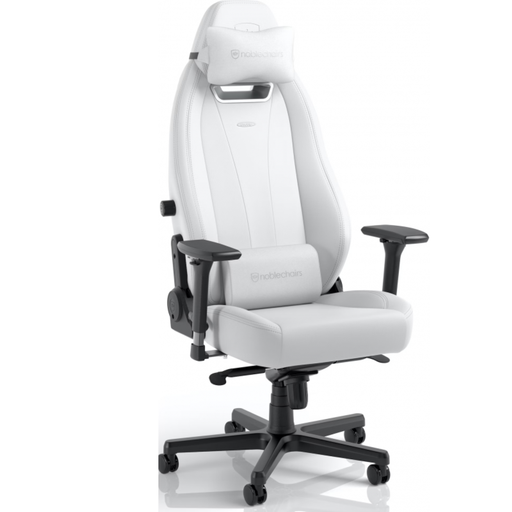
Why it stands out: The Noblechairs Legend combines a sleek, professional aesthetic with premium materials. Its high-tech PU leather upholstery and integrated lumbar support make it a choice that is as elegant as it is high-performing.
Pros:
Who is it for? It will appeal to discerning users looking for a premium chair with a clean design. It fits perfectly in both a gaming setup and a home office.
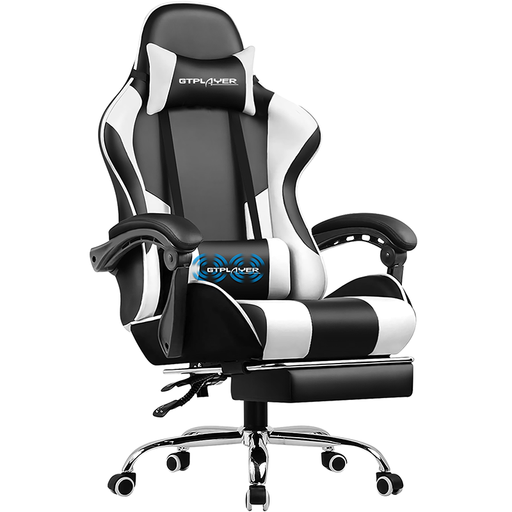
Why it stands out: This GTPLAYER model goes all-in on comfort and relaxation. With its retractable footrest and massaging lumbar cushion, it's the ideal companion for unwinding between games or meetings.
Pros:
Who is it for? Perfect for gamers and remote workers who want a relaxation-focused chair. If you believe a gaming chair should also let you lie back and enjoy an occasional massage, this model is for you.
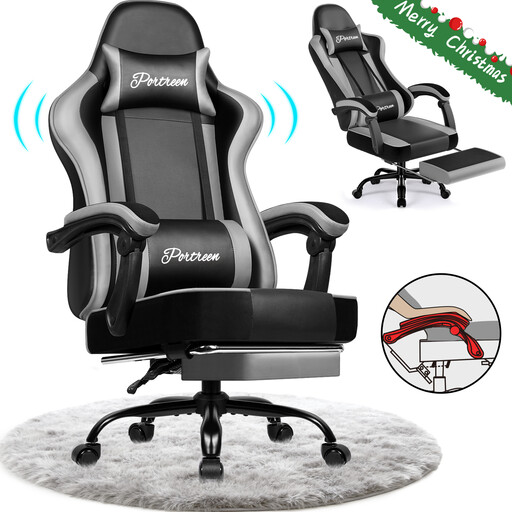
Why it stands out: The GTIMEX plays the card of extreme versatility with its record-breaking recline of up to 170°. It also boasts a water- and scratch-resistant PU leather upholstery, a bonus for heavy use.
Pros:
Who is it for? For those who want to do it all with their chair: play, work, and even take a nap. Its durability and easy maintenance make it a prime ally for a busy day of gaming sessions and video calls.
Our selection focuses on ergonomics, but design is just as crucial for a harmonious setup. If these models don't match your taste, no worries.
Feel free to browse our complete collection of Modern Indoor Armchairs to find the model that will blend seamlessly with your decor.
Originally, gaming chairs were recognisable by their racing-style "bucket seat" look, flashy colours, and enveloping shapes. Office chairs, on the other hand, opted for a more understated look. Today, the line between them is increasingly blurred. A good ergonomic gaming chair offers such advanced adjustments that it can easily hold its own against a classic ergonomic office chair. It is often even more versatile, with options like a footrest or a more generous recline.
For optimal comfort, follow these simple steps:
It all depends on the build quality and your usage. An entry-level model will show its limits after 1 or 2 years of heavy use. Conversely, a premium chair with a steel frame, high-density cold foam, and quality upholstery will easily last you 5 years or more, provided you take basic care of it.