
Livraison le jour même ou le lendemain

Qualité garantie

Débloquez vos offres de bienvenue: Livraison GRATUITE | Jusqu'à -80 % | 30 jours d'essai gratuits à JoyPlus
Téléchargez l'application
By the Joybuy Editorial Team, July 5, 2026
With the rise of remote work, spending hours glued to our desks has become the new normal. Whether for work, study, or leisure, poor posture comes at a high price: back pain, chronic fatigue, and slumping productivity. An ergonomic office chair is no longer a luxury, but an essential investment in your daily well-being.
But with an overwhelming number of options on the market, how do you make the right choice? This guide is here to provide clear guidelines and a curated selection of models suited for every need and body type.
A good comfortable office chair isn't chosen for its looks alone. Here are the technical points to check to ensure optimal comfort and support.
This is the core principle: an ergonomic chair must adapt to you, not the other way around. Make sure the chair offers the following adjustments:
The upholstery and padding play a key role in comfort, as well as in the longevity and maintenance of your computer chair.
Your primary activity will guide your choice. A gaming chair is built for marathon sessions, with its bucket-seat support. A home office chair, on the other hand, will focus on a minimalist design and versatile adjustments. Finally, for occasional use or a small space, a stylish office chair without armrests can be the smartest solution.
To put theory into practice, we've reviewed three models with very different profiles, each meeting specific needs.
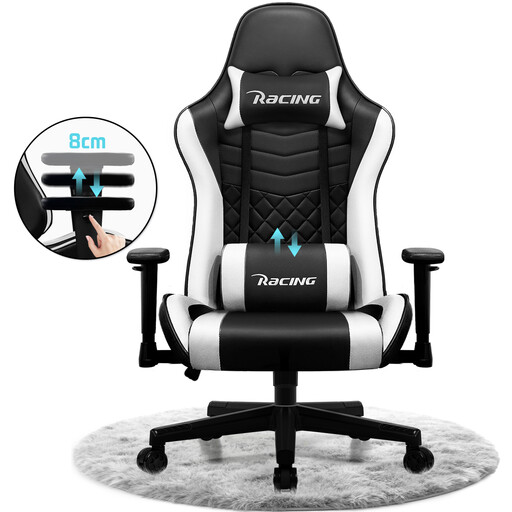
What sets it apart: This model combines the aesthetics of a gaming chair with ergonomic features designed for extra-long sessions. Its reinforced structure and high weight capacity make it a robust choice.
Key Features:
Who is it for? Gamers, streamers, and also intensive remote workers (8+ hours/day) looking for a chair with enveloping support and rock-solid durability.
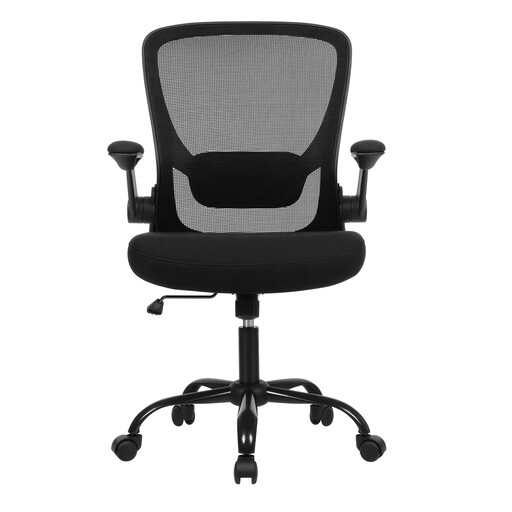
Its key advantage: This chair strikes the perfect balance between ergonomics, features, and minimalist design. Its flip-up armrests make it a particularly suitable solution for optimized workspaces.
Key Features:
Who is it for? Remote workers and students who want a versatile, comfortable, and discreet chair that's perfect for any home office, even compact ones.
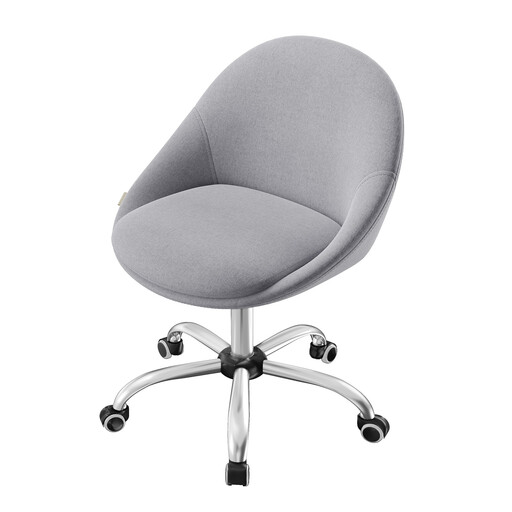
The stylish choice: With its clean design and textured upholstery, this chair doesn't sacrifice style for function. Its compact, armless format makes it ideal for small spaces and multiple uses.
Key Features:
Who is it for? Students, those with a small workspace, or anyone looking for a stylish and comfortable task chair for mixed use.
If these models don't check all your boxes, or if you simply want to explore other styles, feel free to browse our complete selection.
? Discover our entire selection of Upholstered Chairs
A standard chair merely offers basic seating with no real adjustments. In contrast, an ergonomic office chair is a tool designed to actively support your body. Thanks to its multiple adjustments (height, lumbar, armrests, tilt...), it adapts to your body shape to reduce fatigue and strain on the spine and joints.
Here is a simple 4-step method:
Yes, provided you choose a truly ergonomic model. Good gaming chairs are designed for long-lasting comfort and often provide excellent back and neck support. Their design, which is often very distinct, is more a matter of personal taste. It all depends on your priorities regarding style, adjustment options, and type of support.