
Livraison le jour même ou le lendemain

Qualité garantie

Débloquez vos offres de bienvenue: Livraison GRATUITE | Jusqu'à -80 % | 30 jours d'essai gratuits à JoyPlus
Téléchargez l'application
Spending long hours sitting down—whether for remote work, studying, or gaming sessions—can quickly turn into a nightmare for your back. An ergonomic office chair seems like the perfect solution, but the market is a jungle of marketing promises where it's easy to get lost. Before you invest, it's crucial to know the pitfalls to avoid so you don't bitterly regret your purchase a few months down the line.
Here are the three most common mistakes to avoid:
To avoid falling for the hype, you need to learn how to decode the spec sheet and ignore the marketing jargon. Focus on these three key points.
Proper lumbar support is the cornerstone of good posture. A ergonomic chair with lumbar support worthy of the name must offer precise adjustment.
A simple fixed bulge in the backrest is far from sufficient. Prioritise a dedicated mechanism that allows you to customise the support with pinpoint accuracy.
The ability of a reclining office chair to follow your movements is fundamental. The tilt mechanism controls how the seat and backrest move in sync.
Also, remember to check the number of locking positions. Being able to lock the recline at different angles (upright for work, slightly reclined for reading, etc.) is a real game-changer for daily comfort.
The choice between mesh and PU leather is primarily a matter of priorities.
To put theory into practice, here are a few models that check all the right boxes, each designed for a specific user profile.
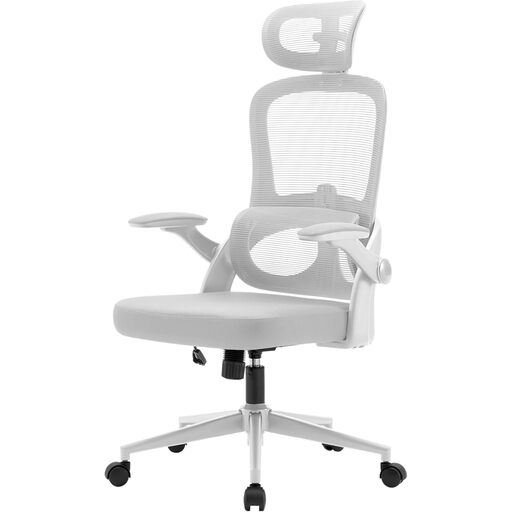
Why we recommend it: Perfect for long workdays, it combines a full suite of adjustments with a breathable mesh upholstery, ensuring comfort and support without you breaking a sweat.
It doesn't just settle for a vague "ergonomic" shape. It features an independent lumbar support, vertically adjustable by 6 cm, for precise customisation where it matters.
Comprehensive adjustments (height, headrest, lumbar, 3D armrests) and quality certifications (T?V, BIFMA) that are a true guarantee of durability.
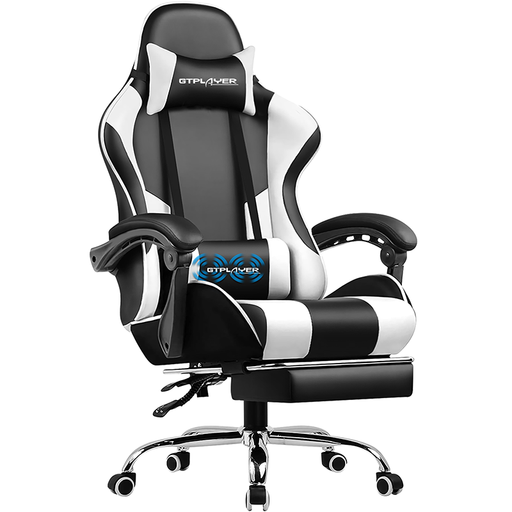
Why we recommend it: Built for gaming marathons, this chair combines a robust structure, a generous recline, and welcome bonuses like a footrest and a massage cushion.
Beyond the "gaming" aesthetic, the seat is filled with thick, high-density foam to prevent sagging, while the metal frame ensures rock-solid stability.
The retractable office chair with footrest and the vibrating massage lumbar cushion offer true moments of relaxation between matches.
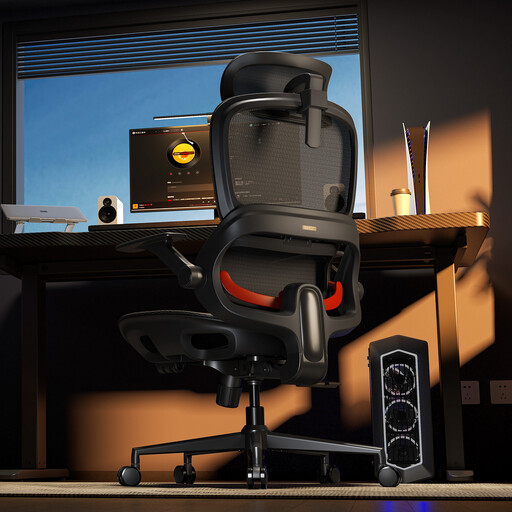
Why we recommend it: For those who juggle intense work with moments of relaxation, this model offers cutting-edge ergonomics with well-designed relaxation features.
Its lumbar support is dynamic: it follows your movements to maintain constant support. No more static support that becomes useless as soon as you change position.
The winning combination of an all-mesh design for maximum breathability and 3 lockable recline angles (110°, 123°, 135°) for total versatility.
We've compiled a complete list of chairs that meet our strict quality and safety selection criteria.
It all depends on the quality of the materials and the robustness of its design. A chair with a metal frame, high-density foam, and certifications like BIFMA (Business and Institutional Furniture Manufacturer's Association) is an investment built to last for many years. Conversely, an entry-level model will show signs of wear (sagging seat, play in the mechanisms) in less than two years.
Having the best chair in the world is useless if it's poorly adjusted. Here are the 4 essential steps: