
Livraison le jour même ou le lendemain

Qualité garantie

Débloquez vos offres de bienvenue: Livraison GRATUITE | Jusqu'à -80 % | 30 jours d'essai gratuits à JoyPlus
Téléchargez l'application
Setting up a home workstation has become the new standard for millions of professionals, students, and freelancers. But with an overwhelming number of options, it's easy to fall into common pitfalls that turn a productivity investment into a source of daily discomfort. Before you build your ideal remote work setup, here's how to avoid the most common mistakes.
Here are the top 3 mistakes to avoid when buying your office furniture?:
To create a home office setup that is functional, comfortable, and built to last, it's better to rely on key technical criteria rather than marketing hype.
The chair-and-desk duo is the cornerstone of your setup. An ergonomic office chair isn't a luxury; it's an essential investment for anyone who spends hours sitting down. Make sure it offers several key adjustments?:
Your computer desk also needs to check several boxes. A depth of at least 60?cm is recommended to maintain a healthy distance from your screen. As for height, a standard desktop at around 75?cm from the floor works for most people, provided the chair is properly adjusted.
A clear desk fosters a clear mind. Opting for a wireless keyboard and mouse combo is the easiest way to wage war on cables and gain flexibility. Ensure the desktop is large enough to accommodate your computer, monitors, and documents. A width of 120?cm is often the ideal compromise between user comfort and a manageable footprint.
The longevity of your office furniture is directly linked to its build quality. A steel frame combined with a high-density particleboard top offers an excellent price-to-sturdiness ratio. Don't overlook a game-changing detail: adjustable feet. They guarantee rock-solid stability, even on uneven floors, and prevent that annoying wobble when you type.
Instead of a one-size-fits-all bundle, here are products that meet specific needs, allowing you to build a setup that's truly yours.
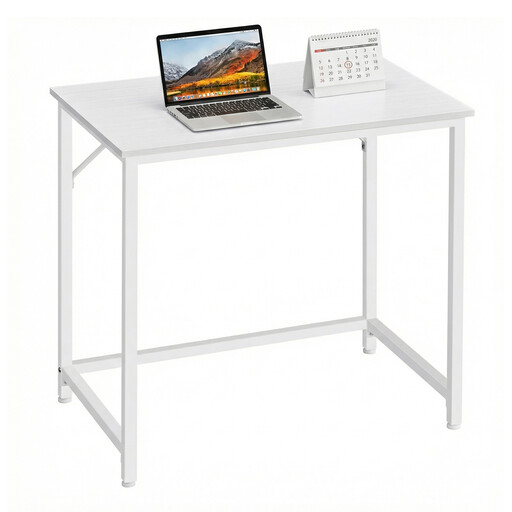
Our take : The perfect solution for students or for setting up a desk corner in a bedroom or studio. Its minimalist design and compact dimensions (80 x 50 cm) let you create a functional workspace without cluttering the room.
This desk tackles the problem of dimensions unsuitable for small spaces. Its simple yet sturdy frame (steel and particleboard) avoids the trap of stylish but flimsy furniture.
Its quick assembly and adjustable feet ensure perfect stability on any floor.
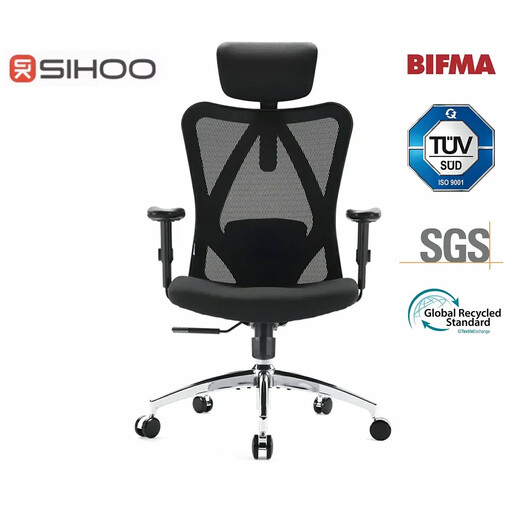
Our take : The essential companion for heavy-duty remote workers. Its multiple adjustments (back support, headrest, height, tilt, armrests) allow you to fine-tune your posture with pinpoint precision to prevent the aches and pains of long hours spent sitting.
This chair tackles the sacrifice of ergonomics head-on. It makes no compromises on the adjustments and support that are essential for protecting your back and neck in the long run.
Its breathable mesh back, which ensures comfort even in hot weather, and its BIFMA certification, which guarantees durability for up to 150 kg.
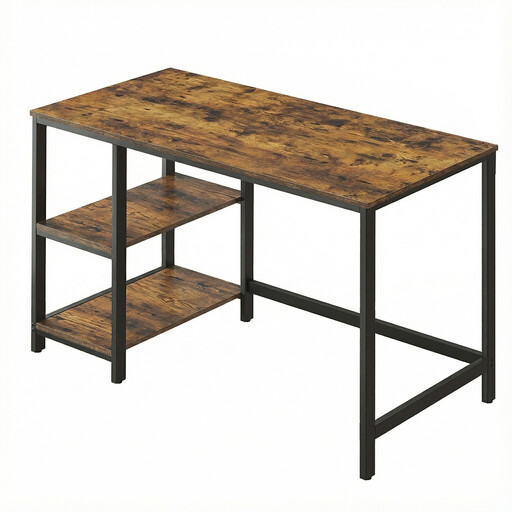
Our take : Its large 120 x 60 cm desktop can easily accommodate two monitors, a keyboard, and all your accessories. Perfect for developers, creatives, or anyone who needs an expansive work surface.
It solves the puzzle of desks being too narrow for demanding users. Its steel frame and modular shelves offer a solution that is spacious, sturdy, and well-designed for organisation.
Its two removable shelves, which can be installed on the left or right to suit your preference, for flexible, custom storage.
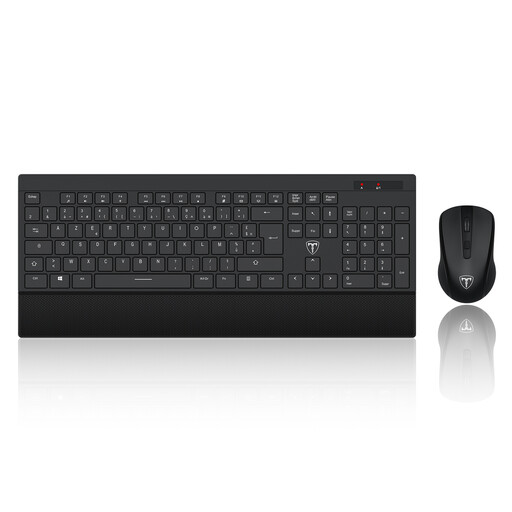
Our take : The must-have accessory for anyone who wants to put an end to cable clutter. This combo offers complete freedom of movement and a clean look, with a standard layout for an optimal typing experience.
It helps you escape the unbalanced "all-in-one bundle" trap. By choosing your peripherals separately, you're opting for a reliable and well-designed solution, far from the low-quality accessories often included in package deals.
A single USB receiver for both devices, a wireless range of up to 10 metres, and a power-saving mode to extend battery life.
We have curated a full range of products that meet our strict selection criteria and current safety standards.
Yes, it's non-negotiable. Using a dining chair or a stool for long periods is a perfect recipe for muscle strain, back pain, and poor circulation. An ergonomic chair is a direct investment in your health and focus. Its adjustments adapt to your body, something a standard chair can never do.
Start by measuring your available space, remembering to account for opening doors and drawers. Next, assess your needs: a single laptop requires less space than a dual 27-inch monitor setup. A depth of 60?cm is the bare minimum for a healthy viewing distance. For width, 80-100?cm is sufficient for simple use, but aim for 120-140?cm to be truly comfortable with a full setup.
Durability obviously depends on the quality of the materials and the intensity of use. A desk with a steel frame and a dense top can easily last over 10 years. A well-made ergonomic chair with certified components (like BIFMA) can hold up for 5 to 10 years of daily use. Peripherals like keyboards and mice have a more variable lifespan, but a quality model will work without issues for 3 to 5 years.