
Livraison le jour même ou le lendemain

Qualité garantie

Débloquez vos offres de bienvenue: Livraison GRATUITE | Jusqu'à -80 % | 30 jours d'essai gratuits à JoyPlus
Téléchargez l'application
An electric sit-stand desk can transform your home office, study or gaming space – provided you check a few key features before buying. Adjustable height alone doesn't guarantee comfortable everyday use; stability, dimensions and weight capacity matter just as much.
Product listings online are sometimes incomplete or rely on very generic descriptions. Here are the most common pitfalls and the criteria you need to examine to choose a height-adjustable desk that suits your home.
A desk can be marketed as ergonomic without specifying its adjustment range. A model that doesn't go low enough can be uncomfortable for shorter users, while a desktop that doesn't rise high enough will limit standing use.
Always check the minimum and maximum heights. A range of 72 to 118 cm or 72 to 120 cm works well for many uses, but the ideal position also depends on your height, your chair and the height of your screens.
A load capacity of 70 kg doesn't necessarily mean the desk will remain perfectly stable in every setup. You need to distinguish the stated static load from the actual weight distribution: two monitors on articulated arms, a desktop computer tower and heavy accessories put more strain on the frame.
Examine the structure's design, whether adjustable feet are included, and the manufacturer's recommendations. Always respect the maximum load and never place any objects on the desktop while it's moving.
A 120 x 60 cm desktop is sufficient for a laptop, one monitor and a few documents, but it can quickly feel cramped with two monitors or bulky gaming equipment. Conversely, a 160 x 70 cm desk needs more space and enough clearance around it.
Cables are another detail that's often overlooked. An electric desk needs to be able to rise and lower without pulling on plugs, hitting the wall or trapping a cable. Cable grommets, a hook or a storage pouch can make installation much simpler.
For an electric sit-stand desk, choose simple controls with up and down buttons and, ideally, a digital display. Models with height memory let you save two or four positions, so you don't have to find the right setting manually every time you adjust.
Obstacle detection can also help reduce the risk of collisions with furniture. However, it doesn't replace the need to clear the area under and around the desktop before each movement.
The 120 x 60 cm desk format remains well suited to small rooms, student bedrooms and many home office spaces. For two monitors, speakers or lots of documents, a 140 x 60 cm or 160 x 70 cm desktop gives you more room.
Measure the available width, the room's depth and where your sockets are located. Also allow a little extra space so the desktop doesn't touch the wall when it rises.
A steel or metal alloy frame contributes to overall rigidity. The desktop may be made from particle board; in that case, check its thickness, finish and any information the seller provides about formaldehyde emissions.
The CE mark indicates a declaration of conformity with applicable European requirements for the product. It doesn't guarantee absolute silence, an unlimited lifespan or superior performance. For a purchase in the UK, also check the assembly instructions, warranty terms and contact details for the responsible party established in the European Union.
The models below meet different needs. Their features are based on the information provided in the product listings.

Why this choice suits this profile: Its compact size makes it ideal as a first desk for home working, studying or a bedroom. Its adjustment range of 72 to 118 cm lets you easily switch between sitting and standing positions.
The listing states a maximum load of 70 kg, two programmable positions and a digital display – so it doesn't stay vague about the adjustment options.
120 x 60 cm desktop, two hooks included, CE certification and certification to a European standard mentioned in the listing.
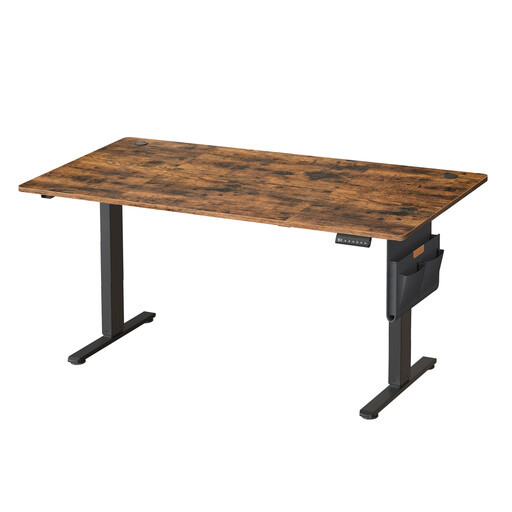
Why this choice suits this profile: This model suits a spacious home office or a setup with multiple monitors, thanks to its generous desktop and four programmable heights.
The dimensions are clearly stated and the listing mentions a cable management system, a hook and a storage pouch.
160 x 70 cm format, adjustment from 72 to 120 cm, four height memories and maximum static load of 70 kg.

Why this choice suits this profile: It meets the needs of users who want to organise several accessories while keeping a mid-size format suitable for the home office.
The listing specifies the motor's continuous use limits and recommends protecting the electrical components from liquids.
Adjustment from 72 to 120 cm, four memories, USB-C port, storage accessories and maximum static load of 70 kg.
We've put together a comprehensive, real-time updated list of products that fully meet these strict selection criteria and European safety regulations.
Before assembly, make sure the floor is level and all parts are present. Tighten the fixings gradually to avoid unbalancing the frame. For an electric desk, plug in the adapter after checking the connections and keep electrical components away from any water source.
Leave a gap between the desktop and the wall. Organise the cables, allowing enough length to accommodate movement without creating excessive loops. Clean the surface with a soft, slightly damp cloth and regularly check the screws, feet and cable channels.
Some models include overheat protection after prolonged motor use. Follow the rest time indicated in the instructions, especially when making several adjustments in a row.
When sitting, your forearms should be roughly horizontal as your hands rest on the keyboard. When standing, the screen should be positioned so you don't have to constantly look down. The measurements given by the manufacturer are a good starting point – then adjust them based on your chair and posture.
Power consumption depends on the motor's wattage and how often you adjust it. Since the motor only runs while the desk is rising or lowering, its use is intermittent. To estimate the cost accurately, check the power rating on the adapter and your electricity tariff. If you're away for a long period, you can also unplug the desk if the instructions allow it.
Yes, provided the desktop can properly accommodate your monitor, keyboard and accessories, and the structure remains stable with the expected load. For a height-adjustable gaming desk, pay particular attention to the depth, cable routing, the weight of your equipment and whether there's a headphone hook.