
Livraison le jour même ou le lendemain

Qualité garantie

Débloquez vos offres de bienvenue: Livraison GRATUITE | Jusqu'à -80 % | 30 jours d'essai gratuits à JoyPlus
Téléchargez l'application
By the Joybuy Editorial Team, July 05, 2026
Running out of mouse space, your aim hitting the edge of the pad… every PC gamer has known this frustration. When precision and freedom of movement are king, the right equipment makes all the difference. The XXL gaming mouse pad is no longer a simple accessory, but the foundation of a high-performance, comfortable gaming space. It transforms your desk into a single, unified playground for your keyboard and mouse.
This guide breaks down the essential criteria for choosing your large mouse pad and offers a selection of models suited for every need and budget.
Before diving into our selection, let's review the features that make an excellent XXL mouse pad.
The texture of the surface has a direct impact on your mouse's glide. There are two main types of surfaces:
Most quality pads today offer a happy medium between these two extremes, ensuring compatibility with all types of mouse sensors, both optical and laser.
An XL or XXL mouse pad is also an element of comfort. A thickness of 3 to 4 mm is often recommended. It provides sufficient cushioning for the wrist during long gaming sessions, reducing fatigue.
Another crucial point to check is the edges. Stitched and reinforced edges are a true guarantee of durability. They prevent the pad from fraying over time from friction, while also providing a softer finish for your forearm.
Two final details are important:
We have selected three models that stand out from the crowd, each with its own strengths.
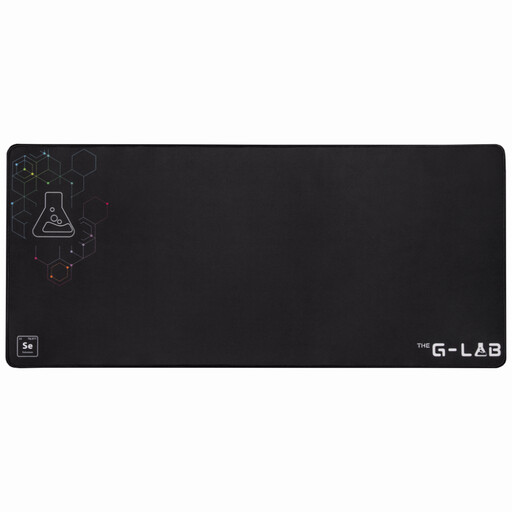
Why It Stands Out The Pad Selenium from The G-Lab offers the perfect balance of comfort, performance, and durability. Its 4 mm thickness places it in the category of very comfortable pads, while its "Control" type surface ensures a precise and smooth glide, suitable for the majority of gamers.
Key Features:
Who Is It For? For gamers looking for a versatile, comfortable, and durable desk mouse pad without the frills. It's the sensible choice for those who prioritize the essentials: performance and comfort at a fair price.
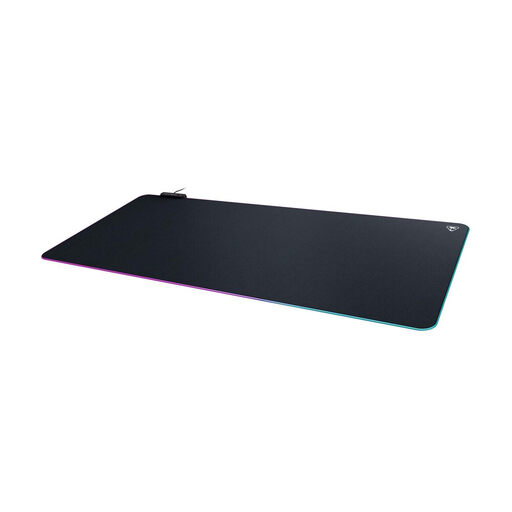
Why It Stands Out This model from Turtle Beach stands out with its AIMO intelligent lighting system. It doesn't just offer a large gaming surface; it integrates it into a lighting ecosystem for complete visual immersion. The spill-resistant surface is also a practical advantage.
Key Features:
Who Is It For? For aesthetically-minded gamers looking for a quality RGB mouse pad. It's perfect for those who already own Turtle Beach or AIMO-compatible peripherals and want to create a cohesive lighting ecosystem.
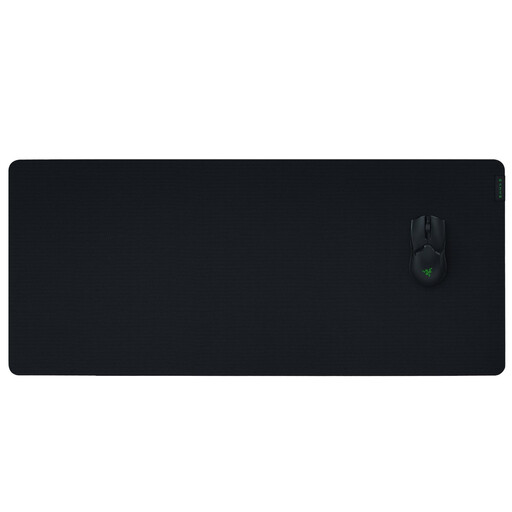
Why It Stands Out The Gigantus V2 from Razer was designed with one obsession: pure e-sports performance. Its micro-textured cloth surface is optimized for pixel-perfect tracking with all sensor types, making it a top choice for gamers who use low DPI settings and need a massive surface for their movements.
Key Features:
Who Is It For? For competitive gamers, especially FPS fans, who demand an XXL gaming mouse pad with zero compromises on tracking accuracy. It's the go-to choice for those who need maximum space for large, precise mouse movements.
Our selection highlights three distinct gamer profiles, but the mouse pad market is vast. If you want to explore other sizes, materials, or designs, there's no shortage of alternatives.
To discover a wider range and find the model that perfectly matches your desk and playstyle, check out our complete category of Large mouse pads.
1. What's the difference between an XL and an XXL mouse pad? There's no official standard. Generally, an XL pad can accommodate a mouse and part of a keyboard. An XXL pad, like those in our selection, is large enough to comfortably fit a full-sized keyboard and mouse, creating a giant glide surface that unifies the desktop.
2. How do you clean a large mouse pad? For regular maintenance, a soft, slightly damp cloth is sufficient. For a stain, use a little mild soap and rub gently. Rinse with a damp cloth and let it air-dry flat. Avoid the washing machine and dryer, especially for models with RGB lighting.
3. Is an RGB mouse pad really useful? In terms of performance, the answer is no. The lighting improves neither glide nor precision. However, for gamers who like to curate the aesthetics of their setup, an RGB pad is often the centerpiece that harmonizes all their peripherals (keyboard, mouse, headset). It's a purely personal choice—a matter of style and immersion.