
Livraison le jour même ou le lendemain

Qualité garantie

Débloquez vos offres de bienvenue: Livraison GRATUITE | Jusqu'à -80 % | 30 jours d'essai gratuits à JoyPlus
Téléchargez l'application
A mouse movement stopping short mid-duel, a keyboard slipping at the worst possible moment, a cluttered desk aesthetic... These are frustrations every gamer and content creator knows all too well. Far from being a mere accessory, the XXL gaming mouse pad is the very foundation of an optimised gaming and workspace. It ensures a perfectly uniform gliding surface, dramatically increases precision, and unifies the look of your setup.
As Head of Hardware, my mission is to decode the spec sheets and guide you to the equipment that truly meets your needs, cutting through the marketing jargon. This guide is designed to help you find the large-format mouse pad that will transform your gaming and work experience.
Before you make a decision, let's go over the key technical points to ensure you make a smart, long-lasting purchase.
First and foremost: get out your tape measure and size up your desk. An XXL gaming mouse pad should complement your space, not overwhelm it.
The surface texture directly impacts your mouse's responsiveness and glide feel. Pads from The G-Lab, for instance, often feature a "Control" type surface. This micro-weave cloth texture provides subtle resistance, perfect for making micro-adjustments with surgical precision. This is a critical advantage in FPS games where every millimetre counts. It guarantees impeccable tracking for both optical and laser sensors.
A great mouse pad needs to withstand thousands of hours of gaming without showing wear. Two details are worth inspecting closely:
We've selected three models that excel in their respective categories, all renowned for their design and value.
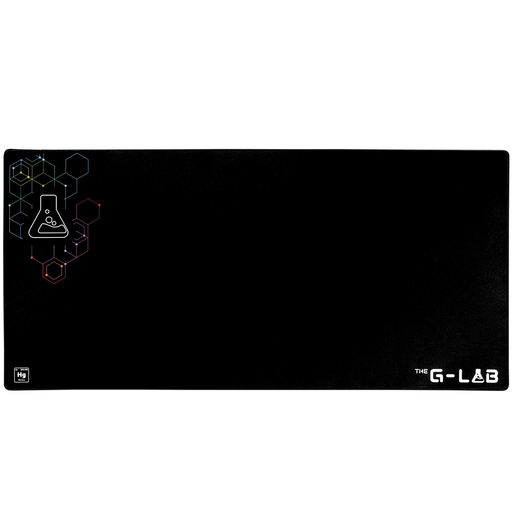
Key Feature: With its gargantuan 1200 x 570 mm dimensions, the Mercury Pad doesn't just accommodate your setup: it becomes your desk. It creates a unified, aesthetic, and ultra-functional surface for gaming and work.
Its Strengths:
Who is it for?: For gamers, streamers, and creators lucky enough to have a large desk and who are looking for an all-in-one solution for a clean, unified setup. It's the top choice for low-sensitivity (low-sens) players who rely on large arm movements.
See THE G-LAB Mercury Pad on Joybuy
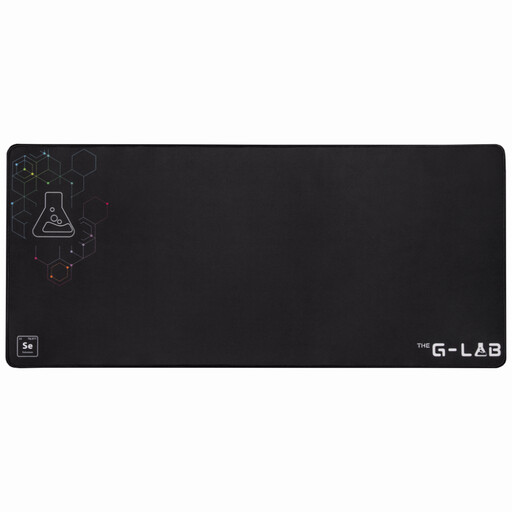
Key Feature: The Selenium Pad is a safe bet, the de facto standard for an XXL gaming mouse pad. Its 900 x 400 mm dimensions strike the perfect compromise between a generous gaming surface and easy integration on most desks.
Its Strengths:
Who is it for?: For the vast majority of PC gamers who want to level up their comfort and performance. It's the ideal, risk-free choice for a first XXL pad.
Discover THE G-LAB Pad Selenium on Joybuy
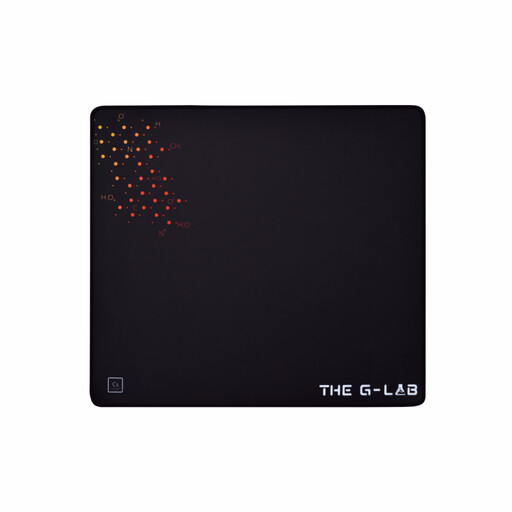
Key Feature: The Caesium Pad is the solution for those who want a large gliding surface without placing their keyboard on it. With its 450 x 400 mm dimensions, it offers a very comfortable mousing area, making it a great partner for smaller desks.
Its Strengths:
Who is it for?: For gamers with smaller desks or those who simply prefer a pad dedicated solely to their mouse. It's also an excellent option for high-sensitivity (high-sens) players who don't need to make large arm movements.
Check out THE G-LAB Pad Caesium on Joybuy
Our selection focuses on models with proven value. If you have more specific needs or wish to explore other designs, textures, or brands, our complete catalogue has you covered.
To discover dozens of other models suited for every setup, feel free to browse our complete collection of Non-Slip Mats.
For routine cleaning, a simple damp cloth is enough to remove dust. For stubborn stains, use a bit of warm water with mild soap and gently scrub with a microfibre cloth. Rinse with a clean, damp cloth and let it air dry flat. Crucially, never put it in a washing machine or dryer, as this will damage the rubber base and the gliding surface.
Yes, for several reasons! For gamers, especially those playing at low sensitivity (low DPI), it's indispensable. It allows for large arm movements without the mouse ever running off the pad, which is vital for precision. Beyond gaming, it protects your desk from scratches, improves wrist comfort thanks to its thickness, and gives your setup a much cleaner and more organised look.
It's a matter of feel and playstyle. A "Control" surface, like those in our selection, has a micro-woven texture that offers slight friction. The goal? To enable ultra-precise stops and greater control over micro-adjustments. It's the preferred choice for FPS players. In contrast, a "Speed" surface is as smooth as possible. It minimises friction for explosive, rapid mouse movements, which is often favoured in games like MOBAs or RTSs. Ultimately, there is no right or wrong choice—it all comes down to personal preference.