
Livraison le jour même ou le lendemain

Qualité garantie

Débloquez vos offres de bienvenue: Livraison GRATUITE | Jusqu'à -80 % | 30 jours d'essai gratuits à JoyPlus
Téléchargez l'application
Ever had your mouse run off the pad during a decisive duel? Or your keyboard slip across your desk? For PC gamers, especially FPS players who use low sensitivity for maximum precision, space is king. An XXL gaming mouse pad isn't just an accessory: it's the foundation of a stable, high-performance gaming setup.
In this guide, we break down the essential features of a large mouse pad and present our selection of the best models for 2026. The goal? To give you everything you need to choose the pad that will elevate your gear, your playstyle, and your desk's aesthetics.
Before diving into our selection, let's review the criteria that separate an excellent mouse pad from an ordinary one. Here are the three key points to check to make the right choice.
The surface texture determines the glide feel and responsiveness of your mouse. Two main types dominate the world of cloth surfaces:
The 900?x?400?mm mouse pad format has become a standard, and for good reason: it offers enough space to accommodate both your keyboard and your mouse. Using a mouse pad for your keyboard and mouse unifies your gaming surface, prevents the keyboard from sliding, and ensures you never run out of room mid-fight. Check that the underside of the pad is equipped with a non-slip base, usually made of rubber, for a flawless grip on your desk, even when the action heats up.
Finishing touches aren't just a detail: they are a guarantee of your mouse pad's longevity. Stitched edges will prevent the fabric from fraying, a common problem with entry-level pads. For those who love sleek setups, an RGB mouse pad adds the final touch with customisable lighting. This lighting usually syncs with your other peripherals to create a fully immersive atmosphere.
We've selected three models that stand out from the crowd, each with its own strengths.
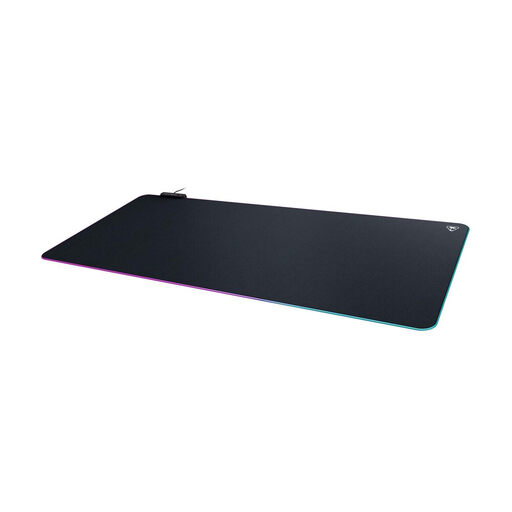
Why it stands out: This pad shines with its AIMO intelligent lighting system, which dynamically syncs lighting effects with other compatible peripherals. It's the missing piece for RGB setup enthusiasts who refuse to sacrifice performance or style.
Key Features:
Who is it for? Ideal for gamers already equipped with Turtle Beach or Roccat peripherals who want to create a unified lighting ecosystem without compromising on glide quality.
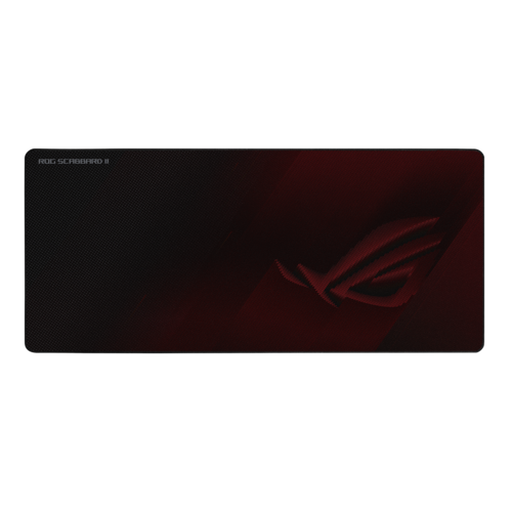
Why it stands out: The ROG Scabbard II goes all-in on durability and impressive ease of maintenance. Its military-inspired protective coating repels water, oil, and dust, ensuring a perfect and lasting glide.
Key Features:
Who is it for? For demanding gamers and competitors who want an ultra-fast, durable, and low-maintenance mouse pad. The choice for pure, hassle-free performance.
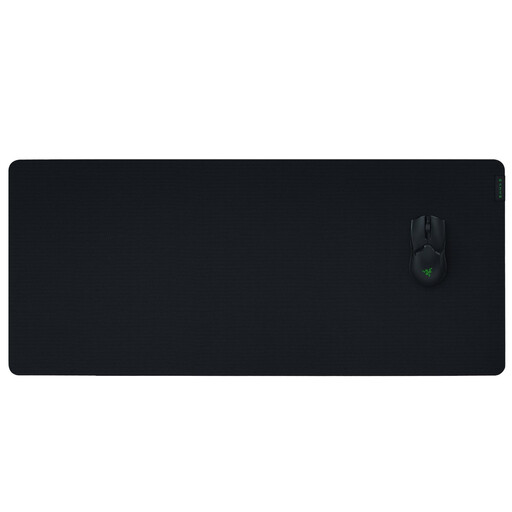
Why it stands out: The Gigantus V2 focuses on the essentials: maximum control surface and enhanced comfort. Its micro-textured cloth surface is optimised for pixel-perfect tracking, making it a benchmark for precision.
Key Features:
Who is it for? The ideal companion for low-sensitivity (low DPI) gamers who need maximum surface area for their large arm movements, without sacrificing control and comfort.
This selection is just a sample. If you're looking for other sizes, materials, or brands, our full catalogue will have something to meet your needs.
? Explore our full category of gaming mouse pads
A large mouse pad typically accommodates only the mouse. The XXL gaming mouse pad format, however, is a true "desk mat" (often 900?x?400?mm or larger) designed to hold both your keyboard and your mouse. The benefit? It creates a consistent gaming surface, stabilises the keyboard, and gives the mouse a virtually limitless playing field.
For regular cleaning, a soft, dry cloth or a low-power vacuum is enough to remove dust. For a stain, a damp cloth with a little mild soap will do the trick. Rub gently, rinse with another clean, damp cloth, and then let it air dry. For an RGB mouse pad, be sure to unplug it before any cleaning and, most importantly, never submerge the control box or USB connector.
Yes, modern cloth pads are built to last. Longevity primarily depends on the quality of the weave and the finishing. Opt for models with stitched edges: this is the best guarantee against fraying, the weak point of many pads. Some models even take it a step further, like the Asus ROG Scabbard II, with protective coatings that make them even more resistant to wear and liquids.