
Livraison le jour même ou le lendemain

Qualité garantie

Débloquez vos offres de bienvenue: Livraison GRATUITE | Jusqu'à -80 % | 30 jours d'essai gratuits à JoyPlus
Téléchargez l'application
In a video game, sound is just as crucial as visuals for total immersion. A great wireless Xbox headset does more than just make you feel the rumble of explosions; it gives you a tactical advantage by letting you hear an enemy's slightest footstep. Yet, faced with a jungle of marketing promises, it's easy to make a regrettable mistake. Before you pull out your credit card, let's review the pitfalls to avoid to ensure you invest in a headset that will truly elevate your gaming sessions.
The first and most common pitfall is the myth of universal compatibility. Many headsets boast of being "console and PC" compatible, but the reality is often more nuanced. Some require a USB adapter (dongle) that hogs a precious port, while others offer only a degraded experience on Xbox, with watered-down features. The ultimate trap is the Bluetooth Xbox headset: the console is simply incapable of handling game audio via Bluetooth. A 100% Bluetooth headset will therefore be useless for gaming—a detail often hidden in the fine print on the box.
Also, be wary of flashy features. Dazzling RGB lights and an ultra-aggressive design can sometimes hide disappointing audio quality and spartan comfort, a deal-breaker for long sessions. Remember: what's essential isn't seen, it's heard and felt.
To make an informed choice, forget the marketing jargon and focus on what really matters. Here are the three pillars to inspect before any purchase.
The way your headset communicates with the console is the number one criterion. For the optimal experience on Xbox Series X|S or Xbox One, one technology reigns supreme: Xbox Wireless.
A good gaming headset should transport you to the heart of the action. To achieve this, two points are worth watching:
A wireless Xbox headset should make you forget it's even there. Check the advertised battery life, which ranges from 15 hours for entry-level models to over 80 hours for the endurance champions. Comfort is just as crucial: a light weight, a well-distributed headband, and ear cushions made of memory foam or breathable fabric are the guarantors of pain-free marathon sessions.
Rather than an endless list, we've selected three models that excel in their category and cater to specific player profiles.
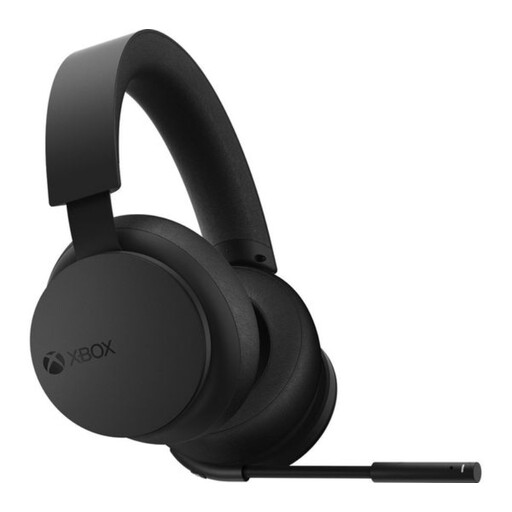
Why it's the right choice: Ideal for the gamer seeking perfect integration and ease of use. As an official Microsoft product, it's designed to work in symbiosis with the console, without any complex setup.
It uses native Xbox Wireless technology, which eliminates the need for a dongle and guarantees flawless compatibility. Pairing is as simple and instant as connecting a controller.
Perfect integration with the Xbox ecosystem; ultra-intuitive rotating dials for volume and game/chat balance; native support for spatial audio (Dolby Atmos, DTS:X).
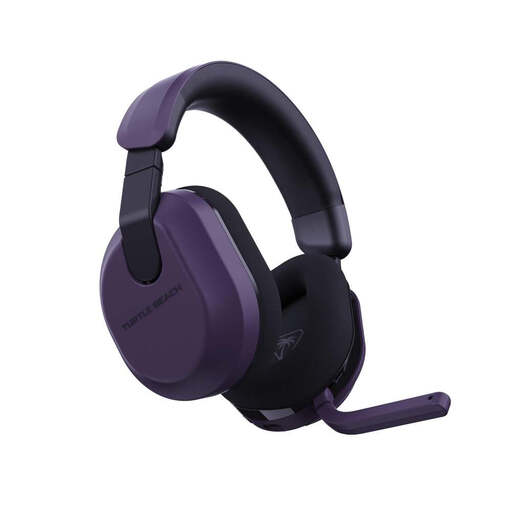
Why it's the right choice: Designed for gamers who pull marathon sessions and juggle between their Xbox, PC, and mobile. Its record-breaking battery life is its killer feature.
It combines a low-latency 2.4 GHz wireless connection for gaming with Bluetooth 5.2 for everything else. The QuickSwitch technology lets you switch between the two with a single press, ending the headache of dual connections.
Colossal 80-hour battery life; AI-powered voice isolating microphone; 50mm Nanoclear drivers for precise sound.
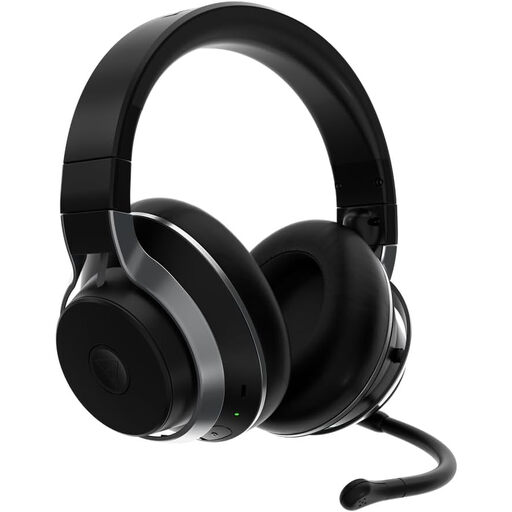
Why it's the right choice: For the gamer who tolerates no compromise on audio quality and features. This premium model aims for absolute immersion by shutting out the outside world.
Here, the features are not just gimmicks. The active noise cancellation is incredibly effective at creating a bubble of focus, while the dual swappable battery system solves the dreaded dead battery problem once and for all.
Swappable battery system for unlimited uptime; highly effective active noise cancellation; simultaneous wireless and Bluetooth dual connectivity.
Discover our complete selection of gaming headsets that meet our strictest selection criteria.
1. Can you use any Bluetooth headset with an Xbox? No, and this is a classic trap. Xbox consoles (Series X|S, One) do not support game audio via Bluetooth. For a wireless connection, you absolutely need a headset that uses Xbox Wireless technology or a "Designed for Xbox" certified model with its own USB dongle. Some headsets offer Bluetooth as an additional feature, but it can only be used to connect to a phone for calls or music, never for game audio.
2. Is Dolby Atmos a paid feature on Xbox with a compatible headset? Yes, using Dolby Atmos for Headphones on Xbox requires purchasing a license from the Microsoft Store. However, many high-end headsets include this license for life: it activates automatically as soon as you connect the headset. Note that the console offers an excellent free and built-in alternative: Windows Sonic for Headphones.
3. What is the average lifespan of a wireless Xbox headset? It all depends on the build quality and how you care for it. A well-made headset can easily last you 3 to 5 years. The weak point is often the battery, which will inevitably lose capacity over charge cycles. Models with a removable battery, though rarer, are a guarantee of longevity. The care given to the ear cushions and headband is also key.