
Livraison le jour même ou le lendemain

Qualité garantie

Débloquez vos offres de bienvenue: Livraison GRATUITE | Jusqu'à -80 % | 30 jours d'essai gratuits à JoyPlus
Téléchargez l'application
Whether you're a casual gamer on Xbox Series X|S or a hardcore competitor on PC, the right controller can transform your gaming experience. Between the standard model, the Elite Core version, and the full Elite edition, it can be easy to get lost.
This article breaks down the features of each official Xbox Series X controller to help you find the one that perfectly matches your playstyle and budget.
Before diving into our selection, here are a few key criteria to guide your choice.
All official Xbox controllers are, of course, designed to work seamlessly with Xbox Series X|S and Xbox One consoles. But their versatility doesn't stop there. Thanks to their dual Xbox Wireless and Bluetooth connectivity, they connect just as easily to a Windows PC, as well as to Android and iOS mobile devices. Needless to say, if you're looking for an Xbox controller for PC, these models are excellent options. For minimal latency, a wired connection via the USB-C port remains a reliable choice, especially valued in competitive play.
Every gamer is unique, and their controller should be too. The standard model already offers excellent ergonomics and welcome features like the Share button. For players seeking peak performance, a pro Xbox controller like the Elite series takes things a step further. It offers interchangeable components (thumbsticks, D-pad), shorter trigger locks for maximum responsiveness, and programmable back paddles. This allows you to tailor your controller for each game and shave off precious milliseconds.
The power source is a significant comfort factor. The standard Xbox Core controller runs on two AA batteries, providing up to 40 hours of battery life. This is a flexible solution, but it means either stocking up on batteries or investing in a separately sold rechargeable battery pack. In contrast, the Xbox Elite Series 2 range features a built-in rechargeable battery offering similar longevity. This is a real bonus for convenience and long-term savings.
Here is our analysis of the official models to help you weigh the pros and cons.
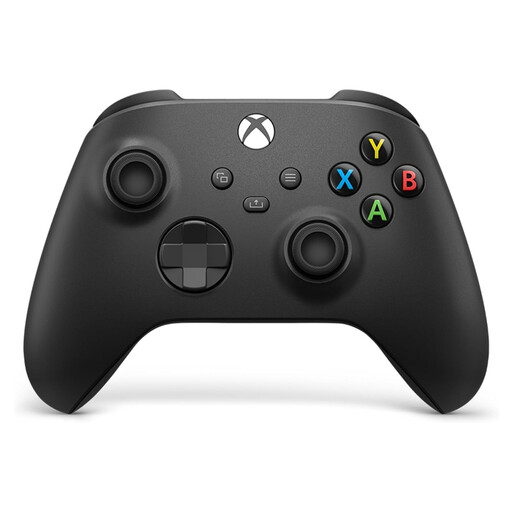
Why it stands out?: This is the benchmark model, the direct successor to the excellent Xbox One controller. Its ergonomics have been further refined, with textured surfaces on the triggers and grips for better control, not to mention the addition of the 'Share' button to capture and share your greatest moments on the fly.
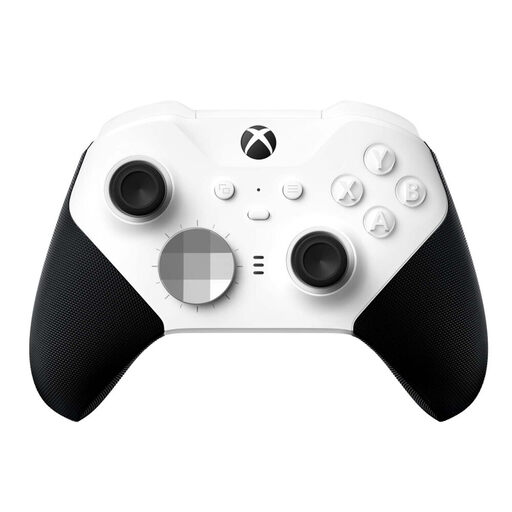
Why it stands out?: The Core version makes pro features more accessible. It includes the essentials of the Elite experience: adjustable-tension thumbsticks, shorter trigger locks, and rubberised grips. You're free to purchase additional accessories (paddles, extra thumbsticks) later, if needed.
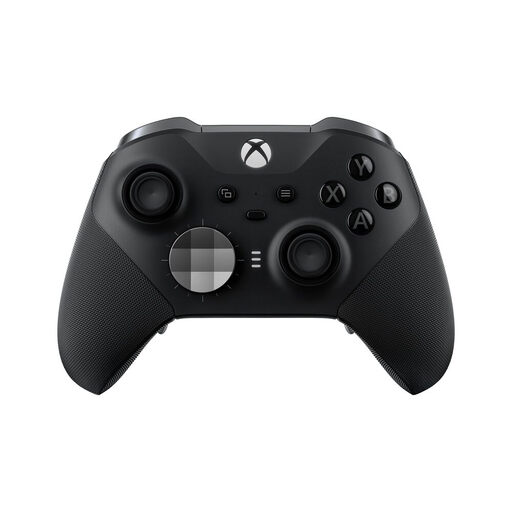
Why it stands out?: This is the ultimate choice for the most demanding gamers. The Xbox Elite Series 2 controller doesn't just include the Core model's strengths; it adds a full arsenal of accessories: 4 back paddles, interchangeable thumbsticks and D-pads, a thumbstick-tension adjustment tool, a charging dock, and a carrying case.
If the models featured don't cover all your needs, or if you're simply curious to discover other designs and features, feel free to explore our catalogue.
? Discover our full selection of wireless PC game controllers
The difference mainly comes down to the included accessories. Both controllers share the same excellent technical foundation: adjustable-tension thumbsticks, variable trigger locks, and a rechargeable battery. The Core version (white) comes 'barebones', with only the thumbstick-adjustment tool. The complete Elite Series 2 version (black) includes the full package: a set of paddles, interchangeable thumbsticks and D-pads, as well as a carrying case with a charging dock.
Yes, absolutely. All official Xbox Series X|S controllers are fully PC compatible. You can connect them to a Windows 10 or 11 computer in three ways: wired via a USB-C cable, via Xbox Wireless technology (which requires a separately sold adapter), or simply via Bluetooth, with no extra accessories needed.
It depends on the model. The standard controller runs on AA batteries. To move away from disposable batteries, you can either use rechargeable batteries with an external charger or invest in the official Xbox Play & Charge Kit. The Xbox Elite Series 2 and Elite Series 2 Core controllers, on the other hand, have a built-in battery. You simply need to plug them in with a USB-C cable to recharge. The full Elite model goes a step further by including a dedicated charging dock in its carrying case.